
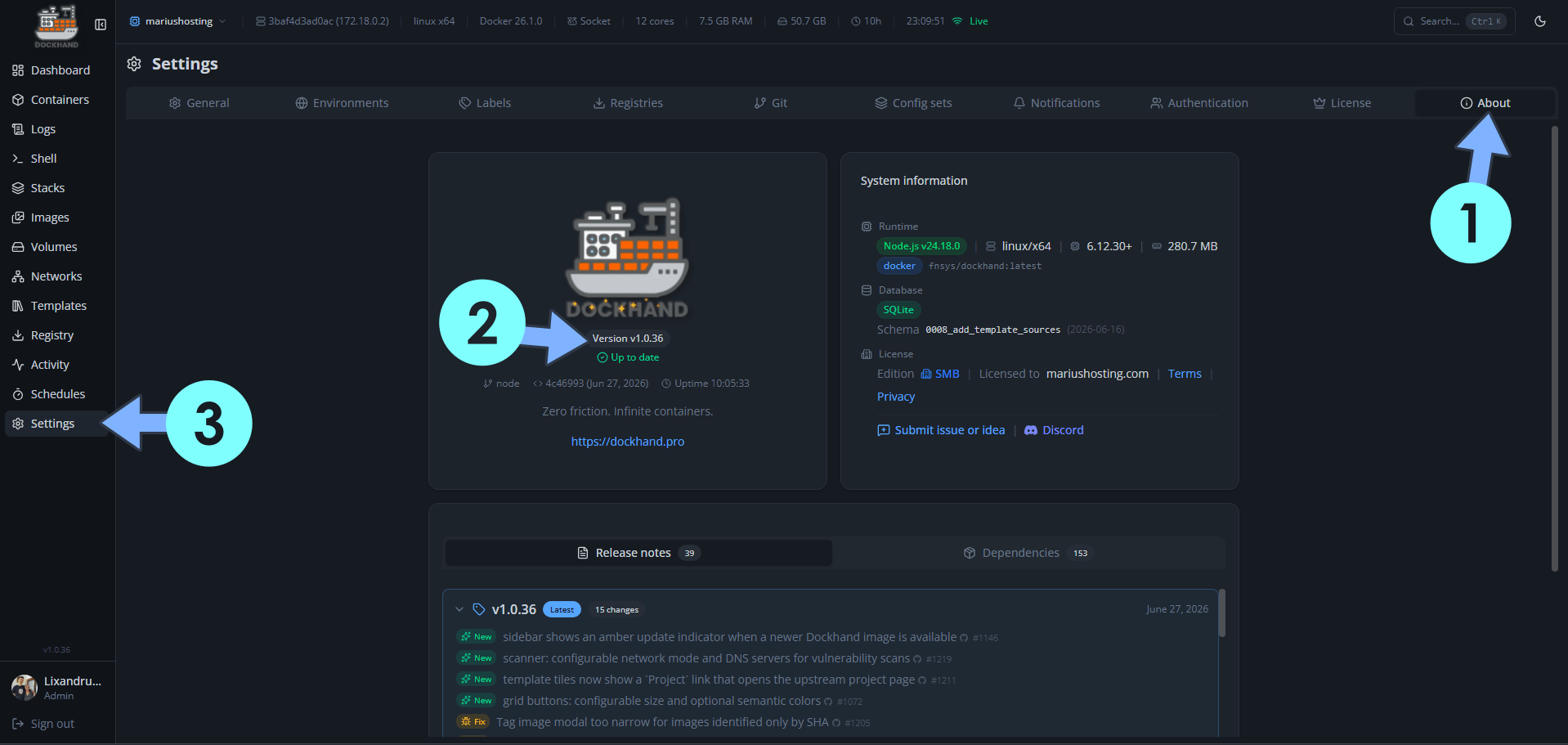
On June 27, 2026, Dockhand switched from version 1.0.35 to the new 1.0.36 version. Dockhand fixes the following issues and adds new options:
New – Sidebar shows an amber update indicator when a newer Dockhand image is available
New – Scanner: configurable network mode and DNS servers for vulnerability scans
New – Template tiles now show a `Project` link that opens the upstream project page
New – Grid buttons: configurable size and optional semantic colors
Fix: Tag image modal too narrow for images identified only by SHA
Fix: Self-hosted ntfy: accept raw `tk_…` access tokens in `?auth=`
Fix: Dashboard: a single failed DB stats query no longer poisons the whole environment tile
Fix: UI dates and times now honor the configured default timezone instead of the browser’s timezone
Fix: Add missing `reset-mfa.sh` emergency script referenced by the manual
Fix: Registry browser: copy between registries no longer duplicates the host
Fix: Published image carries standard OCI annotations (source, url, title, description, vendor, licenses)
Fix: Cron picker: hour shows just `HH` (was `HH:00`), minute granularity bumped from 15 to 5
Fix: Copy buttons (git deploy logs, API tokens) now work over plain HTTP
Fix: Podman pod-infra containers no longer trigger update-check warnings
Fix: Terminal exec works even when the browser sends a cookie with stray `%` characters
📋Install Dockhand 1.0.36 On Your Synology NAS
🔄How to Update Dockhand to Version 1.0.36 on Synology NAS
🔄How to Update Dockhand to Version 1.0.36 on UGREEN NAS
📋Install Dockhand 1.0.36 On Your Asustor NAS
🔄How to Update Dockhand to Version 1.0.36 on Asustor NAS
⚡How to Move Your Docker Containers From Portainer to Dockhand
🚀Farewell to 7 Docker Tools: Dockhand Just Killed Them All in One Go

🌟Starring projects like Dockhand on GitHub is a quick way to thank developers for their work. It boosts visibility so more people discover it, attracts contributors, and motivates the team to keep improving it.
What is Dockhand? Dockhand allows you to easily manage your different Docker environments. Dockhand is a modern, self-hosted Docker management platform with an intuitive web interface for homelabs, small businesses, and enterprises. It simplifies container operations, stack deployments, and observability through real-time management (start/stop/restart containers, web terminals, file transfers), a visual Compose editor, GitOps auto-sync, metrics, logs, OIDC/SSO, MFA, vulnerability scans, and multi-host support via the open-source Hawser agent. You can deploy it quickly as a Docker container with no cloud dependencies or telemetry. It’s forever free for personal use.
This post was updated on Saturday / October 17th, 2026 at 12:30 AM