

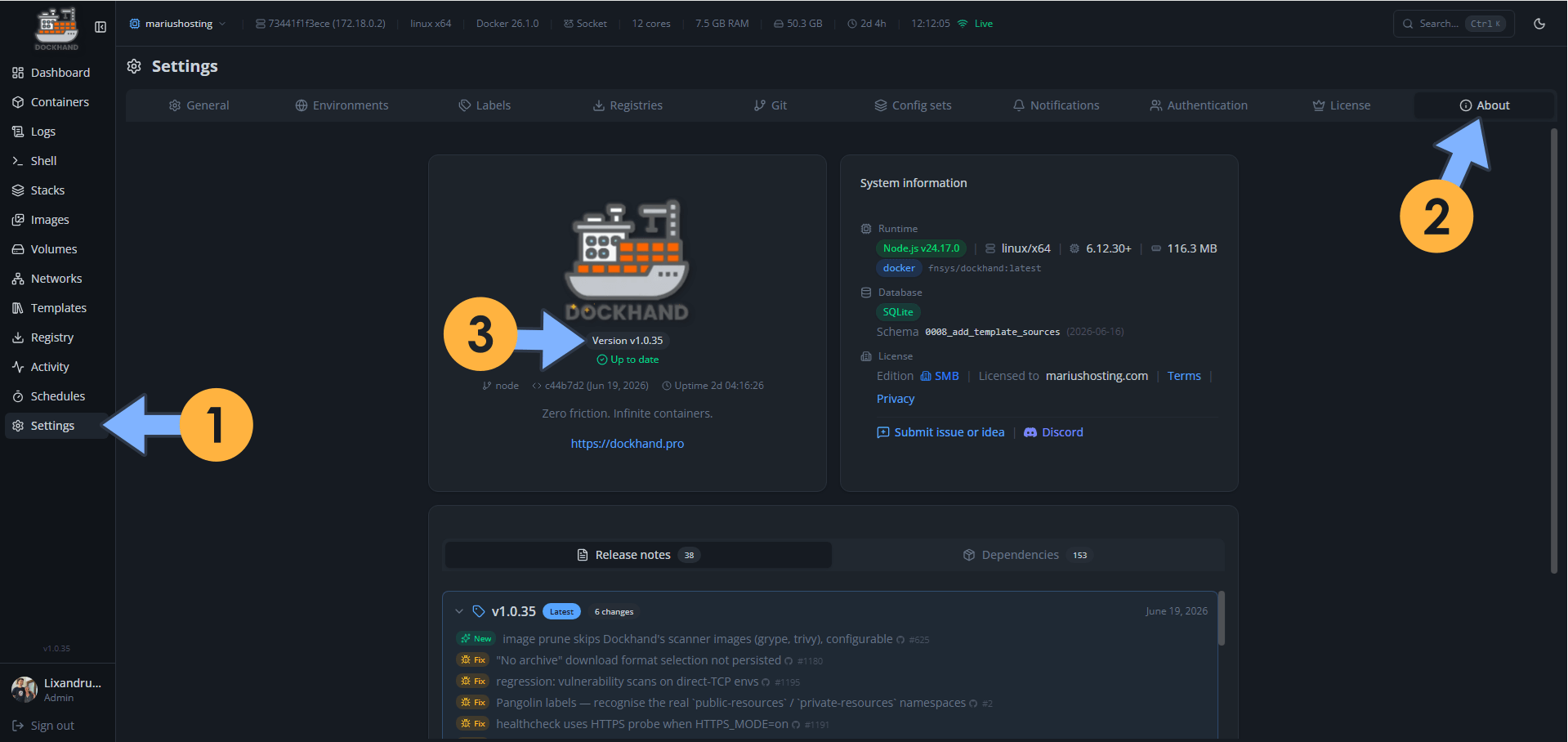
On June 19, 2026, Dockhand switched from version 1.0.34 to the new 1.0.35 version. Dockhand fixes the following issues and adds new options:
New – Image prune skips Dockhand’s scanner images (grype, trivy), configurable
Fix: “No archive” download format selection not persisted
Fix: Regression: vulnerability scans on direct-TCP envs
Fix: Pangolin labels – recognize the real `public-resources` / `private-resources` namespaces
Fix: Healthcheck uses HTTPS probe when HTTPS_MODE=on
Fix: Shell detection improved for containers with non-standard PATH or shell locations
📋Install Dockhand 1.0.35 On Your Synology NAS
🔄How to Update Dockhand to Version 1.0.35 on Synology NAS
🔄How to Update Dockhand to Version 1.0.35 on UGREEN NAS
📋Install Dockhand 1.0.35 On Your Asustor NAS
🔄How to Update Dockhand to Version 1.0.35 on Asustor NAS
⚡How to Move Your Docker Containers From Portainer to Dockhand
🚀Farewell to 7 Docker Tools: Dockhand Just Killed Them All in One Go

🌟Starring projects like Dockhand on GitHub is a quick way to thank developers for their work. It boosts visibility so more people discover it, attracts contributors, and motivates the team to keep improving it.
What is Dockhand? Dockhand allows you to easily manage your different Docker environments. Dockhand is a modern, self-hosted Docker management platform with an intuitive web interface for homelabs, small businesses, and enterprises. It simplifies container operations, stack deployments, and observability through real-time management (start/stop/restart containers, web terminals, file transfers), a visual Compose editor, GitOps auto-sync, metrics, logs, OIDC/SSO, MFA, vulnerability scans, and multi-host support via the open-source Hawser agent. You can deploy it quickly as a Docker container with no cloud dependencies or telemetry. It’s forever free for personal use.
This post was updated on Saturday / October 17th, 2026 at 12:31 AM