
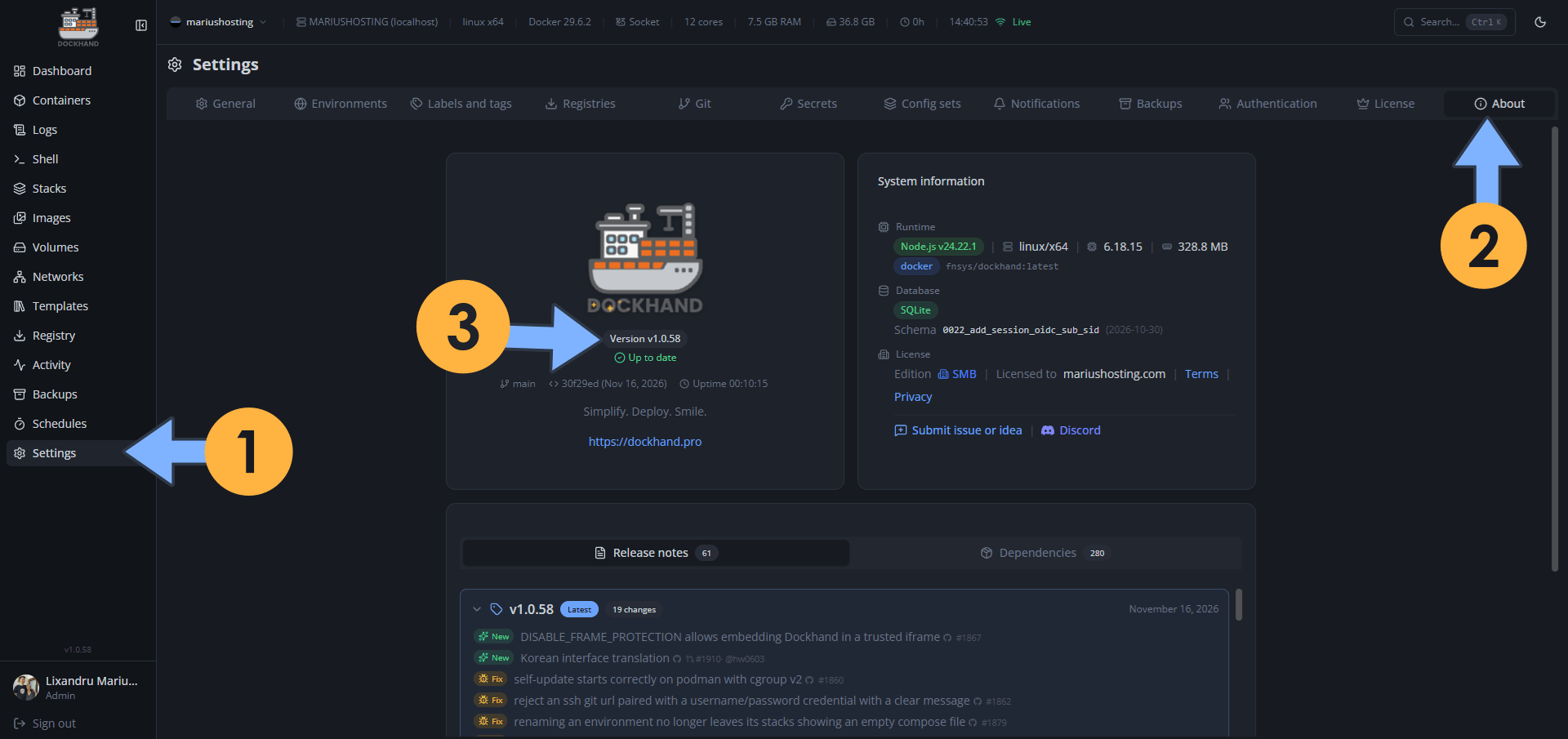
On November 16, 2026, Dockhand moved from version 1.0.57 to the new 1.0.58 version. This release adds new options and fixes the following issues:
New – DISABLE_FRAME_PROTECTION allows embedding Dockhand in a trusted iframe
New – Korean interface translation
Fix: Self-update starts correctly on podman with cgroup v2
Fix: Reject an ssh git url paired with a username/password credential with a clear message
Fix: Renaming an environment no longer leaves its stacks showing an empty compose file
Fix: No false 403 when opened by an address other than ORIGIN
Fix: Repository stats no longer time out behind a reverse proxy
Fix: The disk usage panel no longer starts a new scan on every page load on slow storage
Fix: Image ships docker-compose 5.7.0 and an updated restic, fixing CVE-2026-116591
Fix: Stack deploys no longer write .env file contents to the log
Fix: Scheduled updates honour the dockhand.skip.cooldown label instead of failing at the pull
Fix: Containerd image store: images no longer show as unused after a rebuild
Fix: The git stack webhook secret field shows when a secret is already set
Fix: The logs panel shows the container it is switched to while streaming is paused
Fix: A webhook arriving during a running git sync no longer sends a false git sync failed notification
Fix: A running backup no longer writes tens of MB/s to the database
Fix: The stack editor no longer shows variables from a SOPS-encrypted env file as missing
Fix: Hawser edge compose operations honour COMPOSE_TIMEOUT
Fix: Stacks under a DATA_DIR inside /root are no longer refused as “Compose path is not allowed”
📋Install Dockhand 1.0.58 On Your Synology NAS
🔄How to Update Dockhand to Version 1.0.58 on Synology NAS
🔄How to Update Dockhand to Version 1.0.58 on UGREEN NAS
📋Install Dockhand 1.0.58 On Your Asustor NAS
🔄How to Update Dockhand to Version 1.0.58 on Asustor NAS
⚡How to Move Your Docker Containers From Portainer to Dockhand
💡Note: How to Free Disk Space on Your NAS if You Run Docker and Dockhand
🚀Farewell to 7 Docker Tools: Dockhand Just Killed Them All in One Go

🌟Starring projects like Dockhand on GitHub is a quick way to thank developers for their work. It boosts visibility so more people discover it, attracts contributors, and motivates the team to keep improving it.
What is Dockhand? Dockhand allows you to easily manage your different Docker environments. Dockhand is a modern, self-hosted Docker management platform with an intuitive web interface for homelabs, small businesses, and enterprises. It simplifies container operations, stack deployments, and observability through real-time management (start/stop/restart containers, web terminals, file transfers), a visual Compose editor, GitOps auto-sync, metrics, logs, OIDC/SSO, MFA, vulnerability scans, and multi-host support via the open-source Hawser agent. You can deploy it quickly as a Docker container with no cloud dependencies or telemetry. It’s forever free for personal use.
This post was updated on Monday / November 16th, 2026 at 11:24 PM