
UGREEN did not make us wait long for the next one. On November 5, 2026, the new UGOS PRO version 1.21.1.0016 landed, just a few days after 1.21.0.0190. Once again the iDX 6011 / iDX 6011 Pro owners get the same build as the DXP and DH series, so everyone can update on the same day. Below I will guide you step by step through the process of installing the new UGOS PRO 1.21.1.0016. This is a maintenance release rather than a feature update: it fixes a problem where folder data could not be deleted from the app when the Recycle Bin was disabled for that folder, it solves the App Center blank screen caused by a log error and, most importantly, it patches known security vulnerabilities. The system Kernel stays at version 6.18.15 on DXP and iDX models, and you can upgrade directly from 1.19.0 or later. While firmware updates on UGOS PRO have historically been non-destructive, it is always prudent to ensure important files are protected (local copies, another NAS, or cloud storage following the 3-2-1 rule).
📝UGOS PRO 1.21.1.0016 FULL CHANGELOG
🛠️Fixes
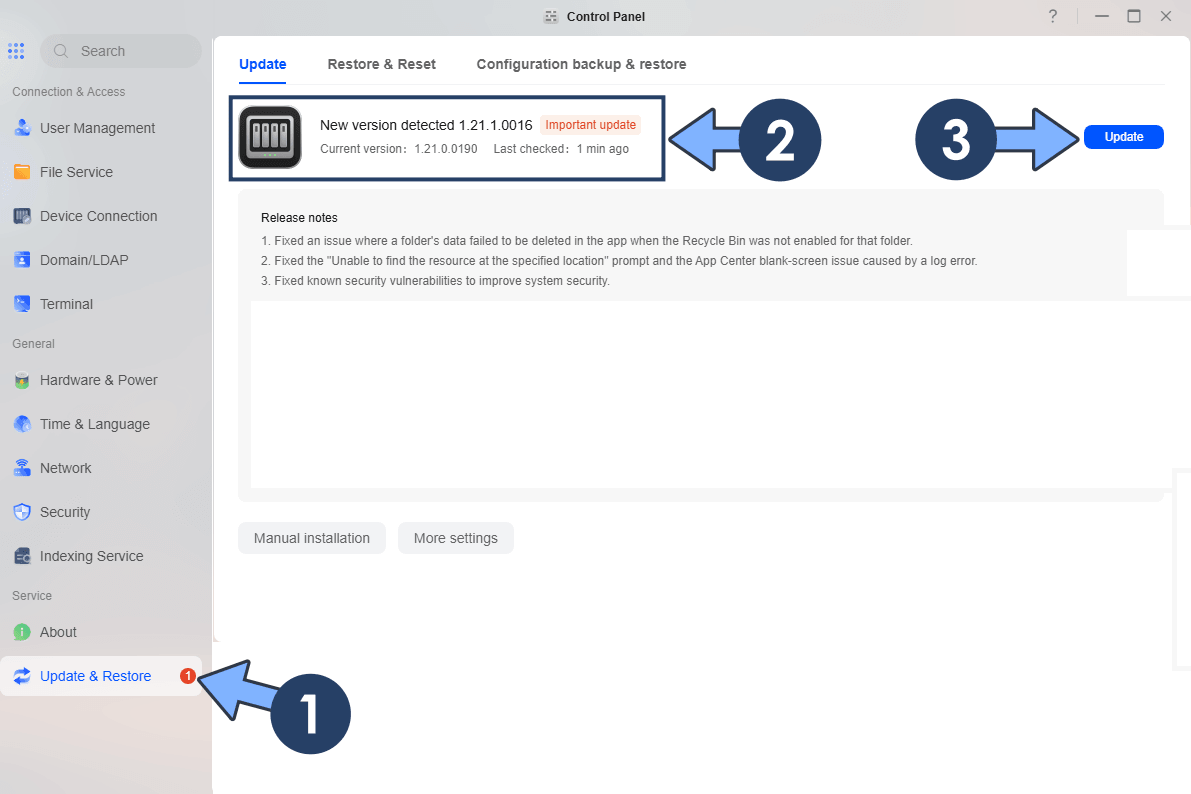
1. Fixed an issue where a folder’s data failed to be deleted in the app when the Recycle Bin was not enabled for that folder.
2. Fixed the “Unable to find the resource at the specified location” prompt and the App Center blank-screen issue caused by a log error.
3. Fixed known security vulnerabilities to improve system security.
STEP 1
Log in to your UGREEN NAS via the web interface. Open the Control Panel. On the left sidebar, under Service, click Update & Restore. The system will automatically check for available updates. When version 1.21.1.0016 is detected, click Update.
STEP 2
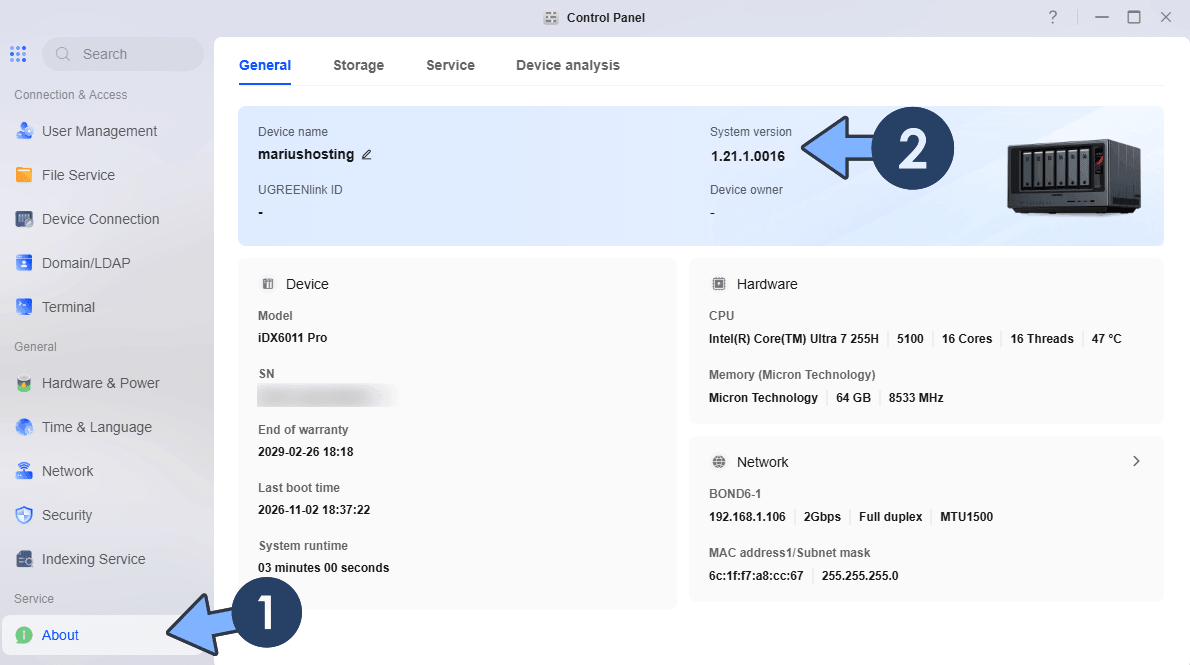
The NAS will download the package, apply the update, and restart automatically. Typically, the update will last 1 or 5 minutes depending on your UGREEN NAS model and network speed. After reboot, log in again and verify the new version under Control Panel About or Update & Restore.
Note: There are no new features to play with this time, but please don’t skip this one. UGREEN states that the update fixes known security vulnerabilities, and even if the details have not been made public, a security patch is always the best reason to update, especially if your UGREEN NAS is reachable from outside your home network. The Recycle Bin fix is also welcome: if you disabled the Recycle Bin on some shared folders, deleting their data from the app now works as expected again.
Note: You can also manually download the latest UGOS Firmware directly from the Official UGREEN NAS page.
Note: For the IDX series, the update is once again available right away. The iDX6011 and iDX6011 Pro receive the same 1.21.1.0016 build as the DXP and DH models instead of a separate version number released a short time later as it happened with 1.19.10.0022. Keep in mind that the upgrade requires UGOS PRO 1.19.0 or later, so if your iDX is still on an older 1.17.x firmware, install the previous update first and then move to 1.21.1.0016.
This post was updated on Thursday / November 5th, 2026 at 2:00 PM