

The two versions (1.19.1.0126 for DH/DXP and 1.19.10.0022 for iDX 6011 / iDX 6011 Pro) share essentially the same main changelog. Version 1.19.1.0126 was released on August 31, 2026 for the DH/DXP series, while 1.19.10.0022 was released on September 11, 2026 specifically for the iDX series. UGREEN uses slightly different version numbers for different hardware series, but the content of the changes is identical. This update upgraded the system Kernel to version 6.18. This newer Linux kernel delivers better hardware compatibility, improved power management, enhanced security foundations, and overall system stability. Linux Kernel 6.18 was released on November 30, 2025, and designated as a Long-Term Support (LTS) release supported until December 2027. Docker and related services also receive accompanying updates as part of the broader ecosystem refresh that accompanies major UGOS PRO releases. While firmware updates on UGOS PRO have historically been non-destructive, it is always prudent to ensure important files are protected (local copies, another NAS, or cloud storage following the 3-2-1 rule).
📝UGOS PRO 1.19.10.0022 FULL CHANGELOG
🗄️Storage
- Optimized the sleep policy for external storage.
- Optimized the coordination between hard drive sleep policy and fan speed.
- Optimized data collection for SSDs equipped with multiple temperature sensors.
🗂️Files
- Fixed an issue where standard users, when accessing a shared folder via a shortcut, could view folders at the same directory level for which they had no permissions.
📌Other Improvements
- Upgraded the system kernel to version 6.18.
- When copying or moving files, existing thumbnails are now migrated as well.
- Fixed abnormal audio issues during HDMI screen casting playback.
- Fixed an issue where the system falsely reported an IP conflict after creating link aggregation in network settings.
- Fixed an issue where updating an app would automatically create a desktop shortcut.
- Fixed some known issues to improve user experience.
STEP 1
Log in to your UGREEN NAS via the web interface. Open the Control Panel. On the left sidebar, under Service, click Update & Restore. The system will automatically check for available updates. When version 1.19.10.0022 is detected, click Update Now.

STEP 2
The NAS will download the package, apply the update, and restart automatically. Typically, the update will last 1 or 5 minutes depending on your UGREEN NAS model and network speed. After reboot, log in again and verify the new version under Control Panel / About or Update & Restore.
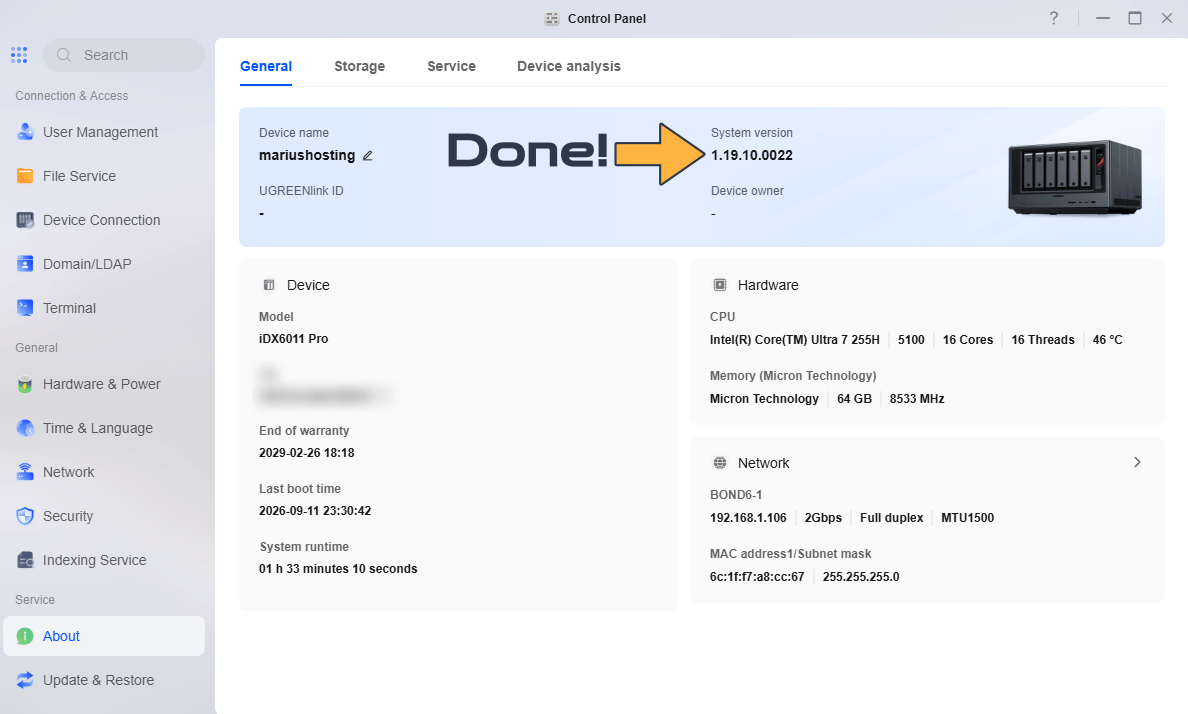
There are also updates to many system apps (Docker app, Virtual Machine, Sync & Backup, Photos, Theater, Surveillance, Cloud Drives, etc.), with specific improvements (e.g., automatic creation of missing folders from Compose configurations in Docker, support for 123pan and file encryption in cloud storage, new Theater/Media Server features, and more).
Docker Engine 29.6.2 is included. With the update to 1.19.1.0126 (and consequently also with 1.19.10.0022 for iDX), Docker Engine is upgraded from 29.4.3 (present in the 1.17.x series) to 29.6.2. This is a maintenance and security-focused update (released mid-July 2026 by Docker/Moby) that addresses several important CVEs and improves stability and compatibility with modern images and Compose stacks. UGREEN remains among the NAS manufacturers with the most up-to-date Docker engine, same as Asustor. After the firmware update, also check for app updates (especially Docker) in the App Center and restart your containers if needed. Always make a backup before updating.
This post was updated on Thursday / October 15th, 2026 at 10:16 PM