
When setting up a storage pool or volume on your UGREEN NAS for the first time, you must choose between Ext4 and Btrfs. This decision is permanent without reformatting and migrating data, so it is worth understanding the differences before you proceed.
- The file system cannot be changed later without deleting the storage pool and restoring from backup. You should plan carefully after reading my full article below.
- Always use an UPS. I personally use a cheap one called TED UPS 1600VA 900W. Both file systems benefit from having an UPS, but Btrfs (Copy-on-Write) is more sensitive to unclean shutdowns so an UPS is mandatory.
- RAID is not a backup. Regardless of the file system, maintain proper off-device or cloud backups.
- UGREEN presents both options clearly and leans toward Btrfs for data-protection-focused home users while acknowledging Ext4’s speed and compatibility advantages.
- In short, follow the same practical rule of thumb used for Synology setups: Btrfs for general use and data safety features, Ext4 when performance is the top priority. For most UGREEN admins who want snapshots and peace of mind, Btrfs is the stronger default provided you pair it with an UPS and solid backup strategy. If you prefer the simplest, most mature path with zero extra features, go with Ext4.
UGREEN recommends Btrfs for everyday home users who value data protection, snapshots, and the ability to recover from accidental deletions or corruption. It recommends Ext4 when maximum write speed and minimal overhead are priorities, for example in the case of large sequential transfers, video editing/backup workloads, continuous surveillance recording, or high-compatibility environments.
Many users successfully run Btrfs long-term and value snapshots highly. Snapshots are only available with Btrfs on the UGOS pro operating system. Btrfs works well with a proper UPS (graceful shutdowns avoid most issues after power events). Unlike Synology DSM, UGOS Pro does not currently force Btrfs for most applications. The main functional limitation of Ext4 is the lack of the built-in Snapshot feature.
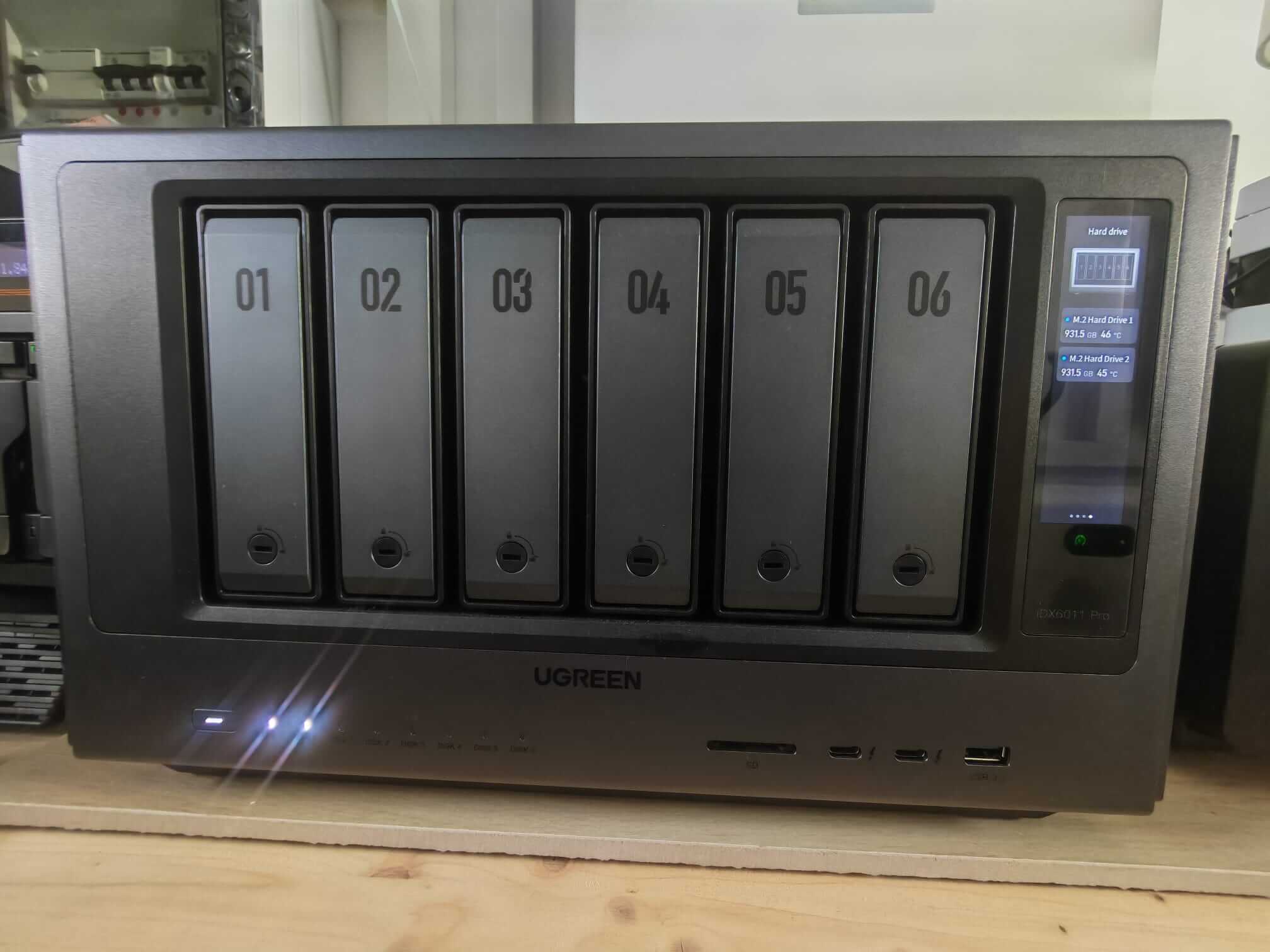
In my homelab, I will use the Ext4 file system along with my UGREEN NAS iDX6011 Pro and I will explain to you below why I choose Ext4 over Btrfs. I also opted for two M.2 SSDs for better read/write performance that will increase the efficiency of an Ext4 file system.
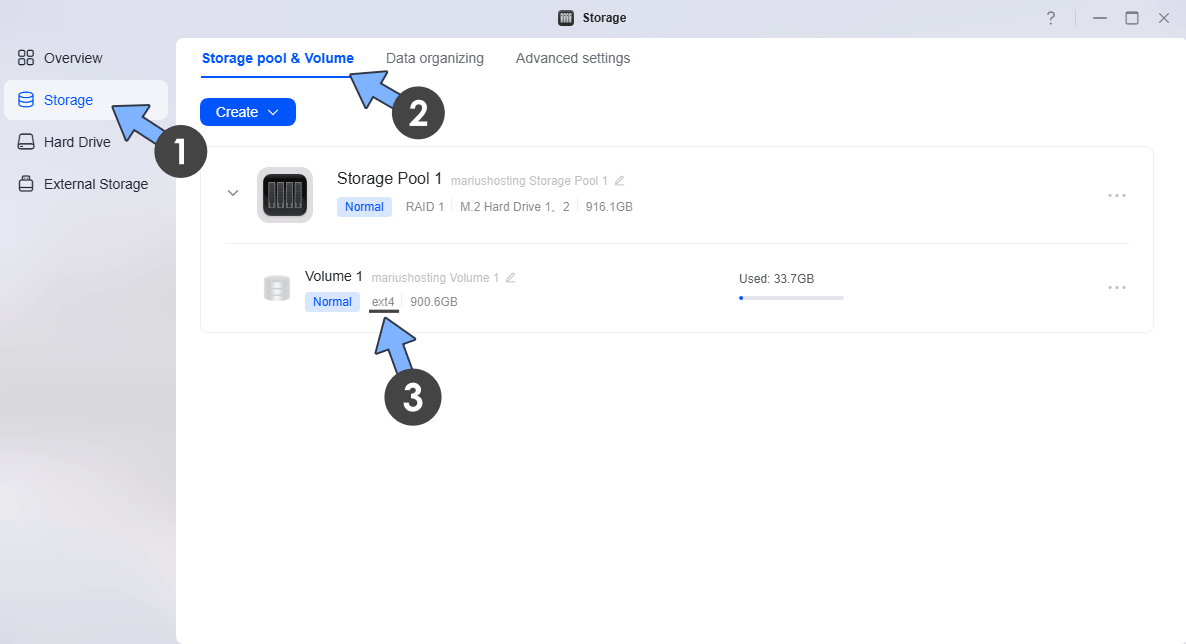
If you don’t remember which file system you have chosen for your NAS in the past, you can check it now. Go to Storage App / Storage / Storage pool & Volume tab. Under your volume, you will see your file system. In my case, it’s ext4.
- You want snapshots for easy recovery from accidental deletions, ransomware, or bad updates.
- You store important personal data (photos, documents, family media) and value checksum-based integrity checking.
- You are a typical home or light-office user and already plan to use an UPS.
- You are okay with occasional light maintenance (balance/defrag if needed) and accept that the UGOS Btrfs implementation is still maturing.
- Maximum sequential write performance and lowest overhead matter (large media transfers, continuous recording, heavy backup jobs).
- You prioritize rock-solid simplicity and want to follow the more conservative stability.
- You do not need (or already handle) snapshots via external tools / 3-2-1 backups.
- You run many Docker containers like me, databases, or high-churn workloads on the volume and prefer to avoid CoW-related fragmentation or background scrub activity.
- Your run your own website via WordPress or Ghost on your UGREEN NAS.
So in the end,
System / apps / Docker volume / Website hosting: go for Ext4.
Main data volume with photos, documents, media: go for Btrfs.
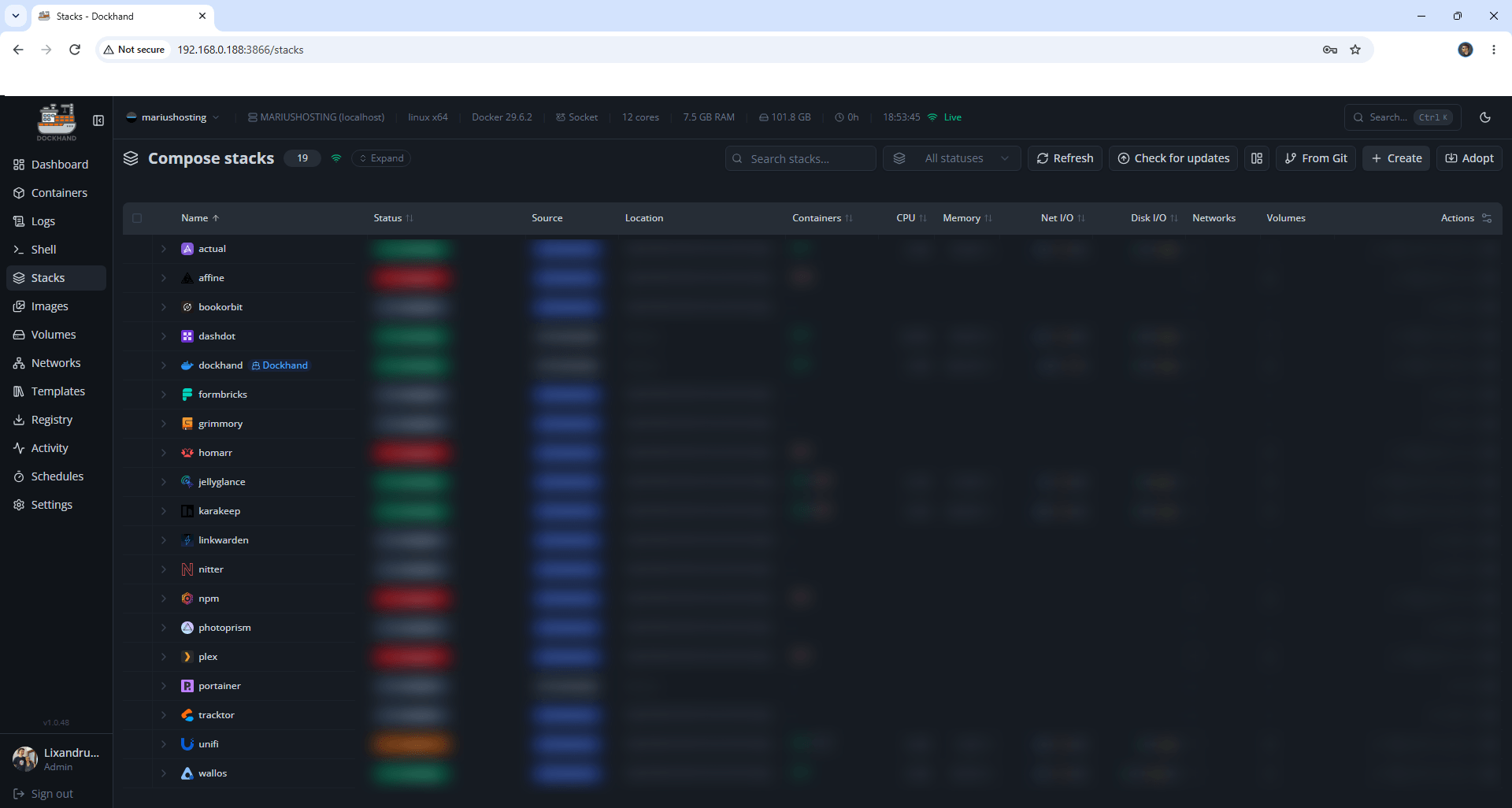
Docker workloads including the ones with Media Transcoding (Plex, Jellyfin, Emby) involve many small files, container layers, databases, logs, and frequent create/delete operations. Btrfs’s Copy-on-Write (CoW) design adds overhead and can lead to higher fragmentation and more metadata usage in these scenarios. I have noted better stability and lower overhead when the Docker data sits on the Ext4 file system. Performance for random I/O and small-file operations is better on Ext4. Your Internet friend Marius’ personal recommendation: put your Docker data root, container configs, databases, and high-churn app data on an Ext4 volume (or a dedicated SSD/NVMe volume formatted as Ext4). You can still keep large media libraries on a separate Btrfs volume if you want snapshots. Below is a screenshot of my Docker containers in an Ext4 file system managed by Dockhand.
If you are like me, passionate to have a website running on your NAS, especially WordPress, you should use Ext4 as a file system on your UGREEN NAS to avoid hiccups. This approach prioritizes the low-latency, consistent performance a live website needs while remaining fully aligned with the performance-first reasoning.
For example, if you are photographer passionate about photos and you have Immich installed on your UGREEN NAS and you use only Immich, you should go with Btrfs.
I hope this article helps you make a decision because I won’t be the one to decide for you. I don’t know how you’ll use your NAS, but you need some practical guidance to make the best decision and that’s why I’m here! Bye, everyone!
This post was updated on Thursday / September 24th, 2026 at 1:02 AM