
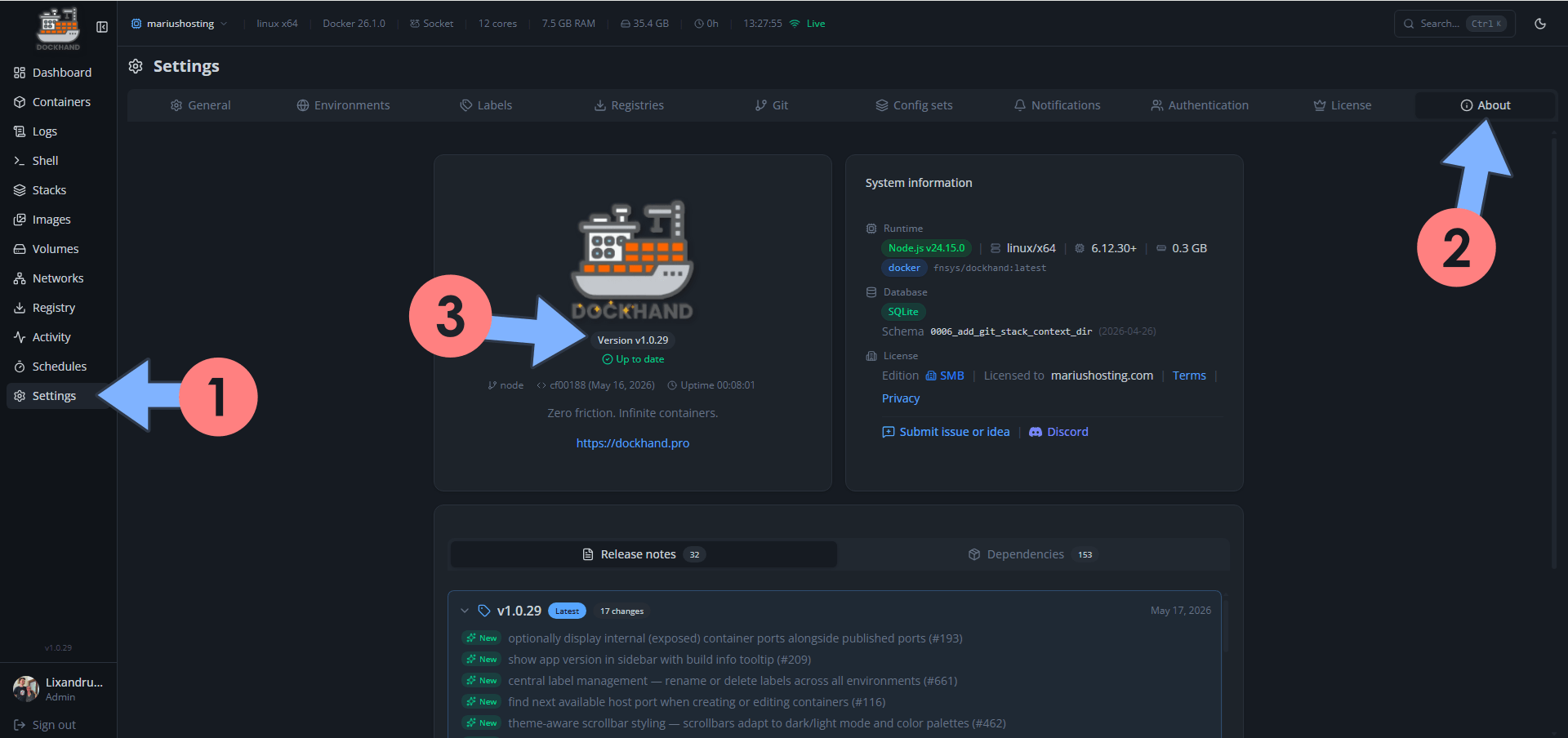
On May 17, 2026, Dockhand switched from version 1.0.28 to the new 1.0.29 version. Dockhand fixes the following issues and adds new options:
New – Optionally display internal (exposed) container ports alongside published ports
New – Show app version in sidebar with build info tooltip
New – Central label management – rename or delete labels across all environments
New – Find next available host port when creating or editing containers
New – Theme-aware scrollbar styling scrollbars adapt to dark/light mode and color palettes
New – Custom URL labels – dockhand.url or dockhand.port.{port}.url to add links alongside container ports
New – Generate and copy token for Hawser Standard mode with run command hint
New – Toggle to hide timestamps and container name prefix in log viewer
New – Scan reports – combined or individual Grype/Trivy
Fix: Update buttons (single, selected, and all) now respect the “confirm dangerous actions” setting
Fix: Environment stack directory not cleaned up when environment is deleted
Fix: Podman containers health status not showing
Fix: Containers with exit code 0 (init/migration) no longer cause stack “partial” status
Fix: Stats stream 400 on reconnect by skipping overlapping fetches
Fix: Env var validation false positive for values containing $ followed by text
Fix: Git-repos directory not cleaned up when environment is deleted
Fix: Webhook secret auto-generated when left empty despite hint saying otherwise

🌟Starring projects like Dockhand on GitHub is a quick way to thank developers for their work. It boosts visibility so more people discover it, attracts contributors, and motivates the team to keep improving it.
What is Dockhand? Dockhand allows you to easily manage your different Docker environments. Dockhand is a modern, self-hosted Docker management platform with an intuitive web interface for homelabs, small businesses, and enterprises. It simplifies container operations, stack deployments, and observability through real-time management (start/stop/restart containers, web terminals, file transfers), a visual Compose editor, GitOps auto-sync, metrics, logs, OIDC/SSO, MFA, vulnerability scans, and multi-host support via the open-source Hawser agent. You can deploy it quickly as a Docker container with no cloud dependencies or telemetry. It’s forever free for personal use.
This post was updated on Friday / September 25th, 2026 at 9:21 AM