
On January 28, 2026, Dockhand switched from version 1.0.12 to the new 1.0.13 version. Dockhand fixes the following issues and adds new options:
New – Add DISABLE_LOCAL_LOGIN env var to hide local password login when SSO/LDAP is configured
New – Add ntfy authentication support (user:pass@host/topic format)
New – Sortable health column in containers grid (unhealthy containers first)
New – GPU device configuration in container create/edit/inspect
New – Editor font setting with expanded monospace font options
New – Dedicated NFS/CIFS form fields in create volume modal
New – Scheduled image pruning per environment
New – Git stack env populate button to preview overridable variables before deploy
Fix: Vulnerability scanning failing with rootless Docker
Fix: Honor DATA_DIR env var in hawser SQLite operations
Fix: Show detailed error messages when notification test fails
Fix: Compose file browse in create mode showing default path instead of selected file
Fix: Custom env file path not preserved in create mode
Fix: Git stacks creating duplicate compose.yaml alongside repo file
Fix: Env vars not showing after stack create
Fix: Stack path defaults accidentally enforced over custom paths
Fix: Adopted stack save & restart breaking paths and env vars
Fix: Add more information to container audit logs including diff of changes
Fix: Preserve container settings on restart and auto-update
📋Install Dockhand 1.0.13 On Your Synology NAS
🔄How to Update Dockhand to Version 1.0.13 on Synology NAS
🔄How to Update Dockhand to Version 1.0.13 on UGREEN NAS
📋Install Dockhand 1.0.13 On Your Asustor NAS
🔄How to Update Dockhand to Version 1.0.13 on Asustor NAS
⚡How to Move Your Docker Containers From Portainer to Dockhand
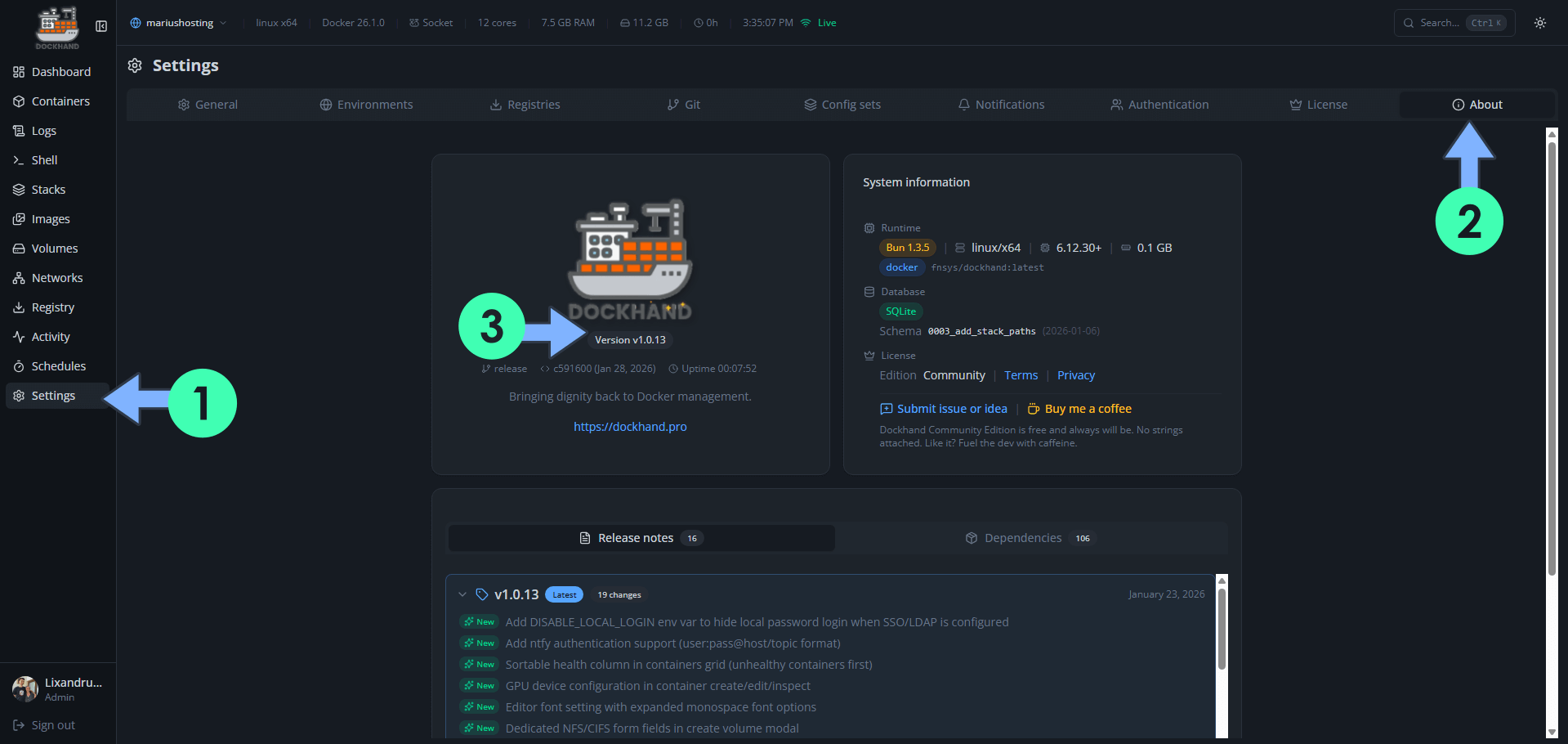
What is Dockhand? Dockhand allows you to easily manage your different Docker environments. Dockhand is a modern, self-hosted Docker management platform with an intuitive web interface for homelabs, small businesses, and enterprises. It simplifies container operations, stack deployments, and observability through real-time management (start/stop/restart containers, web terminals, file transfers), a visual Compose editor, GitOps auto-sync, metrics, logs, OIDC/SSO, MFA, vulnerability scans, and multi-host support via the open-source Hawser agent. You can deploy it quickly as a Docker container with no cloud dependencies or telemetry. It’s forever free for personal use.
This post was updated on Saturday / October 17th, 2026 at 11:50 AM