
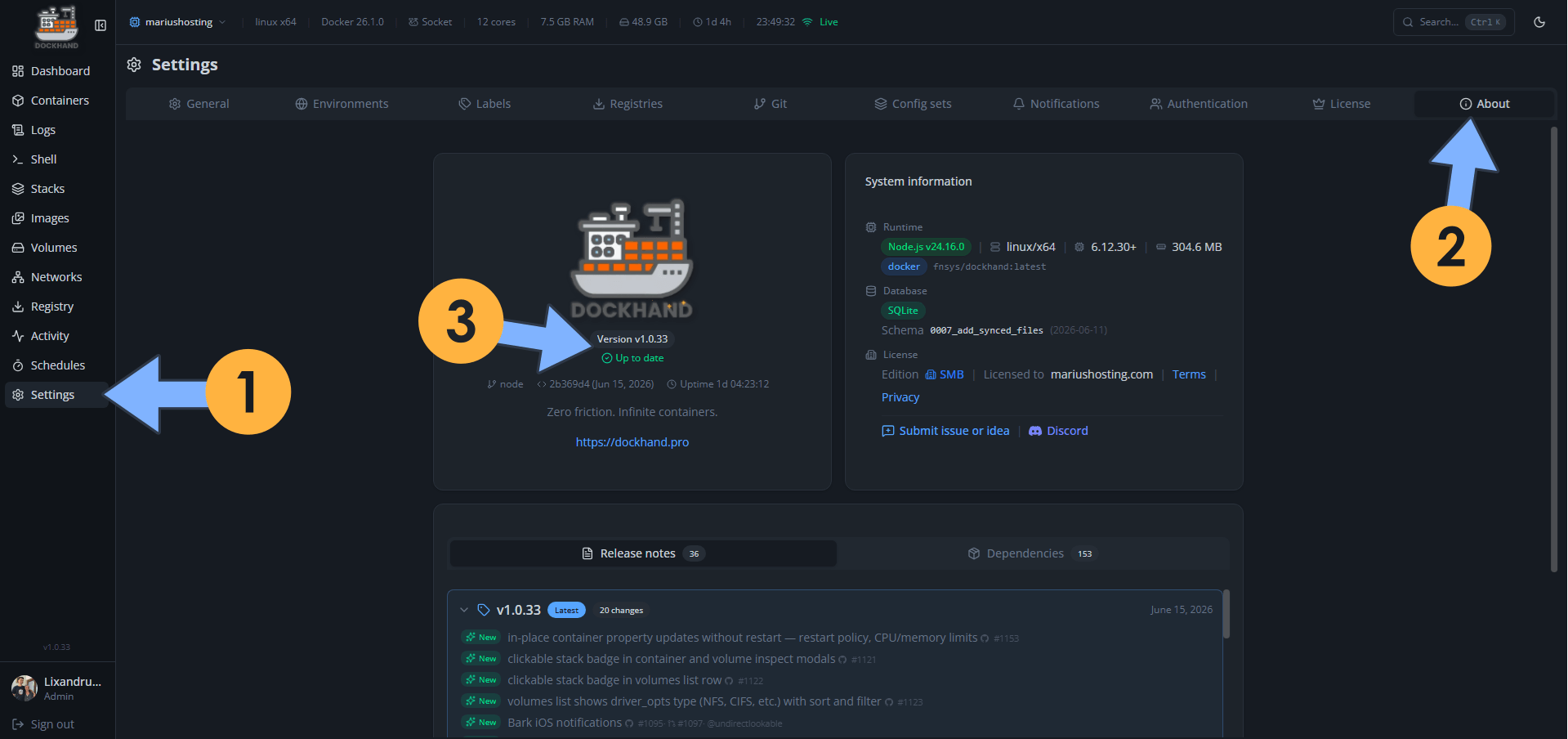
On June 15, 2026, Dockhand switched from version 1.0.32 to the new 1.0.33 version. Dockhand fixes the following issues and adds new options:
New – In-place container property updates without restart – restart policy, CPU/memory limits
New – Clickable stack badge in container and volume inspect modals
New – Clickable stack badge in volumes list row
New – Volumes list shows driver_opts type (NFS, CIFS, etc.) with sort and filter
New – Bark iOS notifications
New – Signal notifications via signal-cli-rest-api
New – Apprise passthrough – forward to a self-hosted caronc/apprise-api server
New – `dockhand.update=false`, `dockhand.hidden=true` and `localhost/*` images skip registry polling
New – Native HTTPS listener, off by default
New – Upload TLS/mTLS certificate files in environment editor
New – Syntax highlighting for shell, Dockerfile, TOML, INI/conf and .env files in the file browser viewer
New – Animated icons now configurable
Fix: Env editor flagged Docker/Compose built-ins as MISSING
Fix: YAML editor indentation was inconsistent when pressing Enter
Fix: Registry authentication for image pulls
Fix: Environments stuck “Failed” after VPN/Tailscale tunnel drops until agent restart
Fix: Health_status events flooding container_events table
Fix: Git stack sync removes files deleted from the repo (hash-verified)
Fix: Stack deploys ignored the env’s configured socket path
Fix: Environment names with characters that break path resolution (e.g. `*`) are now rejected
📋Install Dockhand 1.0.33 On Your Synology NAS
🔄How to Update Dockhand to Version 1.0.33 on Synology NAS
🔄How to Update Dockhand to Version 1.0.33 on UGREEN NAS
📋Install Dockhand 1.0.33 On Your Asustor NAS
🔄How to Update Dockhand to Version 1.0.33 on Asustor NAS
⚡How to Move Your Docker Containers From Portainer to Dockhand
🚀Farewell to 7 Docker Tools: Dockhand Just Killed Them All in One Go

🌟Starring projects like Dockhand on GitHub is a quick way to thank developers for their work. It boosts visibility so more people discover it, attracts contributors, and motivates the team to keep improving it.
What is Dockhand? Dockhand allows you to easily manage your different Docker environments. Dockhand is a modern, self-hosted Docker management platform with an intuitive web interface for homelabs, small businesses, and enterprises. It simplifies container operations, stack deployments, and observability through real-time management (start/stop/restart containers, web terminals, file transfers), a visual Compose editor, GitOps auto-sync, metrics, logs, OIDC/SSO, MFA, vulnerability scans, and multi-host support via the open-source Hawser agent. You can deploy it quickly as a Docker container with no cloud dependencies or telemetry. It’s forever free for personal use.
This post was updated on Saturday / October 17th, 2026 at 12:34 AM