
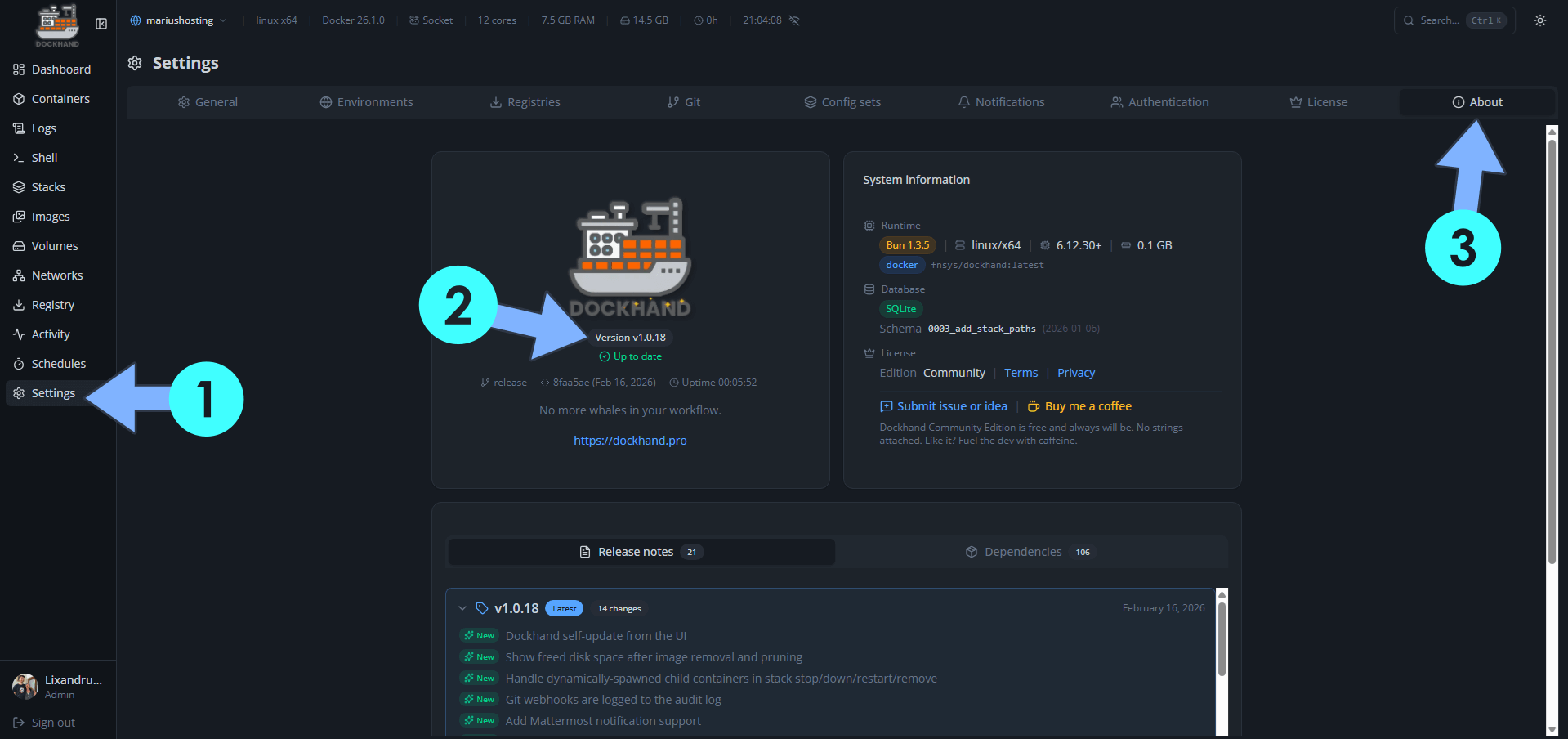
On February 16, 2026, Dockhand switched from version 1.0.17 to the new 1.0.18 version. Dockhand fixes the following issues and adds new options:
New – Dockhand self-update from the UI
New – Show freed disk space after image removal and pruning
New – Handle dynamically-spawned child containers in stack stop/down/restart/remove
New – Git webhooks are logged to the audit log
New – Add Mattermost notification support
New – Configurable disk usage warning threshold per environment
Fix: File upload CSRF 403 error on plain HTTP deployments
Fix: Scanner container /wait timeout causing empty scan output
Fix: Saving adopted external stack failing with ‘Stack directory not found’
Fix: Add Bearer token auth support for ntfy notifications
Fix: Git SSH failing with ‘No user exists for uid’ with arbitrary UIDs
Fix: Command palette flooding API requests on open
Fix: Normalize stack names when adopting to prevent uppercase rejection
Fix: Container update failing for shared network modes (container: ,host, none)
📋Install Dockhand 1.0.18 On Your Synology NAS
🔄How to Update Dockhand to Version 1.0.18 on Synology NAS
🔄How to Update Dockhand to Version 1.0.18 on UGREEN NAS
📋Install Dockhand 1.0.18 On Your Asustor NAS
🔄How to Update Dockhand to Version 1.0.18 on Asustor NAS
⚡How to Move Your Docker Containers From Portainer to Dockhand
What is Dockhand? Dockhand allows you to easily manage your different Docker environments. Dockhand is a modern, self-hosted Docker management platform with an intuitive web interface for homelabs, small businesses, and enterprises. It simplifies container operations, stack deployments, and observability through real-time management (start/stop/restart containers, web terminals, file transfers), a visual Compose editor, GitOps auto-sync, metrics, logs, OIDC/SSO, MFA, vulnerability scans, and multi-host support via the open-source Hawser agent. You can deploy it quickly as a Docker container with no cloud dependencies or telemetry. It’s forever free for personal use.
This post was updated on Saturday / October 17th, 2026 at 11:45 AM