
Synology has officially released DSM 7.4.1-90080 Update 2 on November 20, 2026. This is the security update I told you was coming in my article Critical Apache and NGINX Flaws, What Synology NAS Users Must Do Now. The official release notes confirm two fixes: Synology-SA-26:20, the NGINX HTTP/2 flaw tracked as CVE-2026-123007, and Synology-SA-26:21, the OAuth API flaw tracked as CVE-2026-120382. If you are still on DSM 7.3, the matching fix is DSM 7.3.2-86009-6, which is also available in the Synology Archive.
If you followed my earlier guidance, HTTP/2 is currently disabled on your NAS. That was the official mitigation until this patch arrived. Once DSM 7.4.1-90080-2 is installed, you can turn HTTP/2 back on. I show you how in STEP 5 because this update closes the NGINX HTTP/2 issue inside DSM itself. The update will also restart your NAS, so give it a few minutes. Below I will guide you step by step through a quick and safe manual install. After that, I will tell you what this update does not include: there is still no new OAuth Service package, no PHP 8.4.28 package and no updated Apache package.
STEP 1
Manually Download DSM 7.4.1-90080-2 Update 2 by following the blue link below. From the official Synology Archive, download DSM 7.4.1-90080-2 Update 2 for your NAS model.
STEP 2
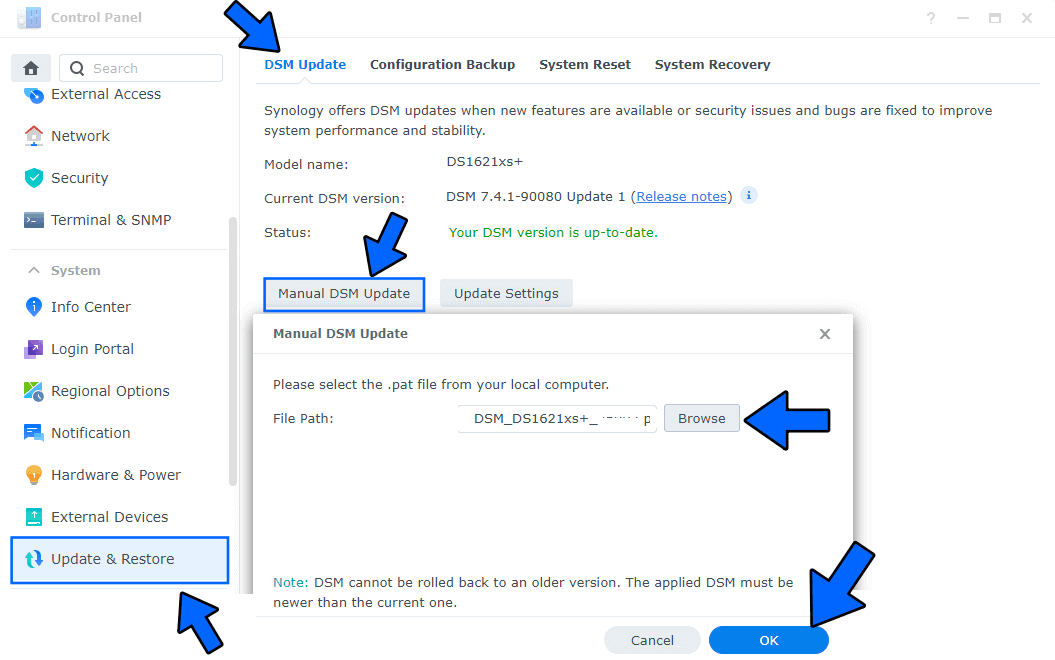
Go to Control Panel / Update & Restore then click on Manual DSM Update. Select the file you have previously downloaded at STEP 1 then click OK. Follow the instructions in the image below.
STEP 3
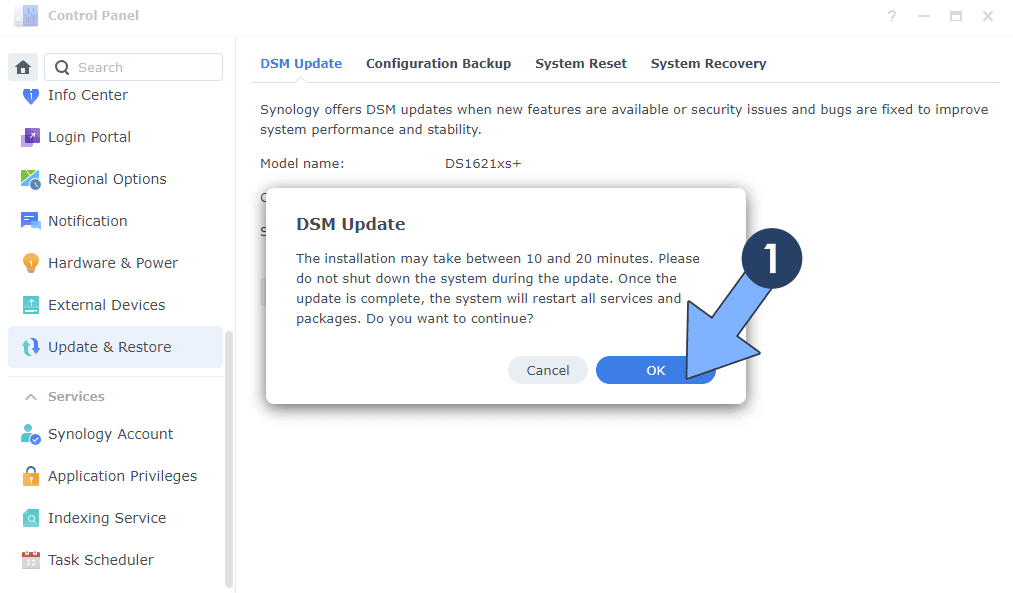
A new pop up window will open. Click OK. Follow the instructions in the image below.
STEP 4
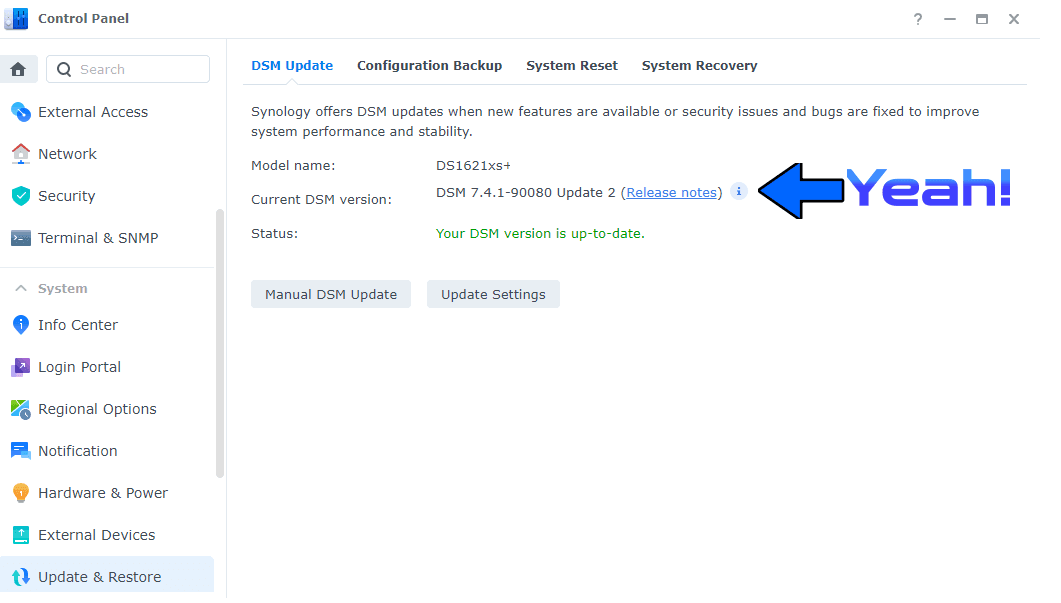
After approximately 5 minutes your new DSM 7.4.1-90080-2 Update 2 will be installed on your Synology NAS device.
STEP 5
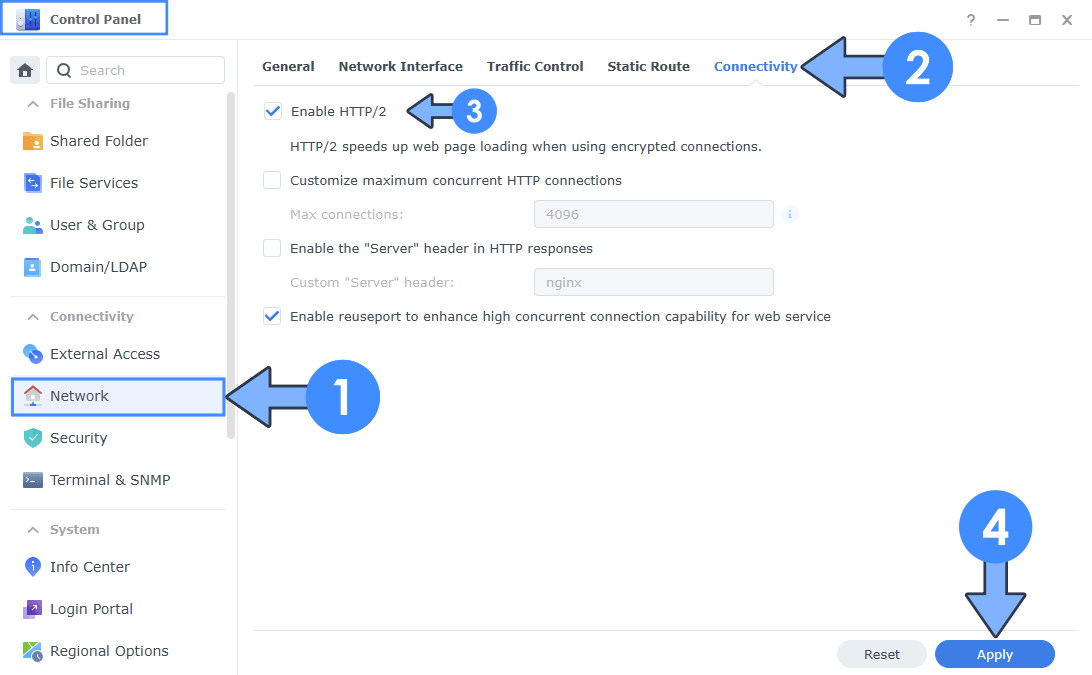
- Open Control Panel.
- Go to Network / Connectivity.
- Check Enable HTTP/2.
- Click Apply.
🛡️ Why You Should Enable HTTP/2 Again
Enable HTTP/2 again. Until today, disabling it was the right move because the NGINX flaw needed HTTP/2 to be reachable. With DSM 7.4.1-90080-2 installed, that door is closed, and HTTP/2 can go back to doing what it does best: making DSM and your websites feel faster.
HTTP/2 can multiplex many requests over a single connection, so your browser no longer opens a new connection for every file, stylesheet or icon. It also compresses headers, which cuts unnecessary traffic on every request. The result is quicker page loads in DSM, faster Web Station sites and a smoother experience when you browse photos, files or the Package Center. HTTP/1.1 still works if you leave the option off, but once this update is in place, you can enable HTTP/2 again with confidence. Enjoy the benefit!
🛡️ OAuth Service: The Fix Is in This DSM Update
Synology has not released a new OAuth Service package. The latest build in the Synology Archive is still 1.3.0-0220, published on June 16, 2026, and the official OAuth Service release notes stop there.
That does not mean the OAuth flaw is unpatched. Synology-SA-26:21 describes CVE-2026-120382 as a vulnerability in the OAuth API of DiskStation Manager itself, in DSM versions before 7.4.1-90080-2. The DSM 7.4.1-90080 Update 2 release notes also list this advisory as a fixed issue. In other words, the official fix for DSM 7.4 is this system update, not a separate package in Package Center. If you stopped OAuth Service earlier as a temporary mitigation, you can start it again after you have installed this DSM update.
🛑No PHP 8.4.28 Package Yet
This DSM update also does not bring a new PHP package. In the Synology Archive, the latest builds are still PHP 8.4.27-0051, PHP 8.3.36-0051 and PHP 8.2.35-0171, all dated October 22, 2026. Upstream PHP has already fixed the phpAfterShell issue CVE-2026-126714 in 8.2.36, 8.3.37, 8.4.28 and 8.5.13, so those Synology packages are not there yet. If you run PHP on your NAS, keep following the mitigations I described in Synology: Mitigating phpAfterShell (CVE-2026-126714) until Synology publishes the new builds.
🛑No Updated Apache Package
There is also no update for the Apache 2.4.71 package in this release. The latest version in the Apache 2.4 archive is still 2.4.63-0155, with files dated July 7, 2025. The official DSM release notes for Update 2 mention only SA-26:20 and SA-26:21, so this update does not claim to patch Apache. Apache 2.4.71 fixes CVE-2026-119618. Synology, are you still reading this blog?
This post was updated on Friday / November 20th, 2026 at 12:03 PM