
Hey guys! Welcome to my new tutorial on how to update your ArtCraft Apps if you followed my previous guides for Synology, UGREEN, and Asustor NAS. Since many of you asked me for a tutorial about this, here we go!
STEP 1
Please Support My work by Making a Donation.
STEP 2
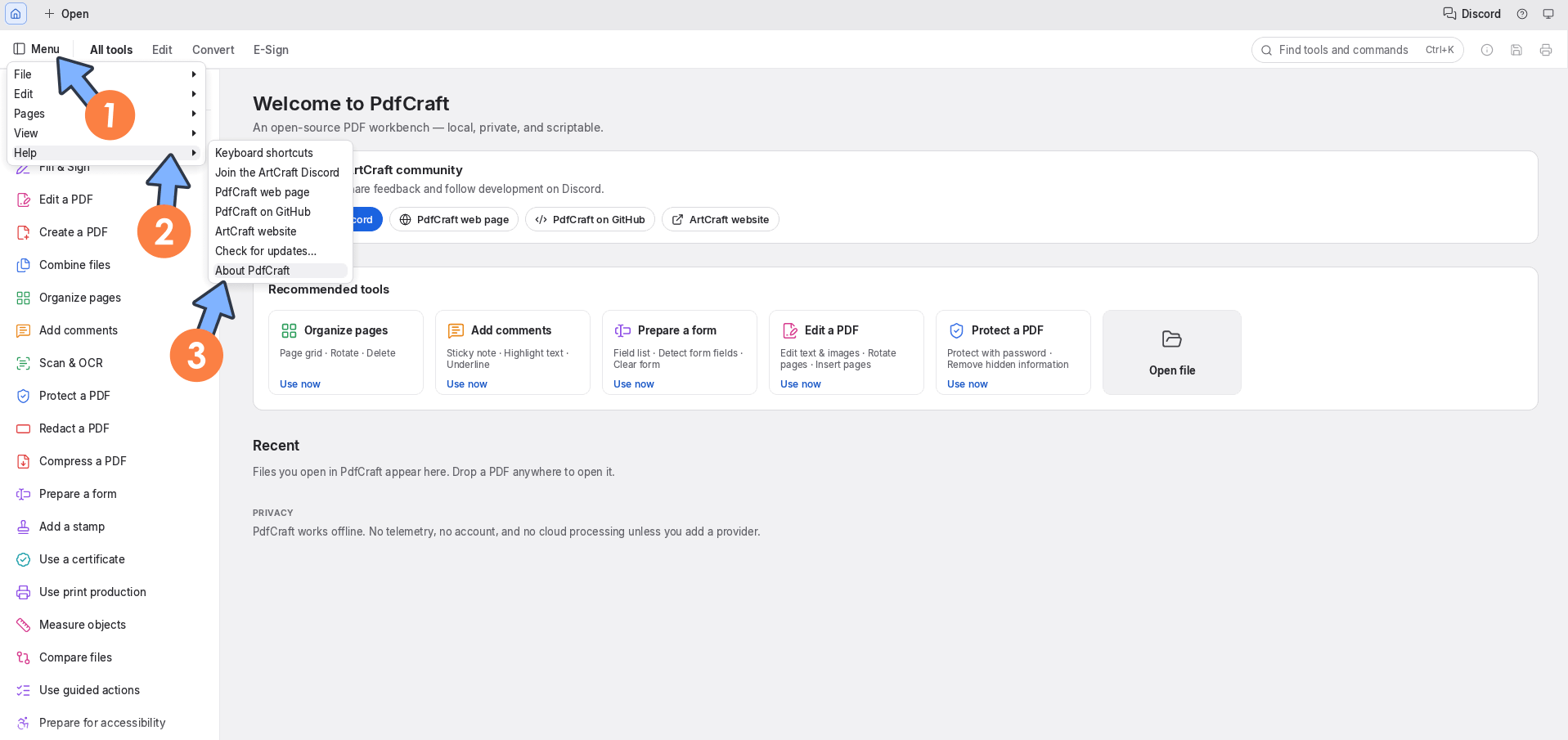
Check for an app in your ArtCraft Apps. For example, PDFCraft. Go to Menu / Help / About PdfCraft. Let’s go straight to the next STEP.
STEP 3
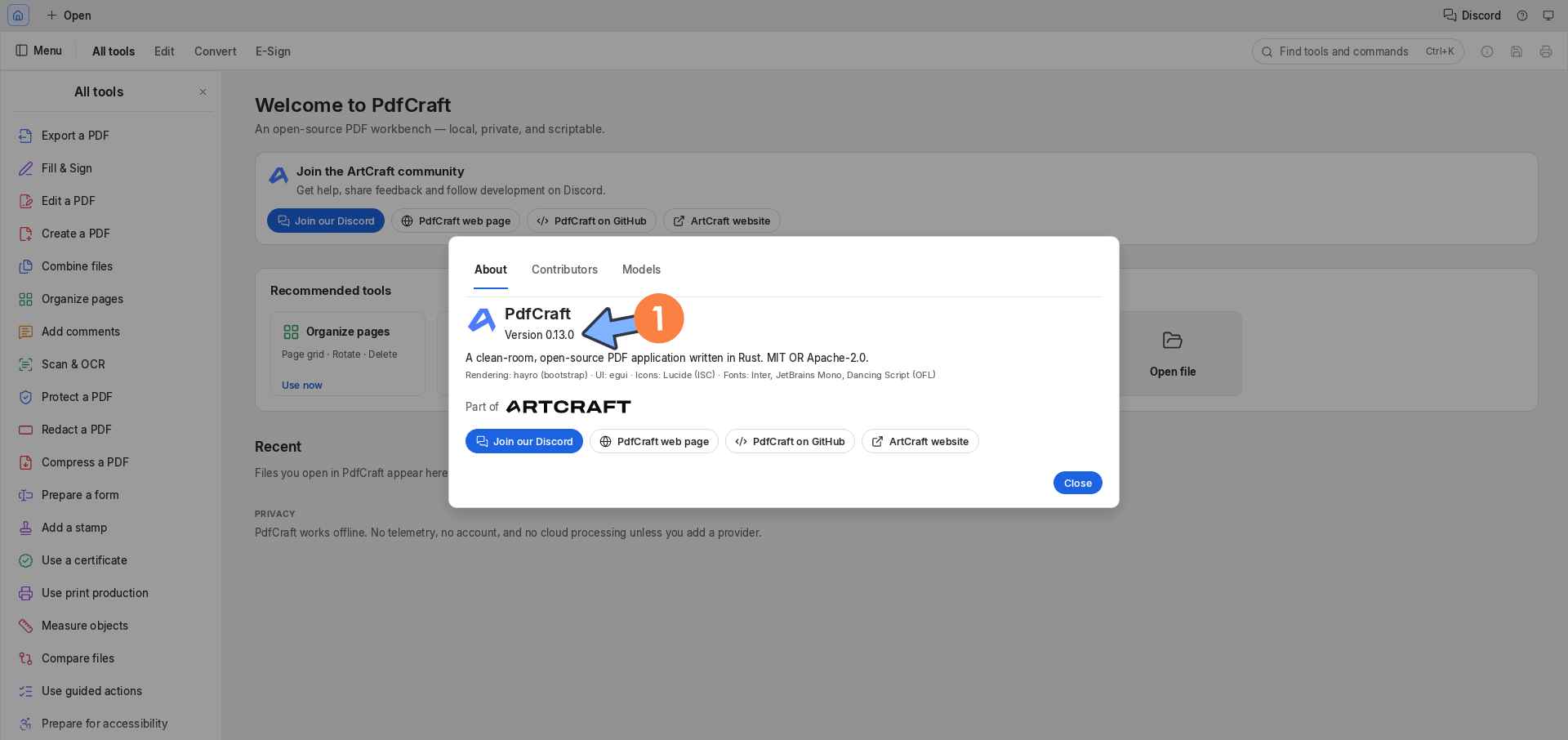
As you can see, PDFcraft is currently on an older version, in this case, Version 0.13.0. Let’s go straight to the next STEP!
STEP 4
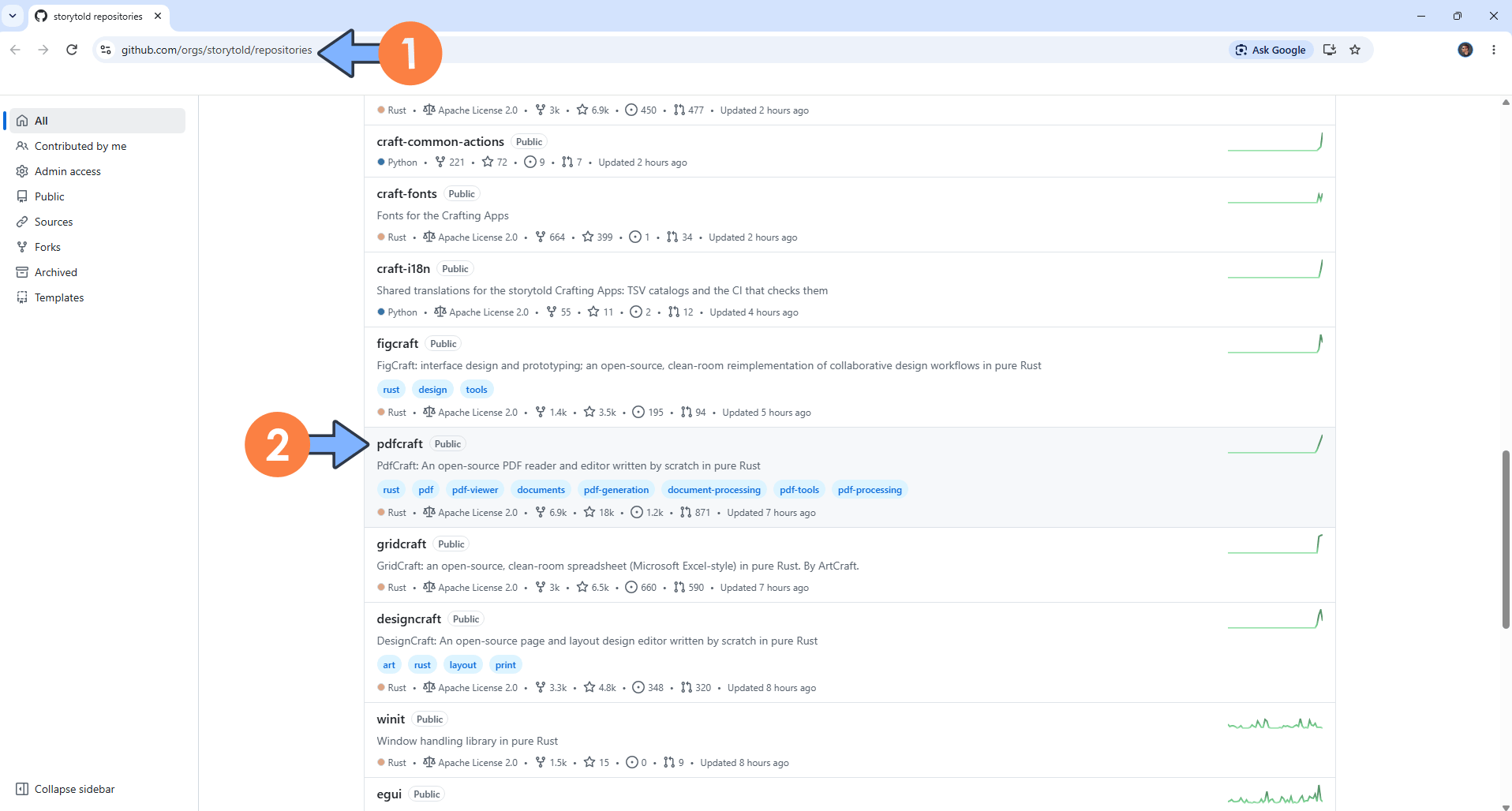
Launch your browser, then go to the official AppCraft GitHub repository by clicking on the blue link below.
Click pdfcraft if you want to update PDFCraft or click on another ArtCraft App name that you want to update (you will find all the available apps on this page). In my example, I will update pdfcraft.
STEP 5
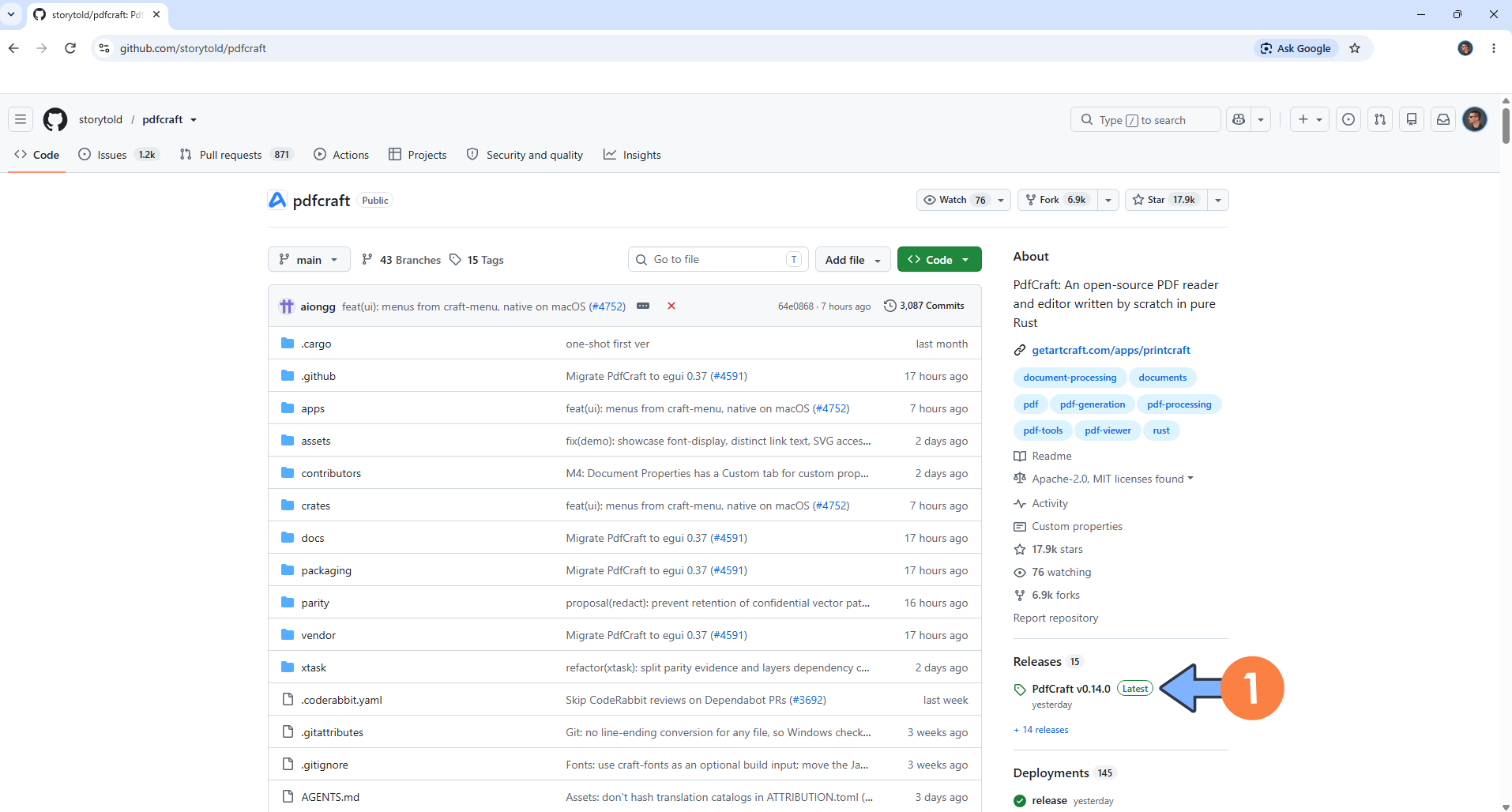
On the right sidebar, click on the latest release under Releases. Follow the instructions in the image below.
STEP 6
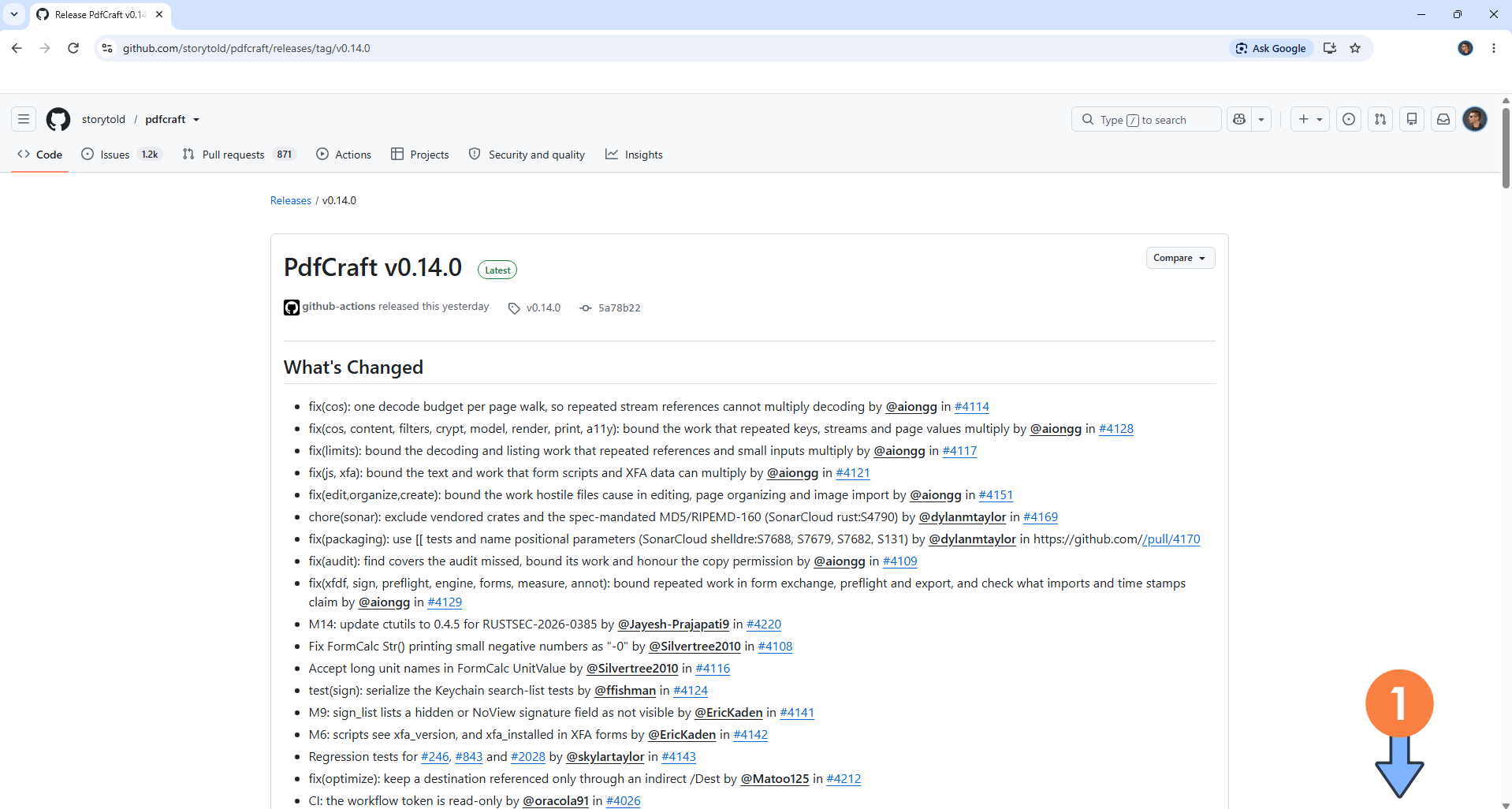
Scroll down the page until you find a zip file called pdfcraft-web. Let’s go straight to the next STEP.
STEP 7
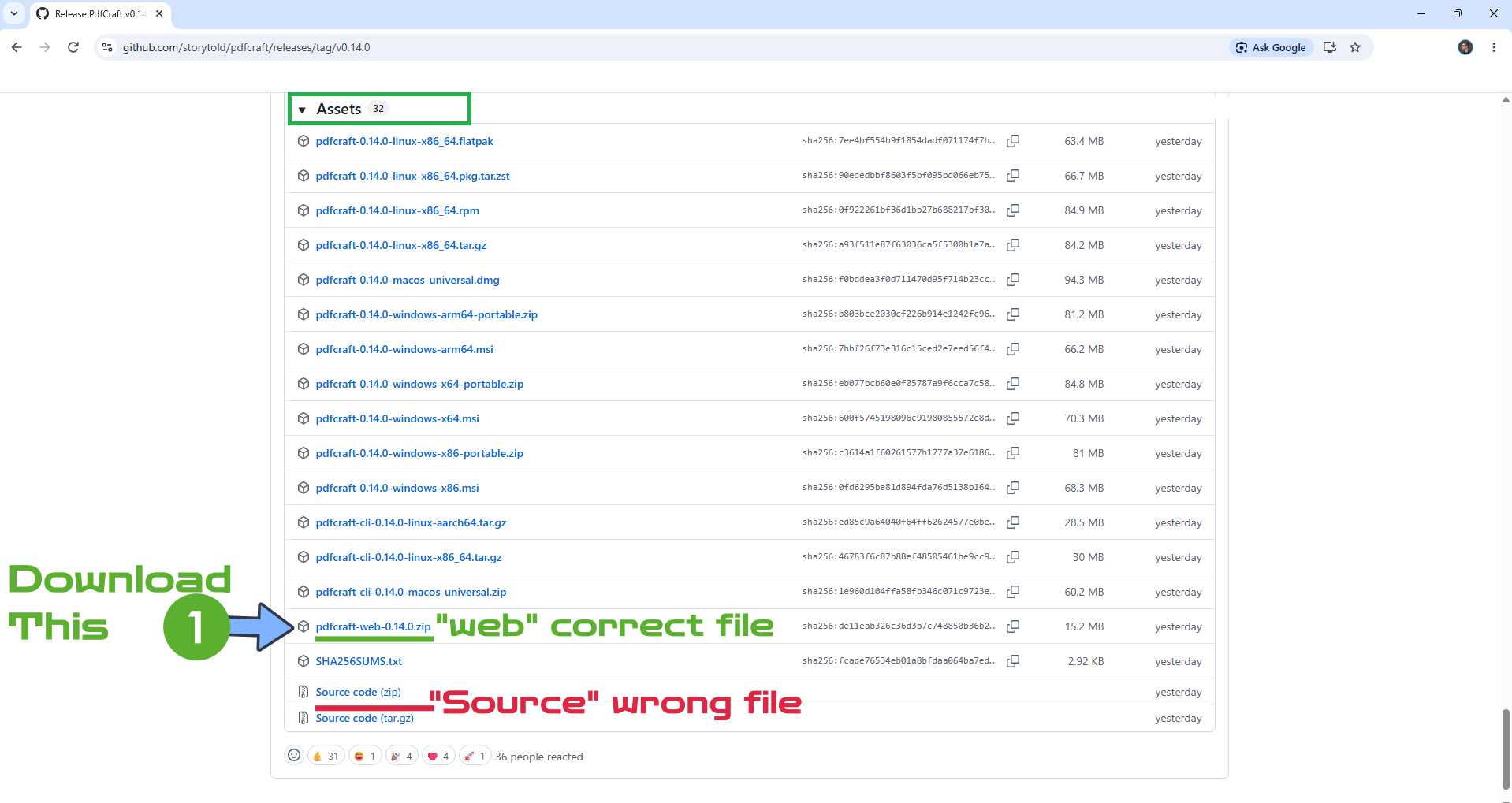
Download the pdfcraft-web zip file. You will see the version note at the end of the pdfcraft-web zip file, in this case pdfcraft-web-0.14.0.zip
Do NOT confuse the zip file with the Source code zip.
Note: All ArtCraft Apps zip files that you will download should have the “web” tag in the filename. For example, lightcraft-web, photocraft-web etc.
STEP 8
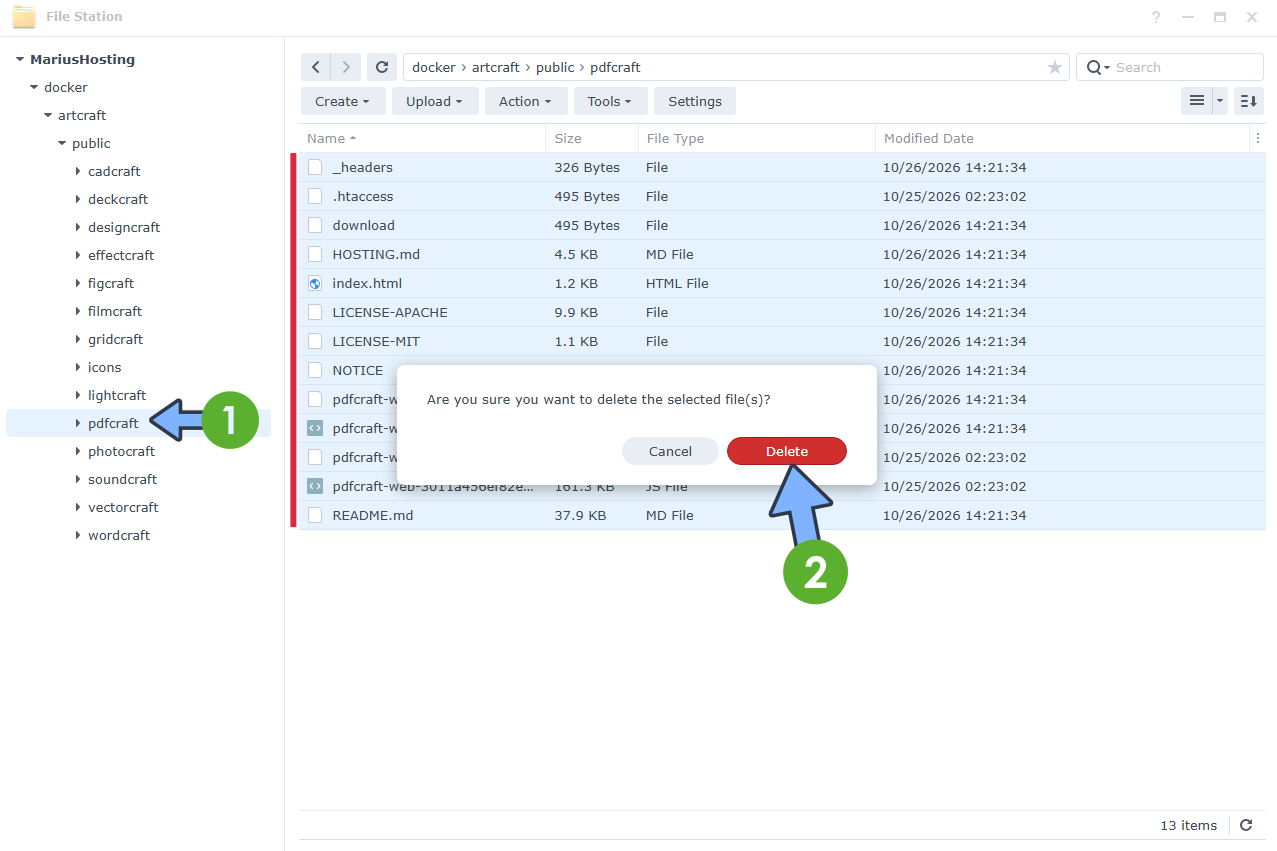
Open File Station in Synology or File Explorer in Asustor or Files in UGREEN NAS. Go to your pdfcraft folder under artcraft / public /
Select all the files in this folder and delete all of them. Follow the instructions in the image below.
STEP 9
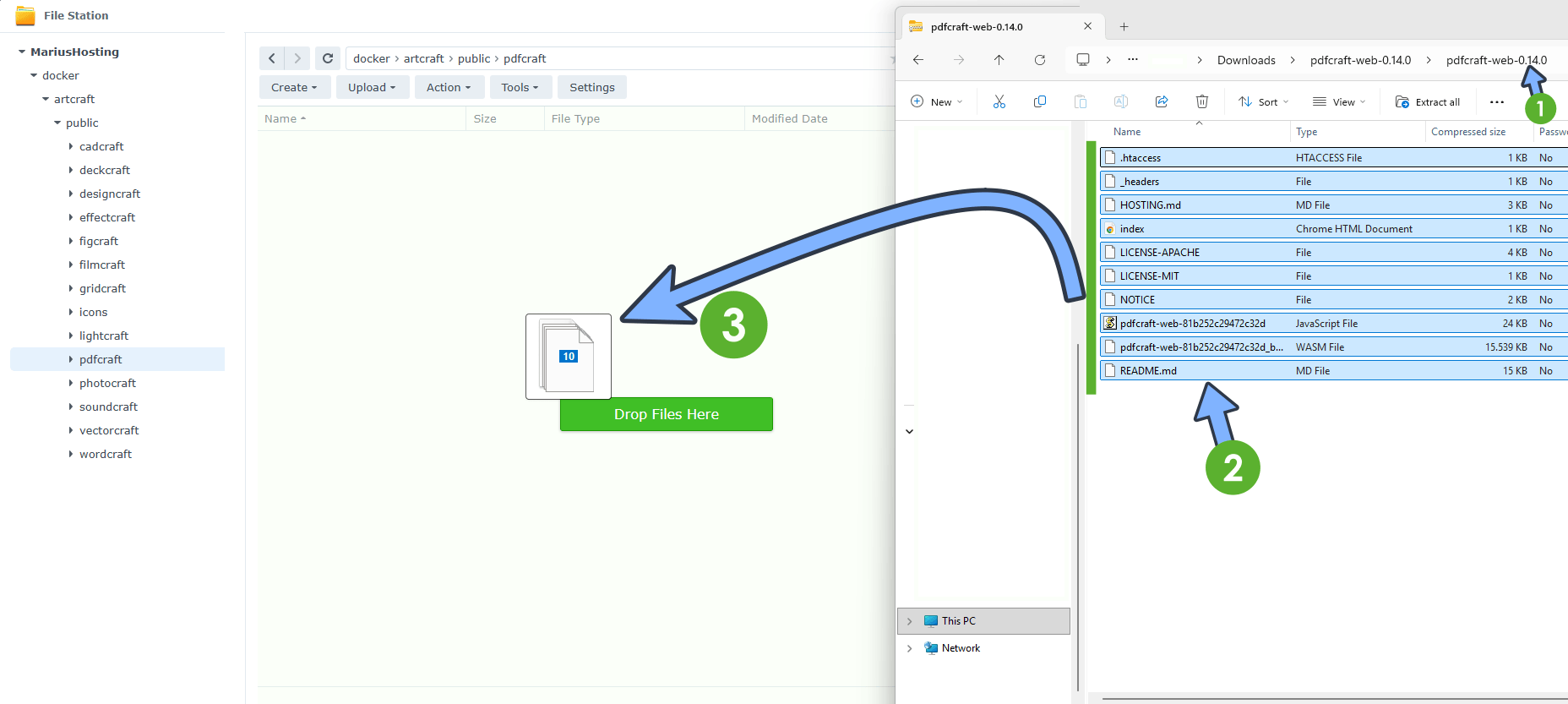
Open the zip file that you have previously downloaded at STEP 7. In this zip file you will find another folder. Open that folder. Inside that folder, you will see a list of files. Drop the files from this folder to your pdfcraft folder in Synology, UGREEN or Asustor.
STEP 10
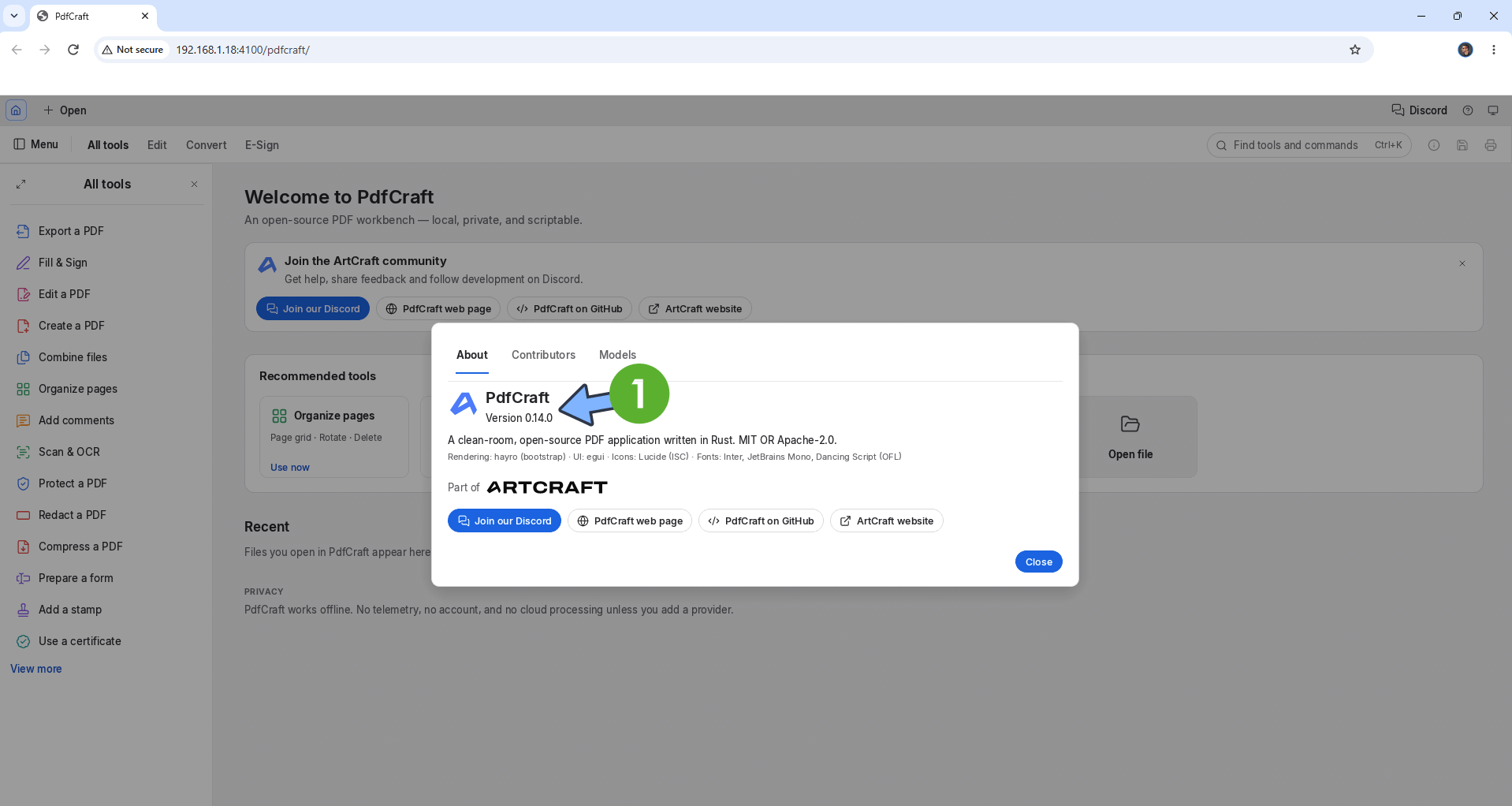
Check your PdfCraft version again. As you can see, the new version will show up!
Note: After reading the instructions above, you will be able to update one by one every ArtCraft App by downloading their respective web zip file as I explained in the note at STEP 7.
This post was updated on Wednesday / October 28th, 2026 at 2:15 AM