
Have you already installed Dockhand on your Asustor NAS? Wondering how to update the Dockhand container on your Asustor NAS when a new version comes out? Today I will show you how to update your Dockhand container with the latest image version if you have an Asustor NAS.
⚠️The first basic rule is to NOT delete the dockhand folder in File Explorer. This is where your Dockhand stack etc. are saved. After understanding this simple rule, let’s move on to the guide on how to update Dockhand on your Asustor NAS.
STEP 1
Please Support My Work by Making a Donation.
STEP 2
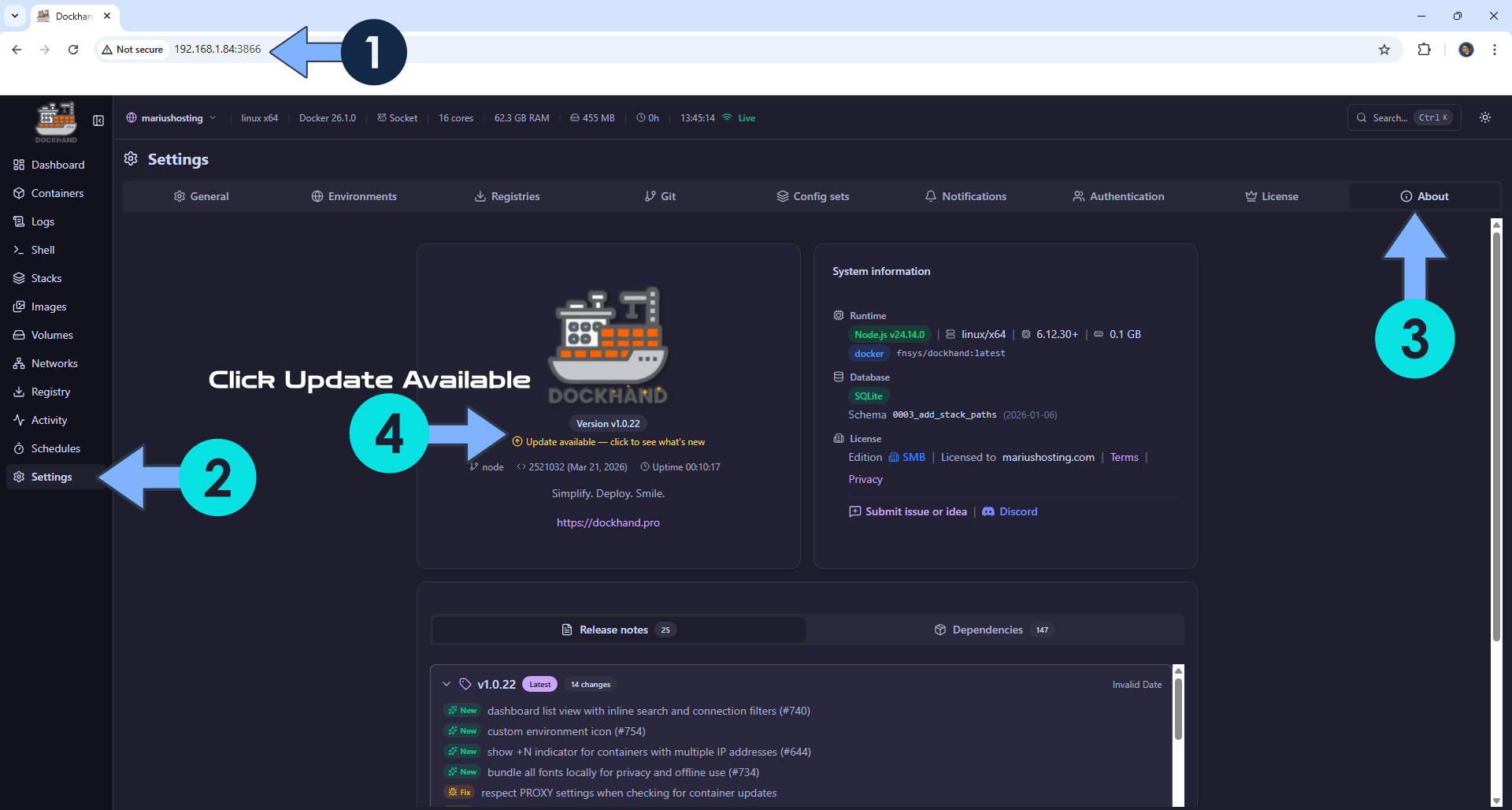
Open your browser and type in http://asustor-ip-address:3866
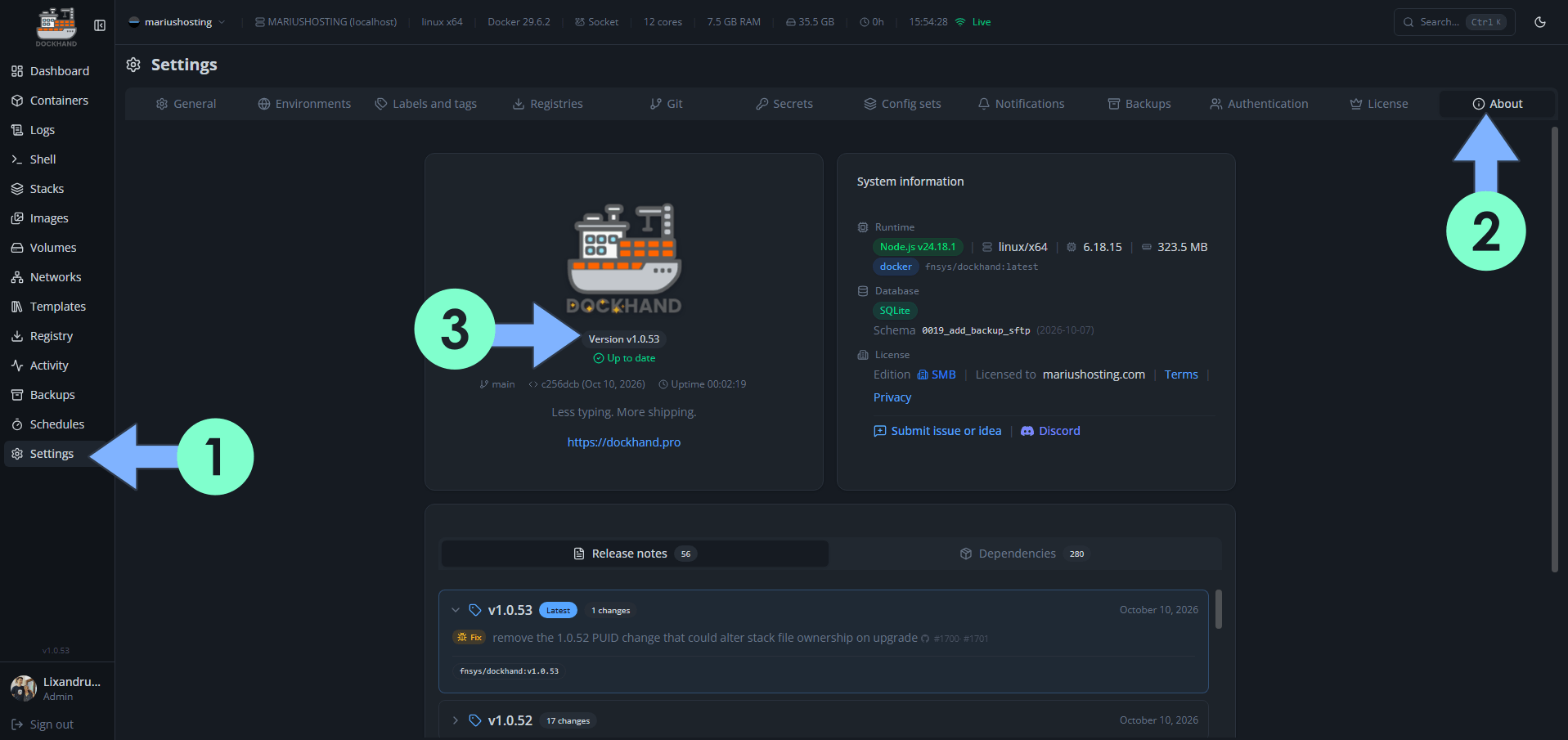
On the left sidebar, click Settings. Click the About tab. If a new Dockhand version is out, you will see an “Update available – click to see what’s new” link. Click on the link. Follow the instructions in the image below. ⚠️Warning: If there is no available update, you will not see any clickable link.
STEP 3
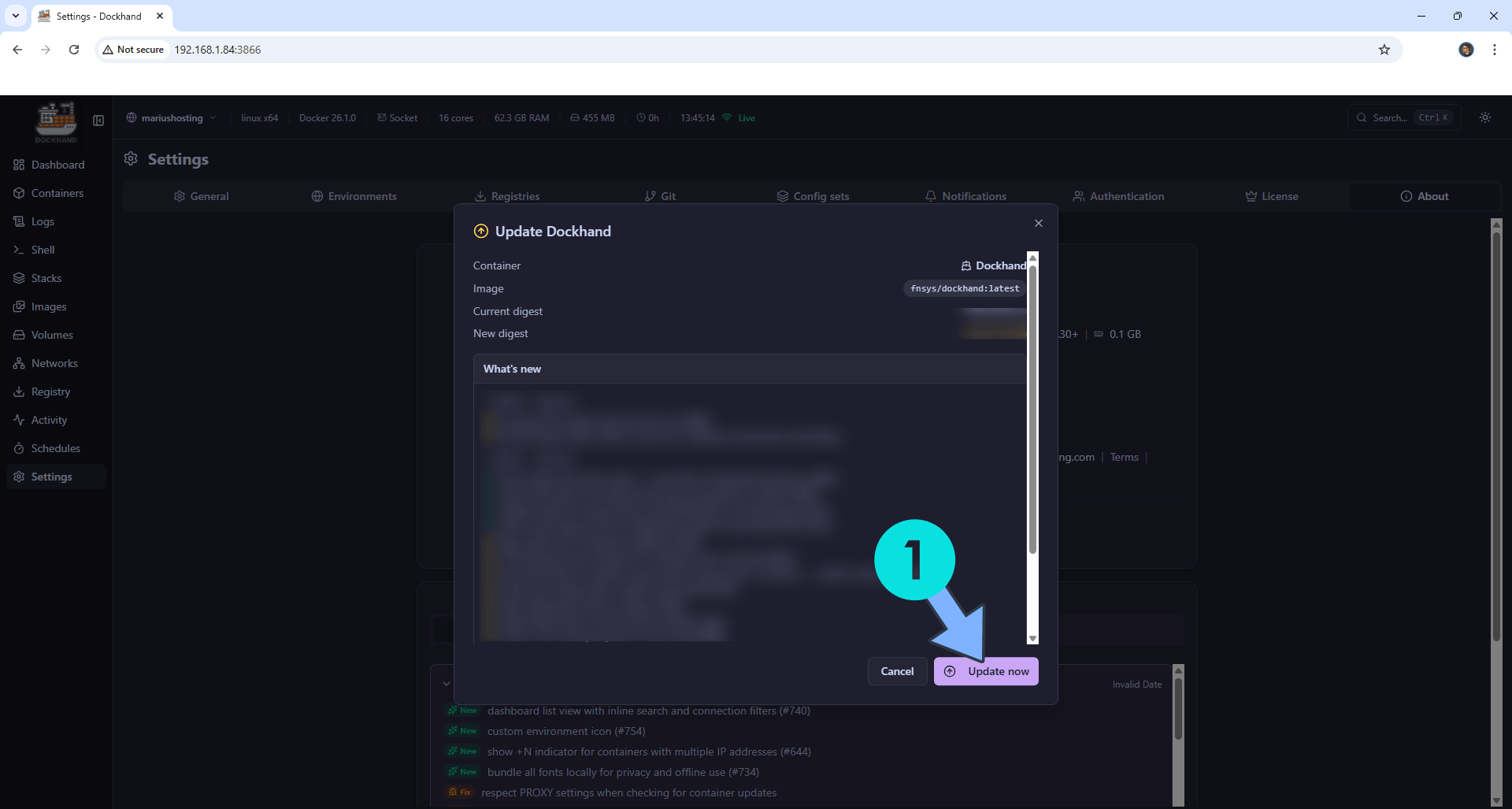
Click the Update now button. Follow the instructions in the image below.
STEP 4
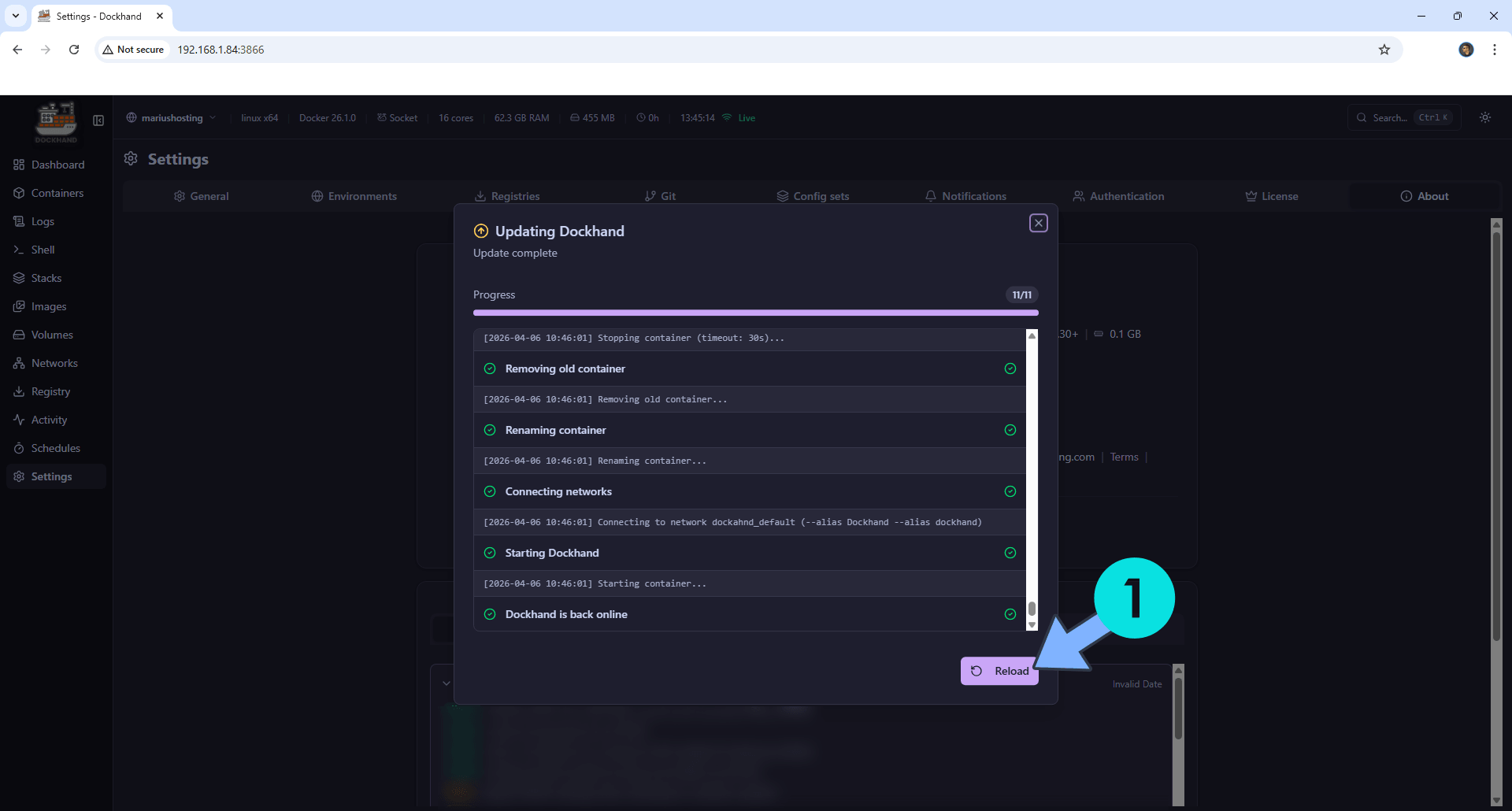
The update process will start. Wait until the update is done, then click Reload. Follow the instructions in the image below.
STEP 5
Your Dockhand instance will automatically be updated to the latest version.
This post was updated on Saturday / October 10th, 2026 at 4:03 PM