
Dockhand has taken out 7 separate Docker tools with a single elegant and modern container, drastically reducing overhead, complexity, and the number of services running on your NAS. Launched at the end of 2025 and exploding in popularity in 2026, it’s considered by many in the homelab/self-hosted community as the natural successor (and often superior) to Portainer: an ultra-clean and lightning-fast UI, with features that exactly cover what previously required a bunch of dedicated containers. You can easily install Dockhand on your Synology NAS or UGREEN NAS following my guides. Here’s how it “killed” with a single blow the classic tools that everyone used to install separately:
Dockhand eliminated 💥Portainer CE. Dockhand was born as a lighter and more modern alternative: it handles single containers, Compose stacks (with a visual editor), images, volumes, networks, pruning, shell exec inside containers, activity logs, schedules/jobs, multi-host support (via the Hawser agent), and integrated vulnerability scanning (Grype + Trivy).
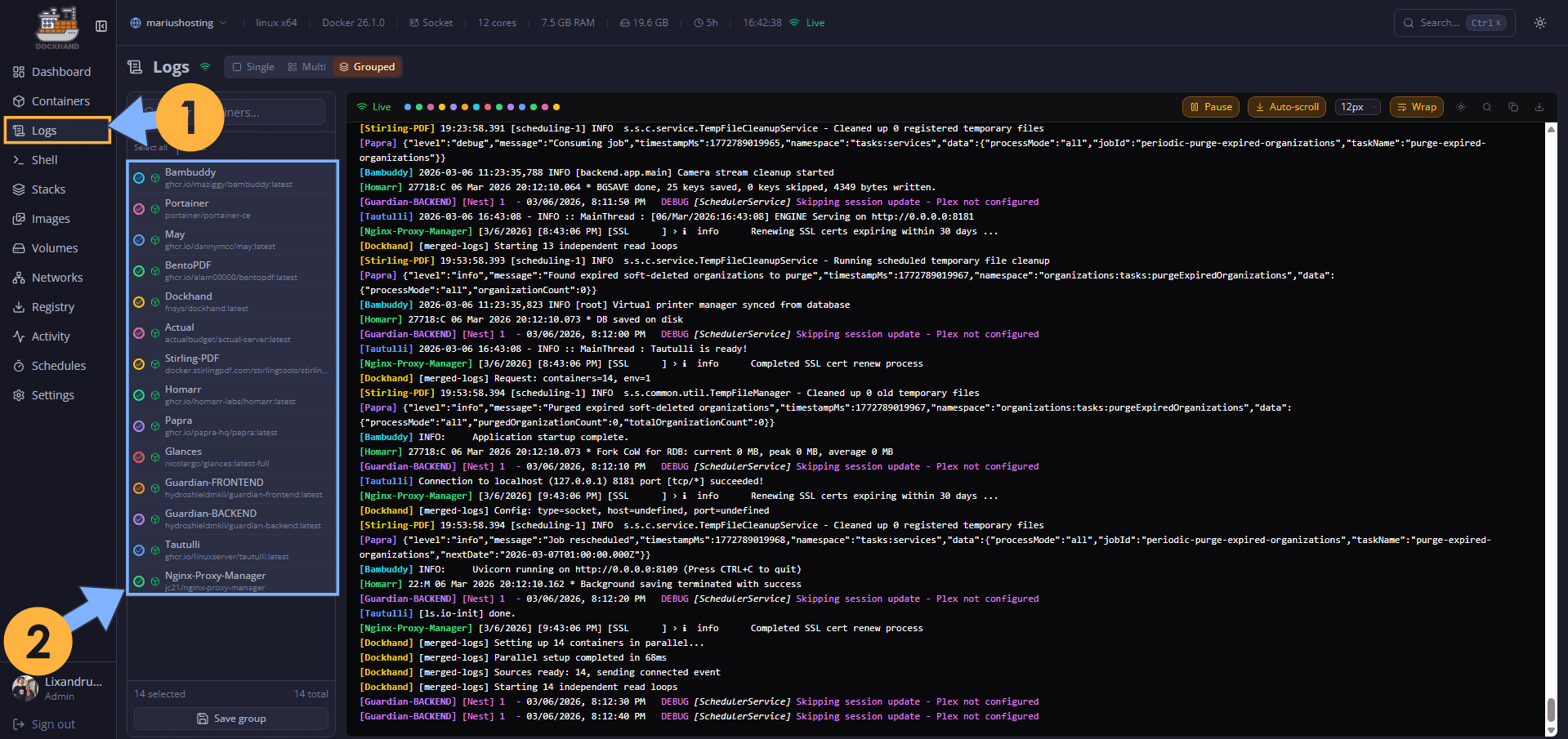
Dockhand eliminated 💥Dozzle. Dockhand provides a dedicated logs viewer for each container with auto-refresh, full-text search, syntax highlighting, timestamp/severity filters, follow tail mode, log download, and export options. It’s smoother, more integrated than Dozzle, and eliminates the need for an extra container.
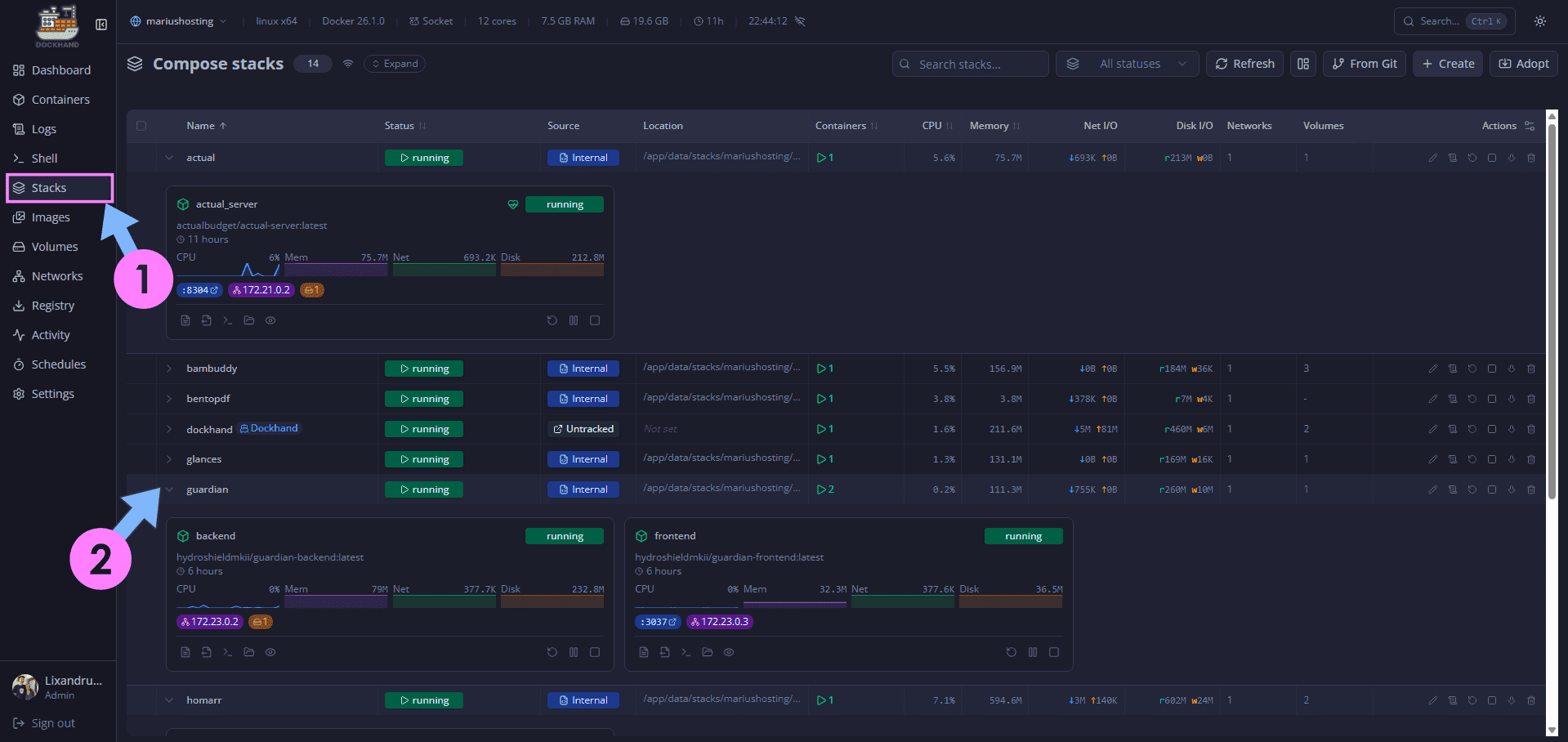
Dockhand eliminated 💥Beszel. Resource stats with history (CPU, RAM, network, I/O for containers + host). Dockhand provides live dashboards with clear graphs, real-time percentages, and temporal trends making Beszel redundant.
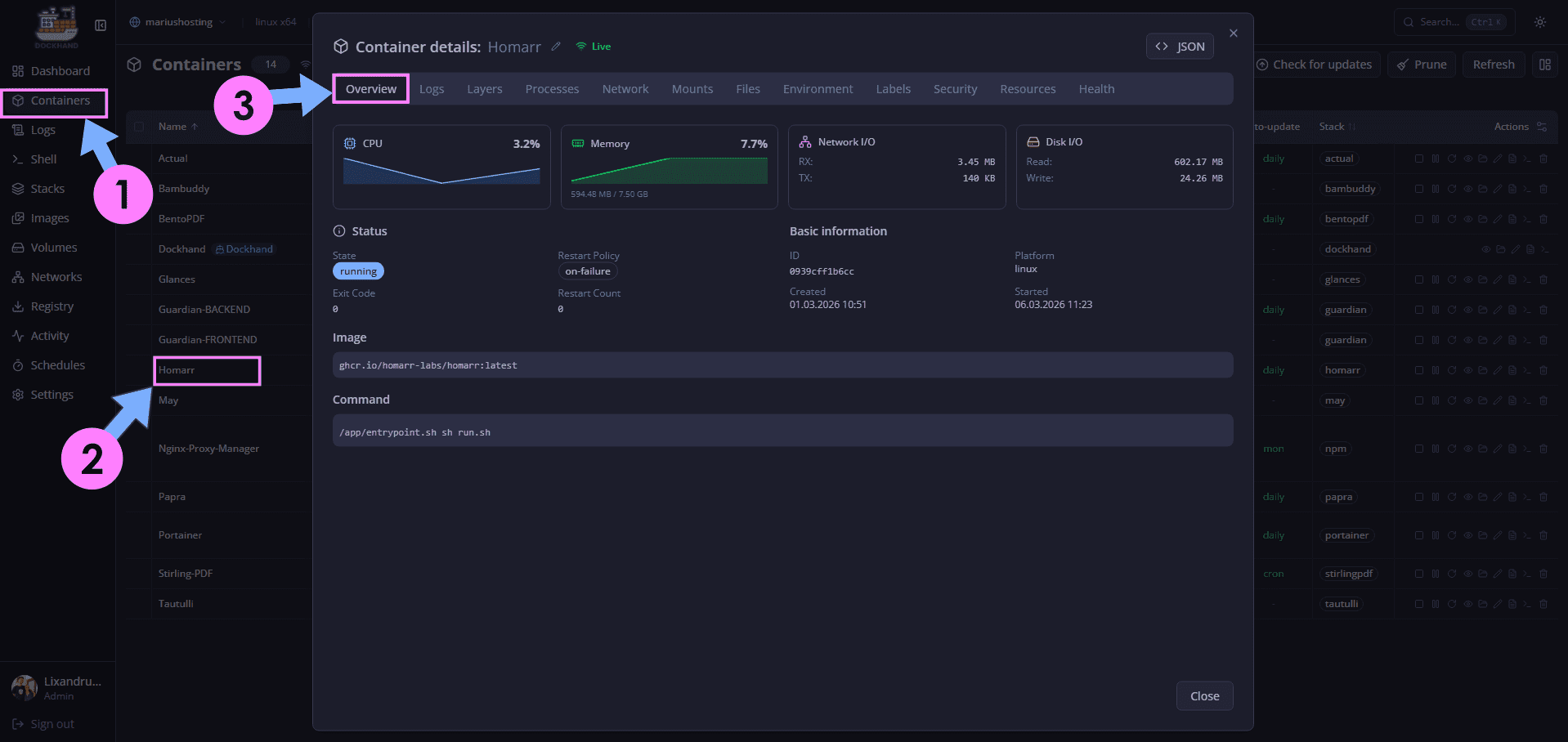
You can also check an overview of your running docker container to view the real-time stats.
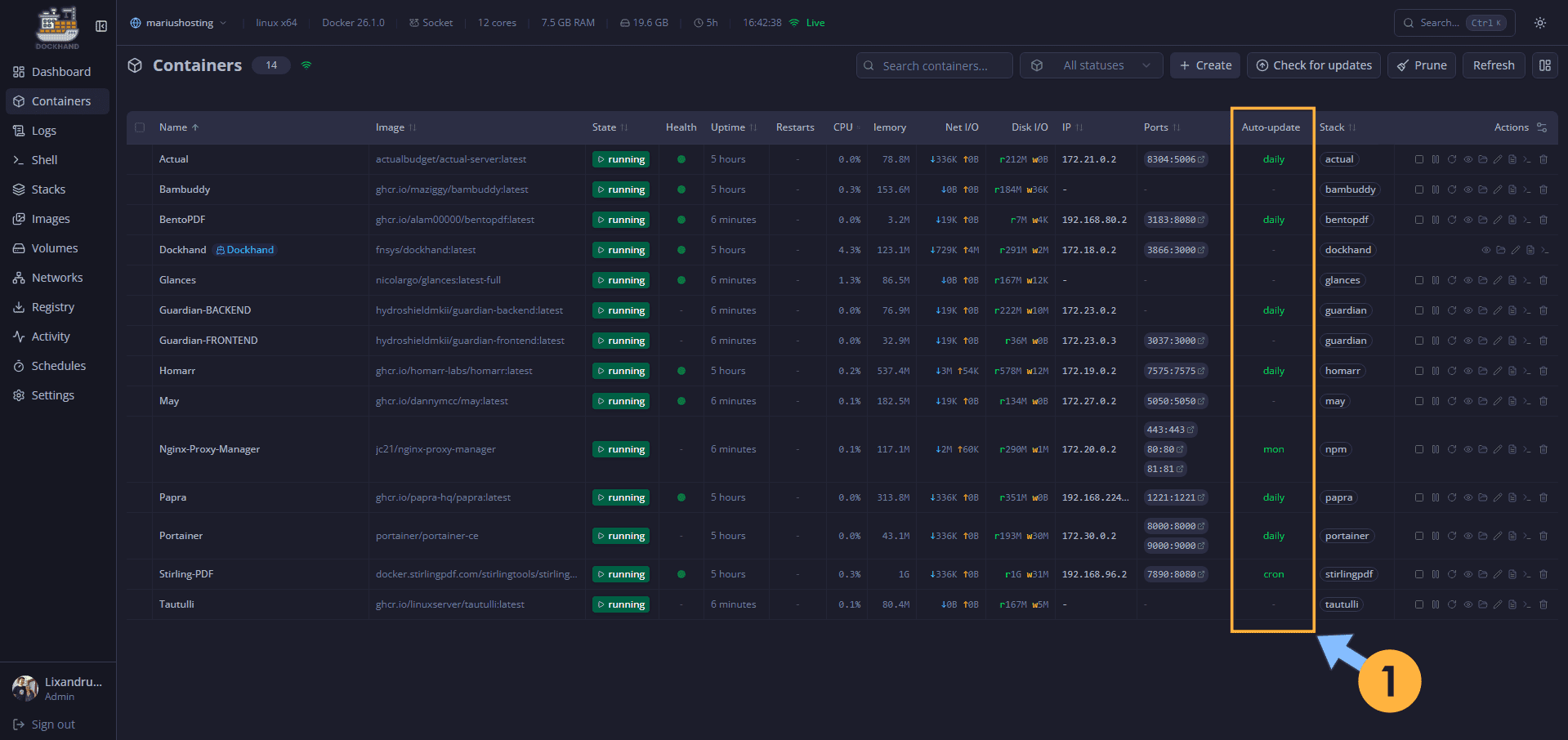
Dockhand eliminated 💥Watchtower. Dockhand tracks available updates, allows manual or scheduled pulls, simple rollback, and notifications. Many people use it specifically to avoid the risks of Watchtower’s uncontrolled auto-updates. You can check my full article on How to Schedule Automatic Container Updates in Dockhand.
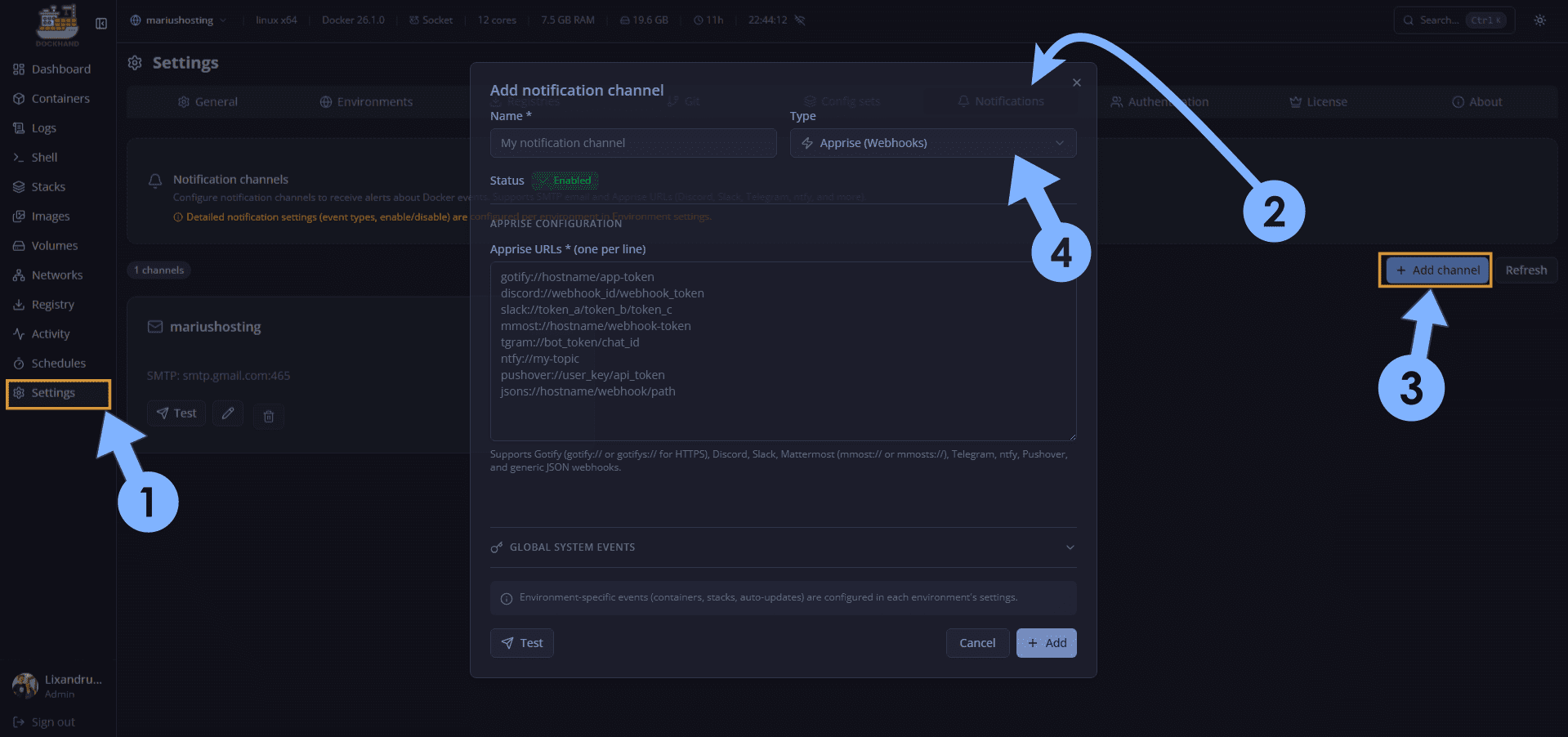
Dockhand eliminated 💥Diun and 💥WUD. Dockhand integrates Apprise natively: Telegram, Discord, Gotify, ntfy.sh, email, Pushover, Mattermost. It notifies you about new tags with image details and vulnerability information, fully covering the same use case as Diun and WUD without any additional overhead. You can also set up notification via email. Check out my article on How to Set Up Email Notifications in Dockhand.
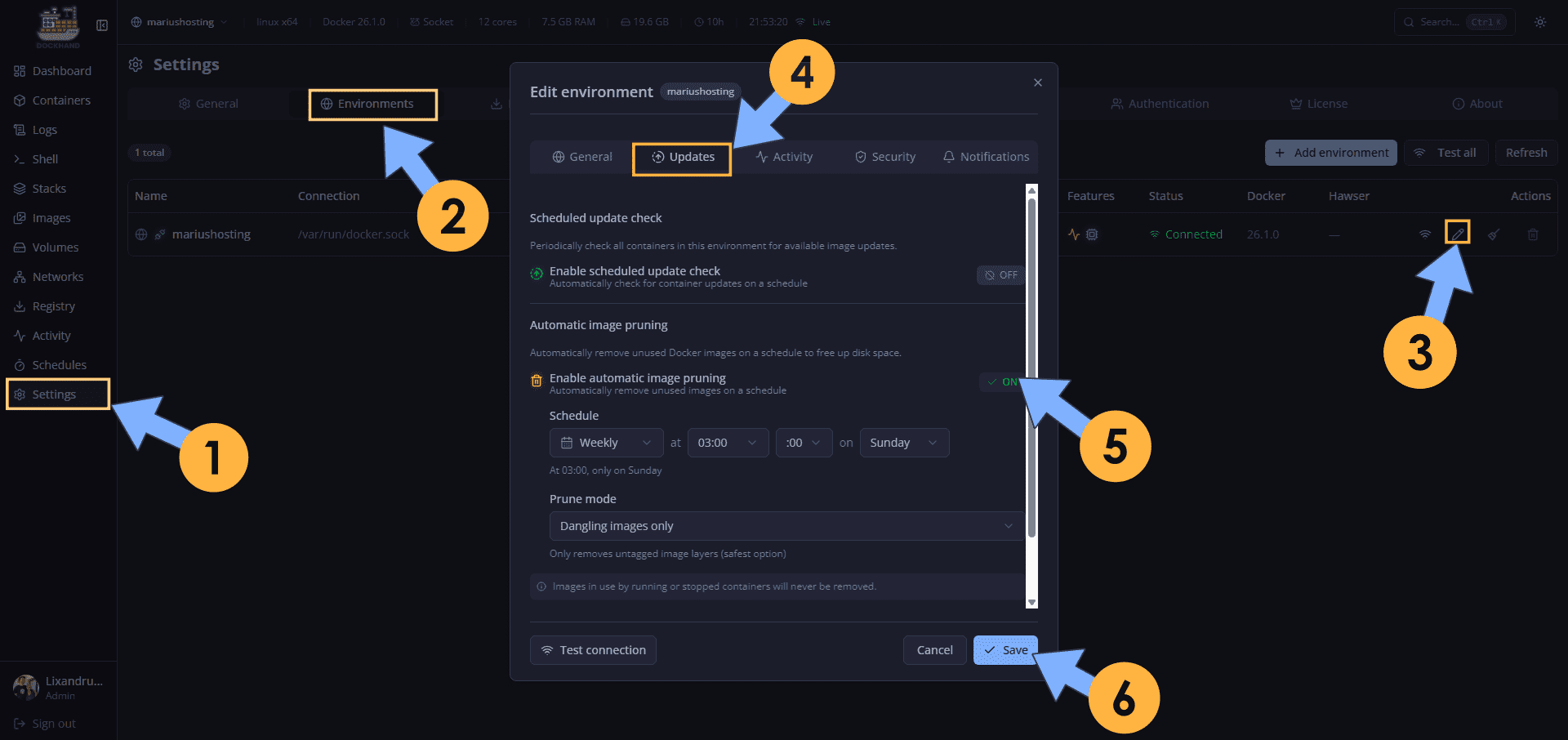
Dockhand eliminated 💥PruneMate. Dockhand has also effectively “killed” PruneMate by integrating powerful, user-friendly Docker cleanup/pruning capabilities directly into its single modern container, eliminating the need for yet another dedicated pruning tool.
In summary, Dockhand has consolidated what used to be a fragmented ecosystem of 7 separate management containers into one single, elegant, and blazing-fast tool. By natively integrating real-time logs (better than Dozzle), resource monitoring with history (surpassing Beszel), update tracking & safe pulls (smarter than Watchtower), multi-channel notifications via Apprise (covering Diun + WUD), full Docker orchestration with visual Compose editing and Git sync (evolving beyond Dockge), classic container/volume/network management with pruning and shell access (lighter and more modern than Portainer CE), integrated vulnerability scanning (Grype + Trivy), and even powerful cleanup/pruning features (making dedicated tools like PruneMate largely unnecessary for most users), Dockhand delivers a dramatically simpler, lower-overhead, and more cohesive experience. You go from managing a dozen sidecar containers each with its own port, volume, update cycle, and potential failure point to just one container that does it all, beautifully.
This post was updated on Saturday / March 7th, 2026 at 8:15 AM