
On January 29, 2026, Synology released a new DSM version called DSM 7.3.2-86009 Update 1 (DSM 7.3.2-86009-1). Below I will guide you step by step through the process of installing the new DSM 7.3.2-86009-1. This update fixes a security vulnerability regarding telnetd (CVE-2026-24061).
STEP 1
Manually Download DSM 7.3.2-86009 Update 1 by following the blue link below. From the official Synology Archive, download DSM 7.3.2-86009 Update 1 for your NAS model.
STEP 2
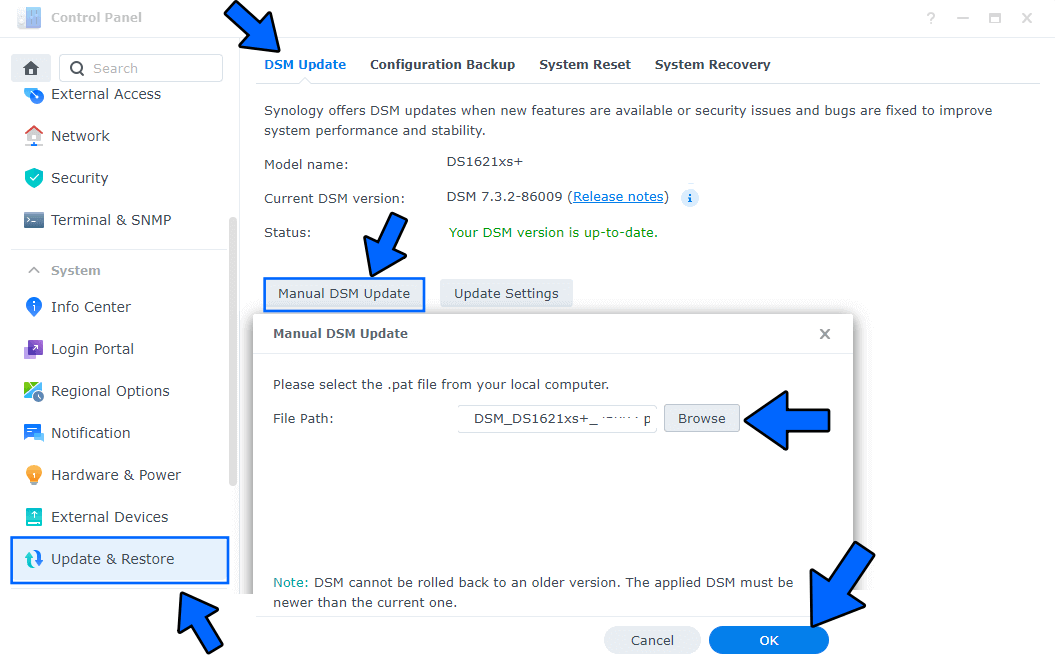
Go to Control Panel / Update & Restore then click on Manual DSM Update. Select the file you have previously downloaded at STEP 1 then click OK. Follow the instructions in the image below.
STEP 3
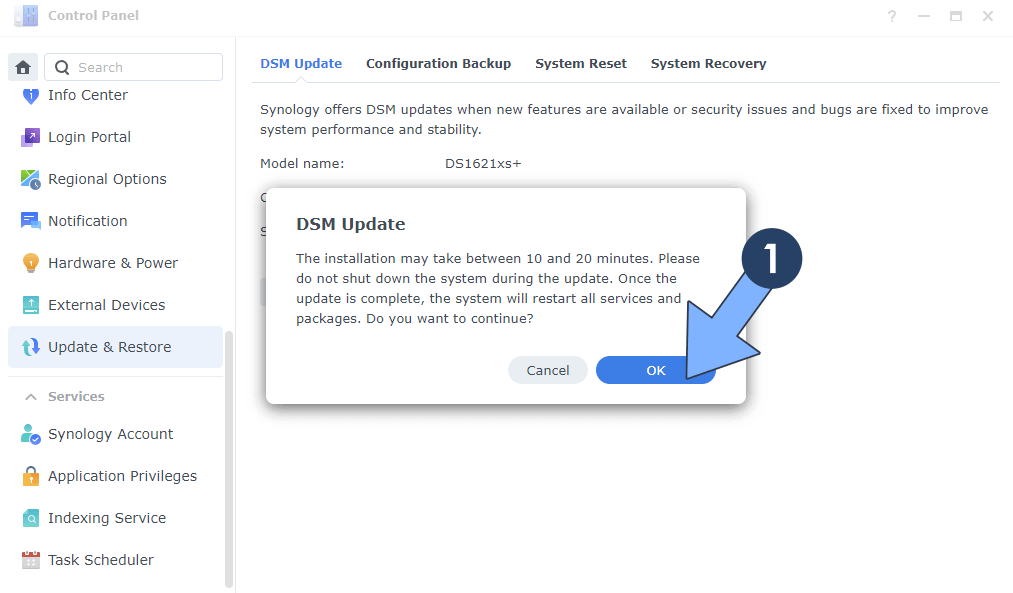
A new pop up window will open. Click OK. Follow the instructions in the image below.
STEP 4
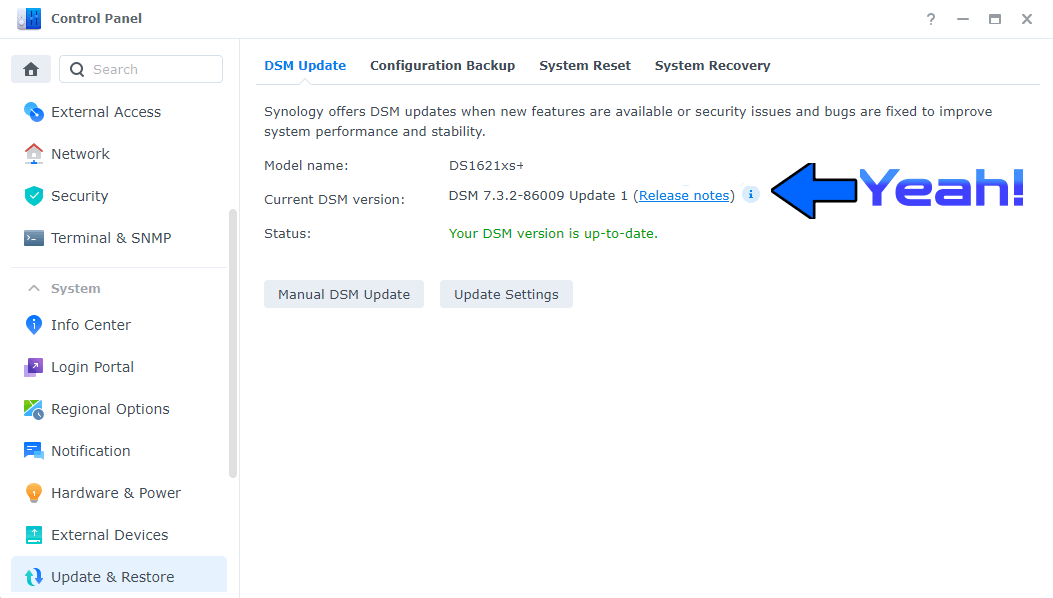
After approximately 5 minutes your new DSM 7.3.2-86009 Update 1 will be installed on your Synology NAS device.
This post was updated on Monday / March 16th, 2026 at 11:13 AM