
On September 26, 2023, Synology released a new DSM version called DSM 7.2.1-69057. Below I will guide you step by step through the process of installing the new DSM 7.2.1-69057. This update fixes multiple security vulnerabilities which makes it mandatory to install.
STEP 1
Manually Download DSM 7.2.1-69057 by following the blue link below. From the official Synology Archive, download DSM 7.2.1-69057 for your NAS model.
STEP 2
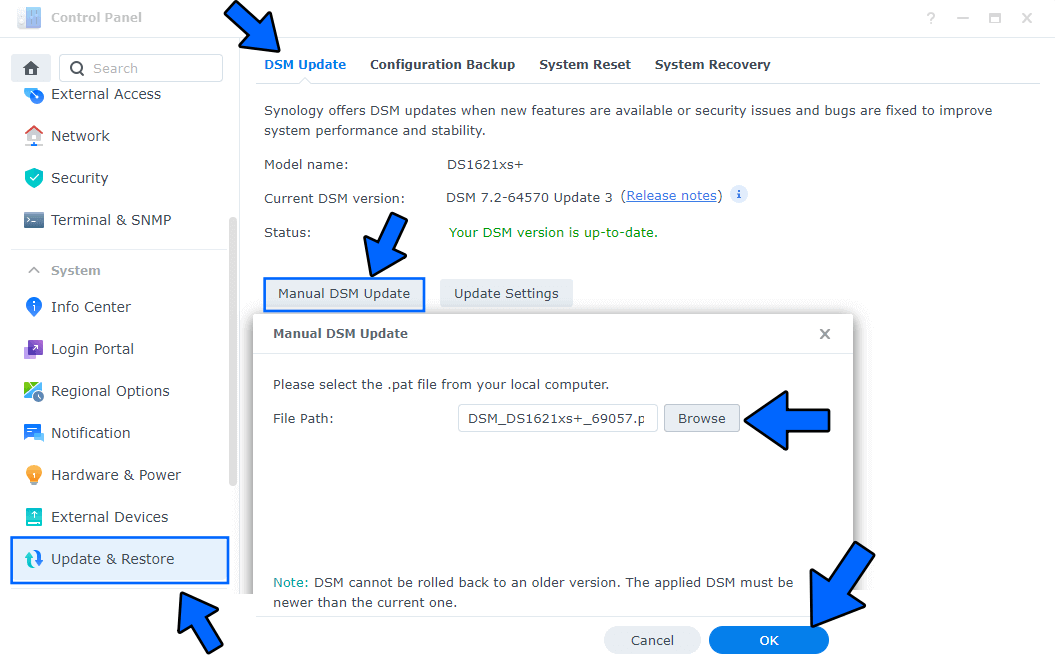
Go to Control Panel / Update & Restore then click on Manual DSM Update. Select the file you have previously downloaded at STEP 1 then click OK. Follow the instructions in the image below.
STEP 3
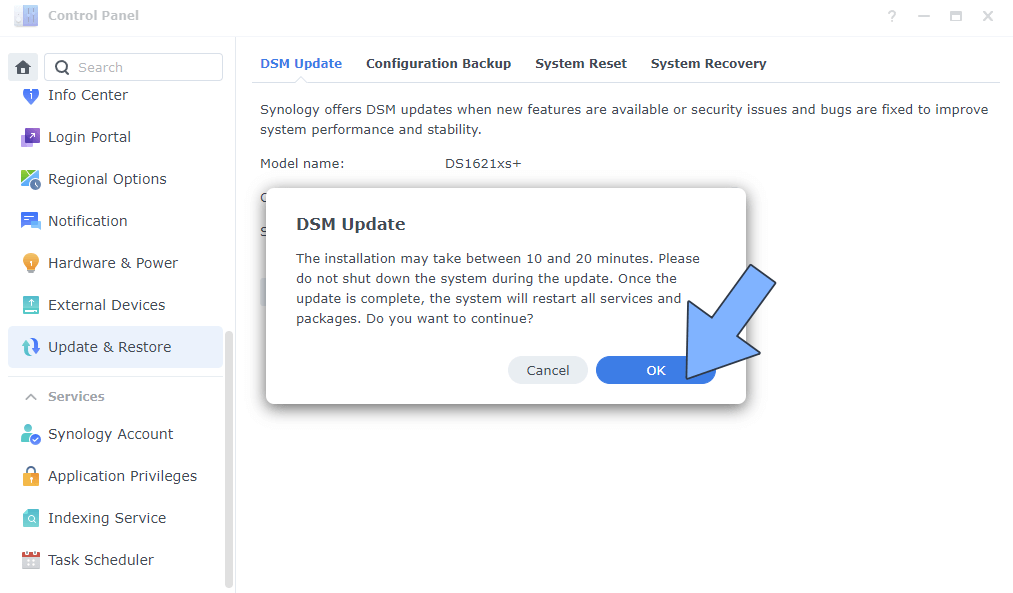
A new pop up window will open. Click OK. Follow the instructions in the image below.
STEP 4
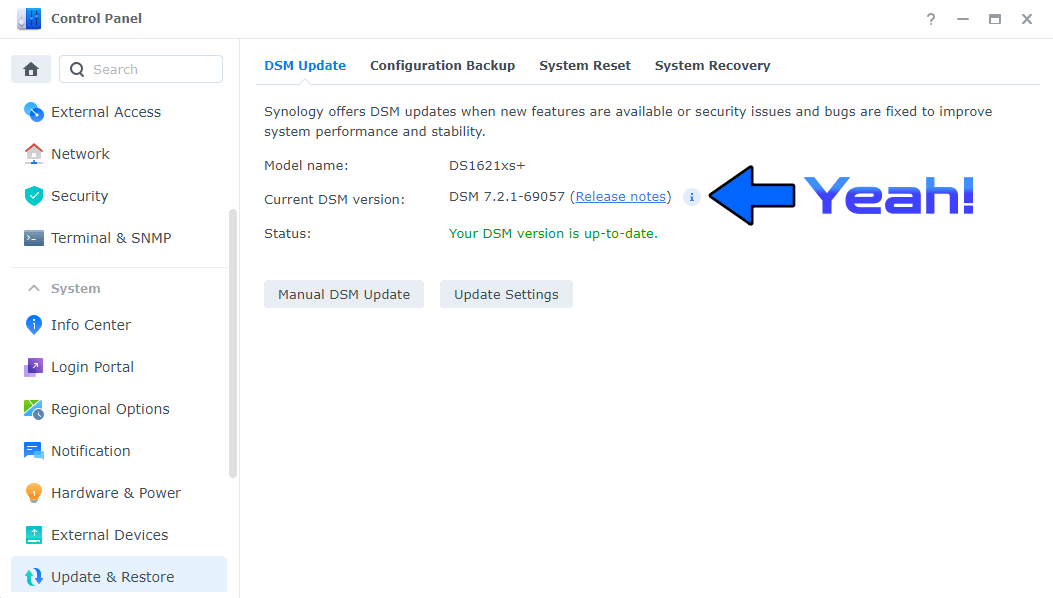
After approximately 5 minutes, your new DSM 7.2.1-69057 will be installed on your Synology NAS device.
This post was updated on Wednesday / October 14th, 2026 at 1:11 AM