
A UID (user identifier) is a number assigned by the Asustor NAS ADM operating system to each user on the system. This number is used to identify the user to the system and to determine which system resources the user can access. Groups in Asustor NAS ADM are defined by GID (group ID). These values often dictate the user/group that the Docker container will be running as. So if the Docker container accesses a specific drive share, with specific permissions, then the PUID and PGID values will specify the user/group that will be used by the Docker container.
STEP 1
Please Support My Work by Making a Donation.
STEP 2
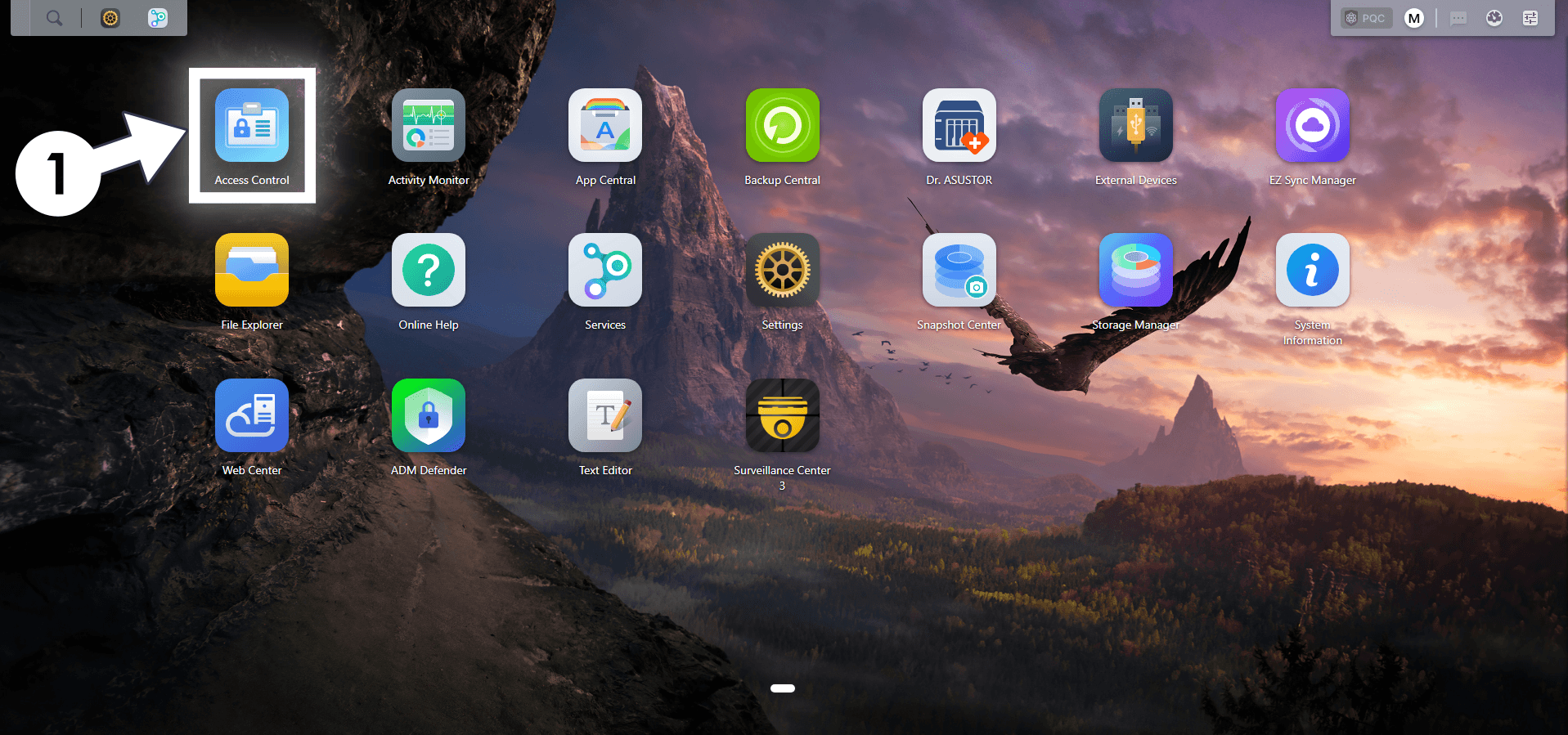
Log in to your Asustor NAS. Click the Access Control icon. Follow the instructions in the image below.
STEP 3
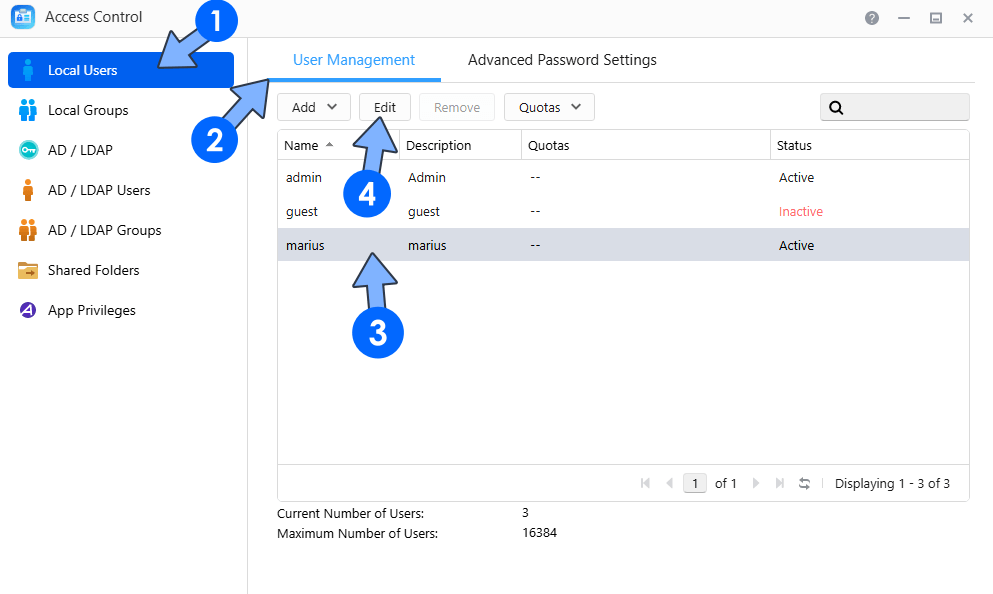
On the left sidebar, click Local Users. Click the User Management tab. From the list, select your current NAS user. Click the Edit tab. Follow the instructions in the image below.
STEP 4
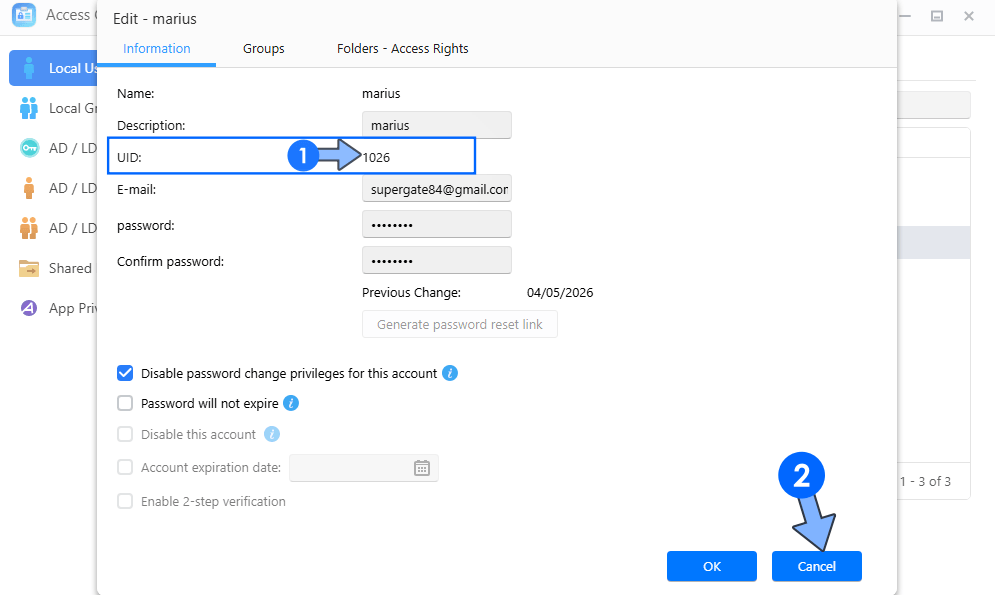
Check your UID number and note it down. Click Cancel to exit. Follow the instructions in the image below. ⚠️Note: As you can see from the screenshot below, my UID is 1026.
STEP 5
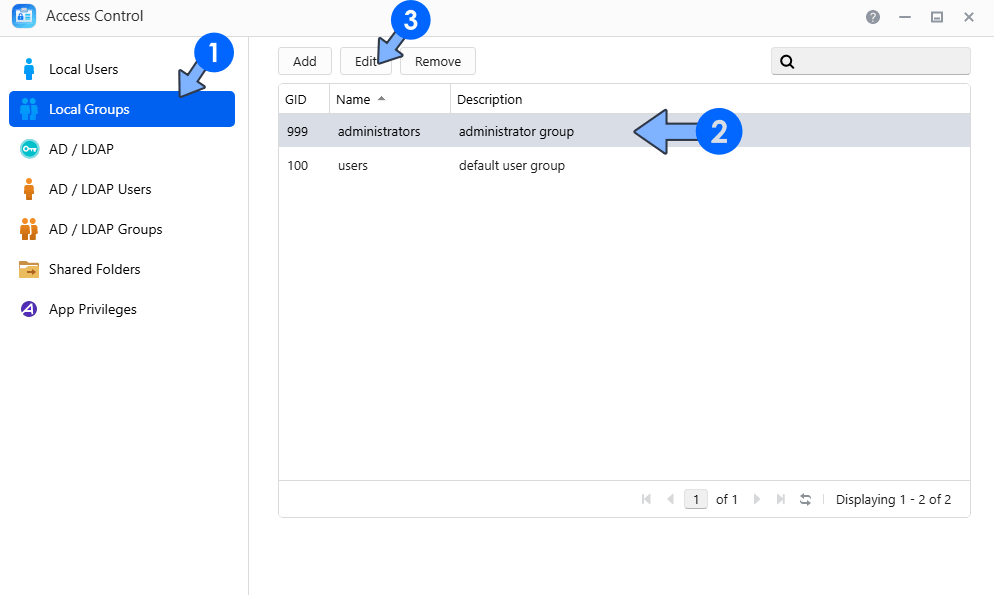
On the left sidebar, click Local Groups. From the list, select administrators. Click the Edit tab. Follow the instructions in the image below.
STEP 6
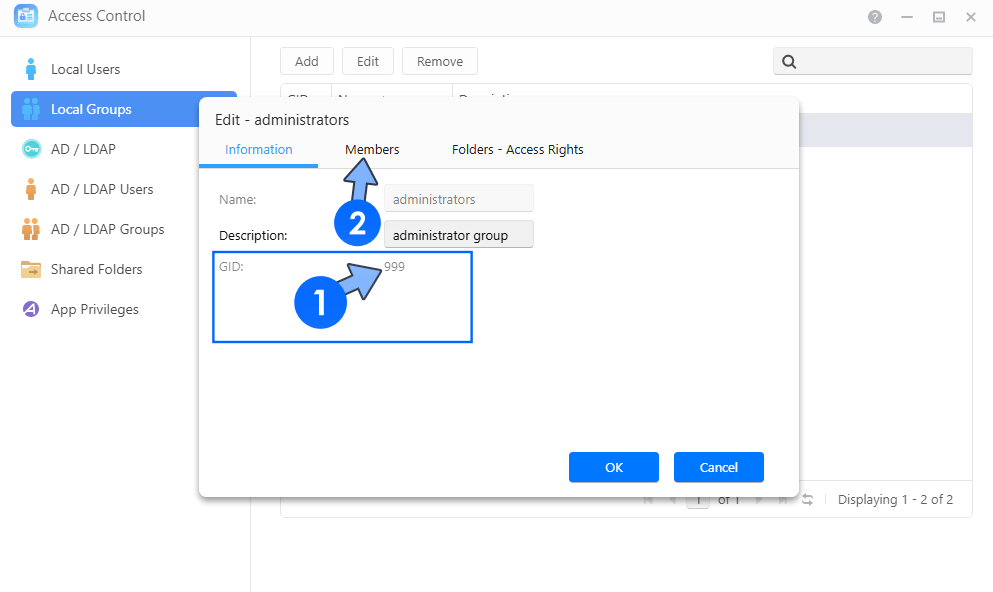
Check your GID number and note it down. Click the Members tab. Follow the instructions in the image below. ⚠️Note: As you can see from the screenshot below, my GID is 999.
STEP 7
Make sure your user account is a member of the Administrators group. Click Cancel to exit. Follow the instructions in the image below.
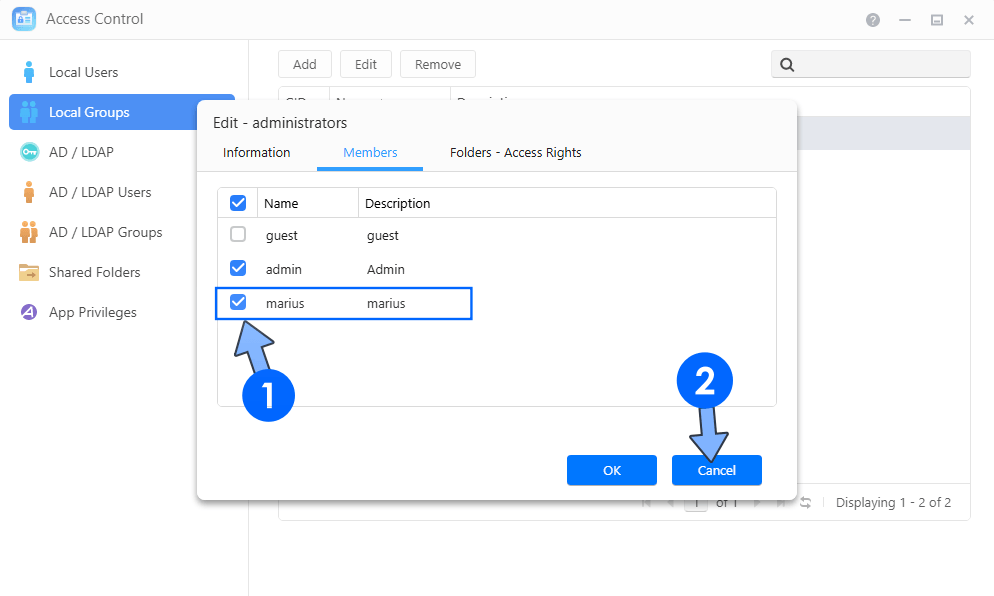
Done! My current UID (PUID) number is 1026 and my current GID (PGID) number is 999.
This post was updated on Monday / April 13th, 2026 at 11:20 PM