
Hey everyone, if you’re running a Synology NAS and host your website from home and just saw the sudden wave of posts on the web about two critical PHP vulnerabilities (CVE-2026-109618 and CVE-2026-109619, better known as PHP2Shell), take a deep breath because you’re in the right place at mariushosting. These bugs are serious as they affect almost every PHP version still in use, and while the official PHP security patches are being released today, Synology will not be shipping an updated package for your NAS today. Just like in previous security incidents, their PHP updates tend to lag behind, sometimes by days or even weeks or months or years. That’s exactly why I’m writing this: so you have a clear, practical fix you can apply right now, without waiting for a PHP Package Center update. As always, I try to get this kind of vital information out to you as fast as possible so you can protect your Synology NAS device before most people even realise there’s a problem.
STEP 1
Please Support My work by Making a Donation.
STEP 2
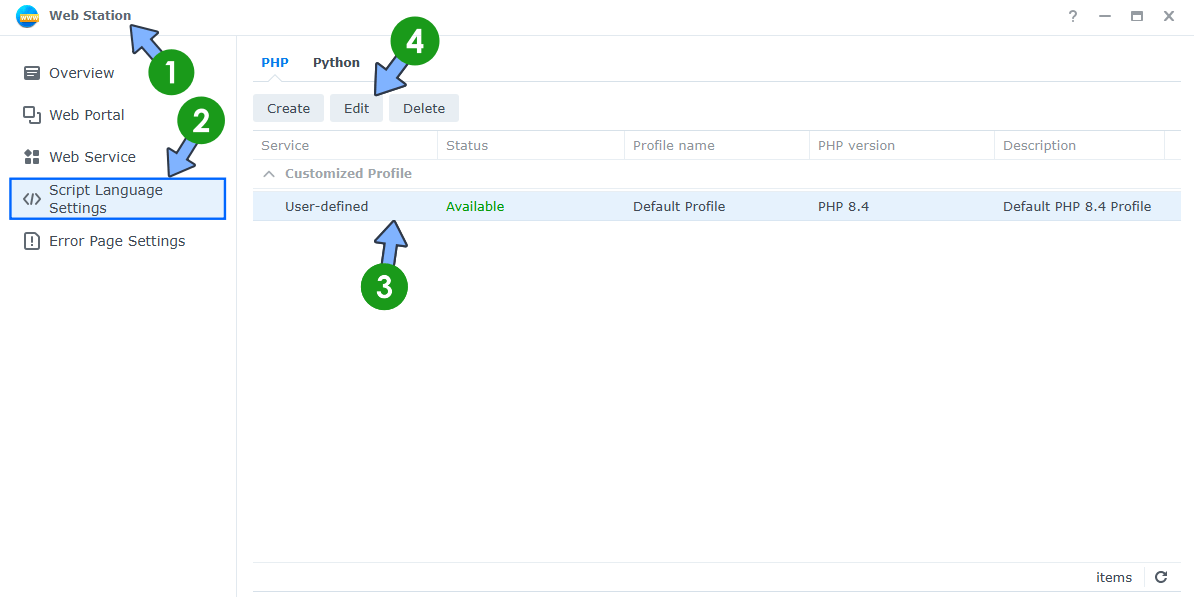
Disable the vulnerable feature in Web Station. Open the Web Station app on your Synology NAS. On the left sidebar, click Script Language Settings. Select your PHP profile. Click the Edit tab. Follow the instructions in the image below. ⚠️Note: The fix will work for PHP 8.4, PHP 8.3, PHP 8.2, PHP 8.0 and below.
STEP 3
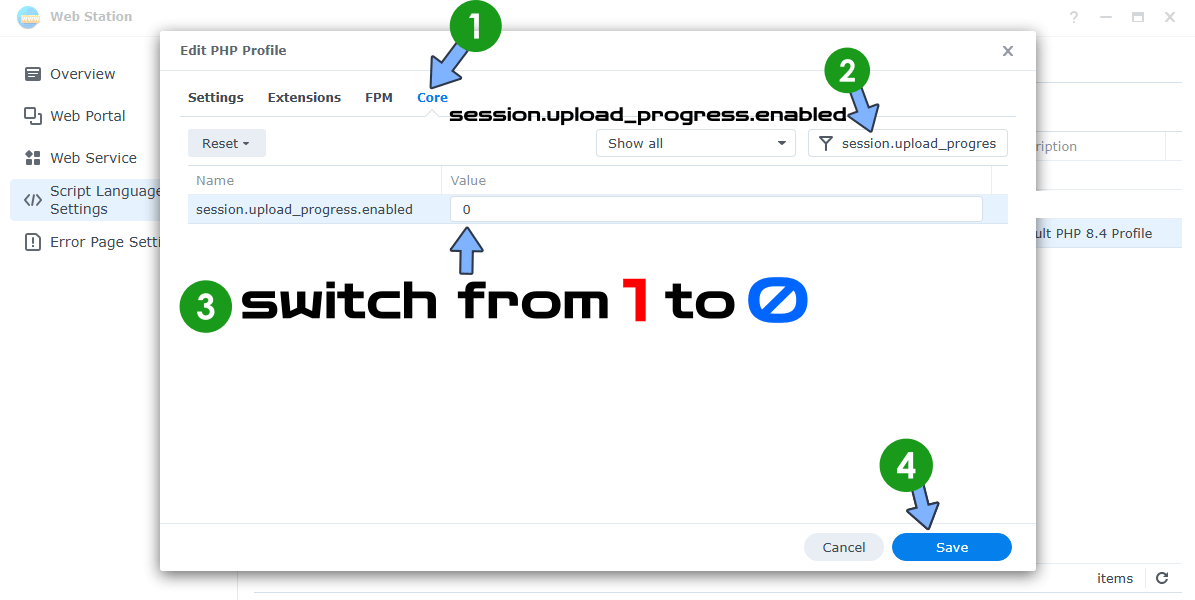
A new pop up window will open. Click the Core tab. Search for session.upload_progress.enabled and change the Value from 1 to 0. Click Save. Follow the instructions in the image below.
STEP 4
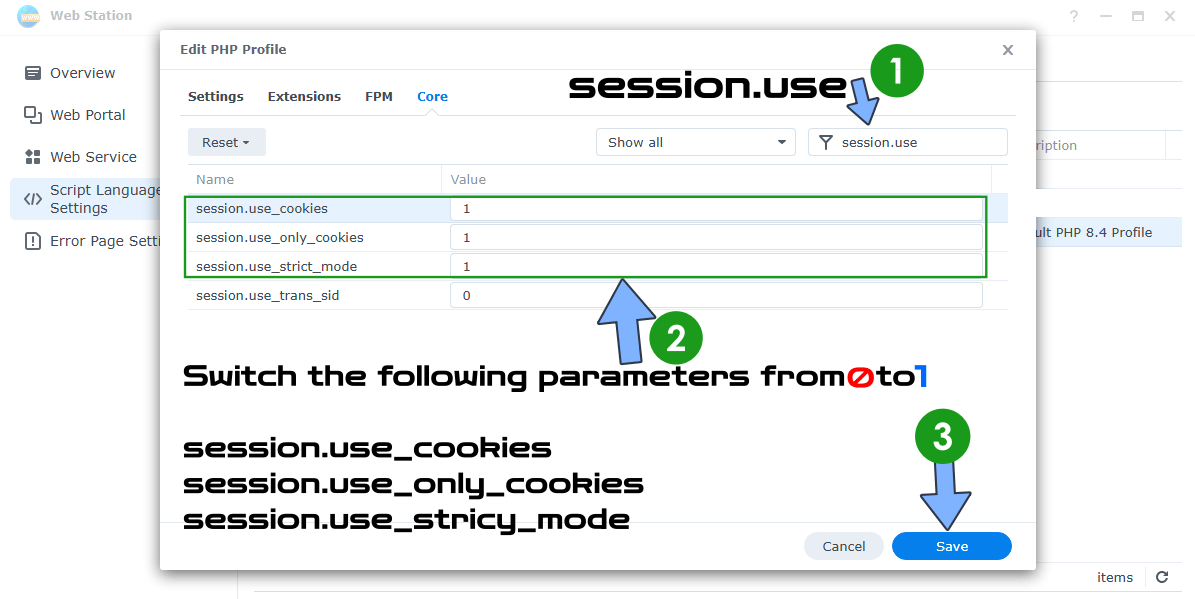
Edit your PHP profile again by following the same exact STEP 2 as before. A new pop up window will open. Click the Core tab. Search for session.use and change the Value from 0 to 1 for the following parameters: session.use_cookies, session.use_only_cookies, session.use_strict_mode
Click Save. Follow the instructions in the image below.
STEP 5
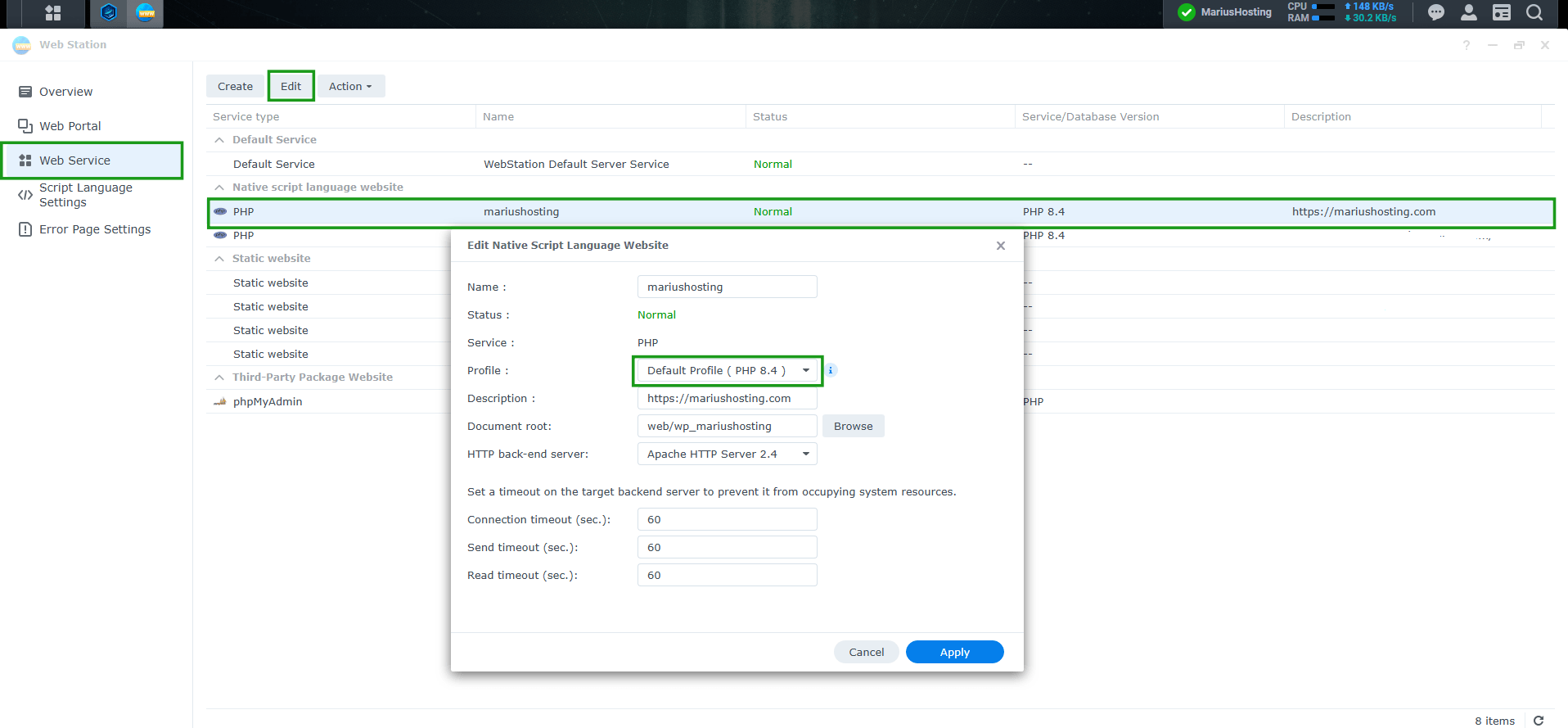
Make sure your website uses your default PHP profile where you changed the php parameters in Web Station / left sidebar Web Service. Follow the instructions in the image below.
Note: Keep an eye on Package Center for updated PHP packages. As soon as Synology releases a version that includes the official PHP security patches (8.2.35 / 8.3.36 / 8.4.27 or newer), install them.
This post was updated on Wednesday / October 21st, 2026 at 6:43 PM