
Synology has officially released a new update for its operating system, DSM 7.4.1-90080 Update 1 on October 12, 2026. Below, I will guide you step by step through the process of installing the new version on your Synology NAS quickly and safely. This update includes security enhancements, though Synology has not disclosed specific CVEs or detailed changelog entries for this release.
Fixed Issues: Fixed multiple security vulnerabilities (undisclosed details).
STEP 1
Manually Download DSM 7.4.1-90080-1 Update 1 by following the blue link below. From the official Synology Archive, download DSM 7.4.1-90080-1 Update 1 for your NAS model.
STEP 2
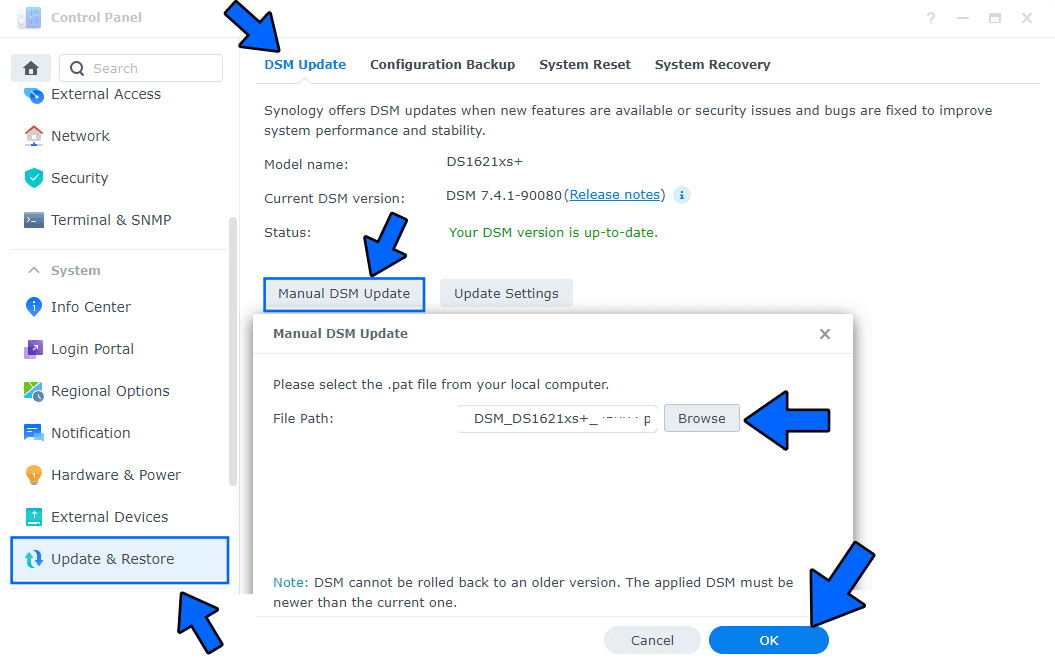
Go to Control Panel / Update & Restore then click on Manual DSM Update. Select the file you have previously downloaded at STEP 1 then click OK. Follow the instructions in the image below.
STEP 3
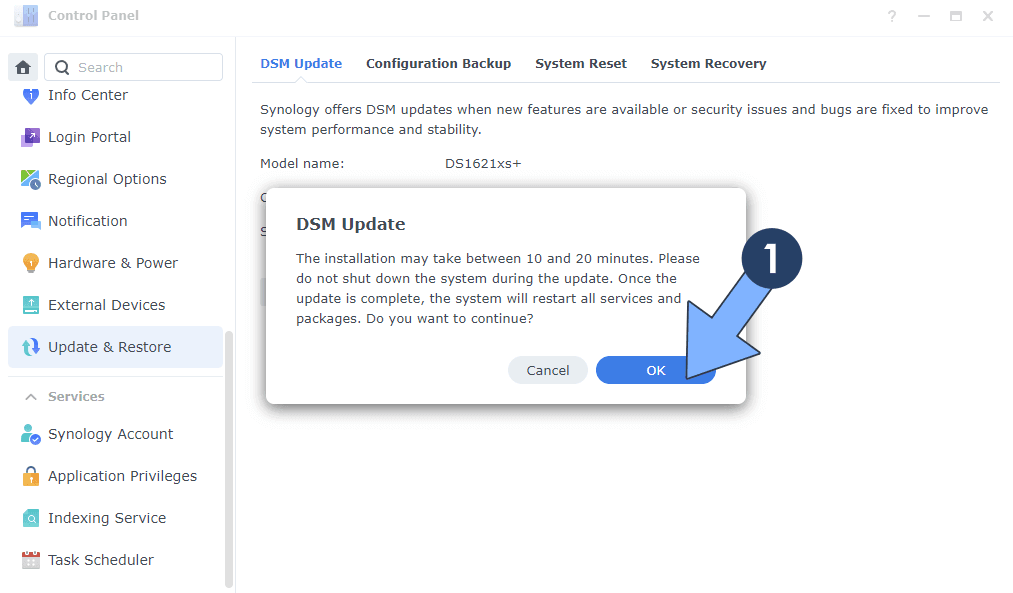
A new pop up window will open. Click OK. Follow the instructions in the image below.
STEP 4
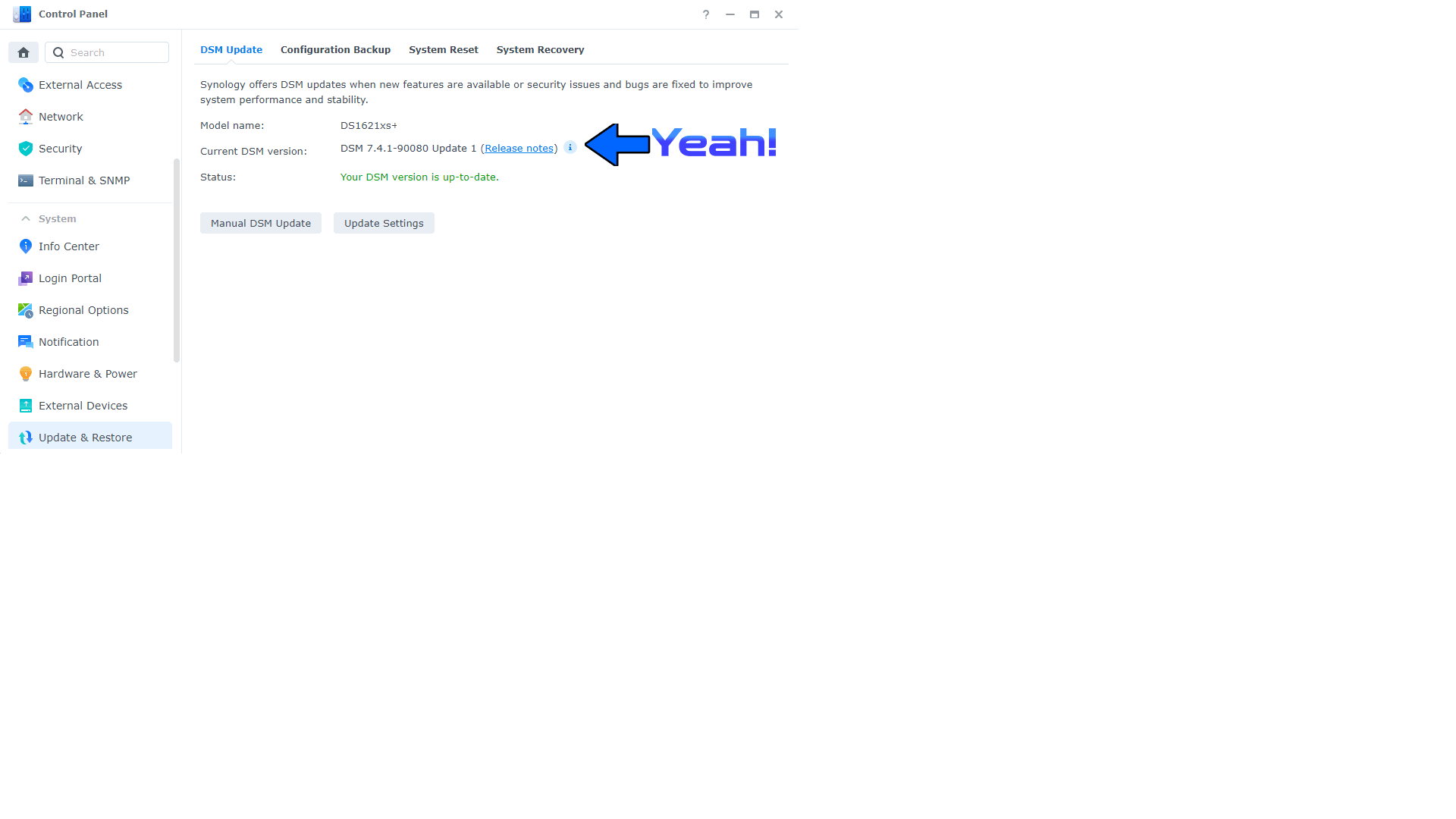
After approximately 5 minutes your new DSM 7.4.1-90080-1 Update 1 will be installed on your Synology NAS device.
This post was updated on Monday / October 12th, 2026 at 10:57 AM