
On September 28, 2026, UGREEN released the new UGOS PRO version 1.20.0.0142. Below I will guide you step by step through the process of installing the new UGOS PRO 1.20.0.0142. This update fixes an issue where the process could get stuck when decompressing multiple archives in batch. There is also a new Docker Engine update: version 1.20.0.0074. While firmware updates on UGOS PRO have historically been non-destructive, it is always prudent to ensure important files are protected (local copies, another NAS, or cloud storage following the 3-2-1 rule).
📁Files
1. Added support for mounting “123pan” cloud drive.
2. Fixed an issue where the process could get stuck when decompressing multiple archives in batch.
♻️ Recycle Bin
“Empty” and “Restore all” now only apply to the current path, preventing accidental impact on other directories.
🏠App Center
1. The “Contacts” app is now available on mobile (mobile client update required).
2. When updating a Docker-based container app, images from older versions are automatically removed (Docker update required).
ℹ️ Support
Firmware logs now support custom generation scope.
📌Other Improvements
1. iOS: Added Dynamic Island support to display upload/download/backup progress for the current device (requires client update and iOS 17.2 or later).
2. Optimized the hide/show policy for files mounted via SMB. File visibility now follows the file display settings on the computer.
3. Fixed some known issues to improve user experience.
STEP 1
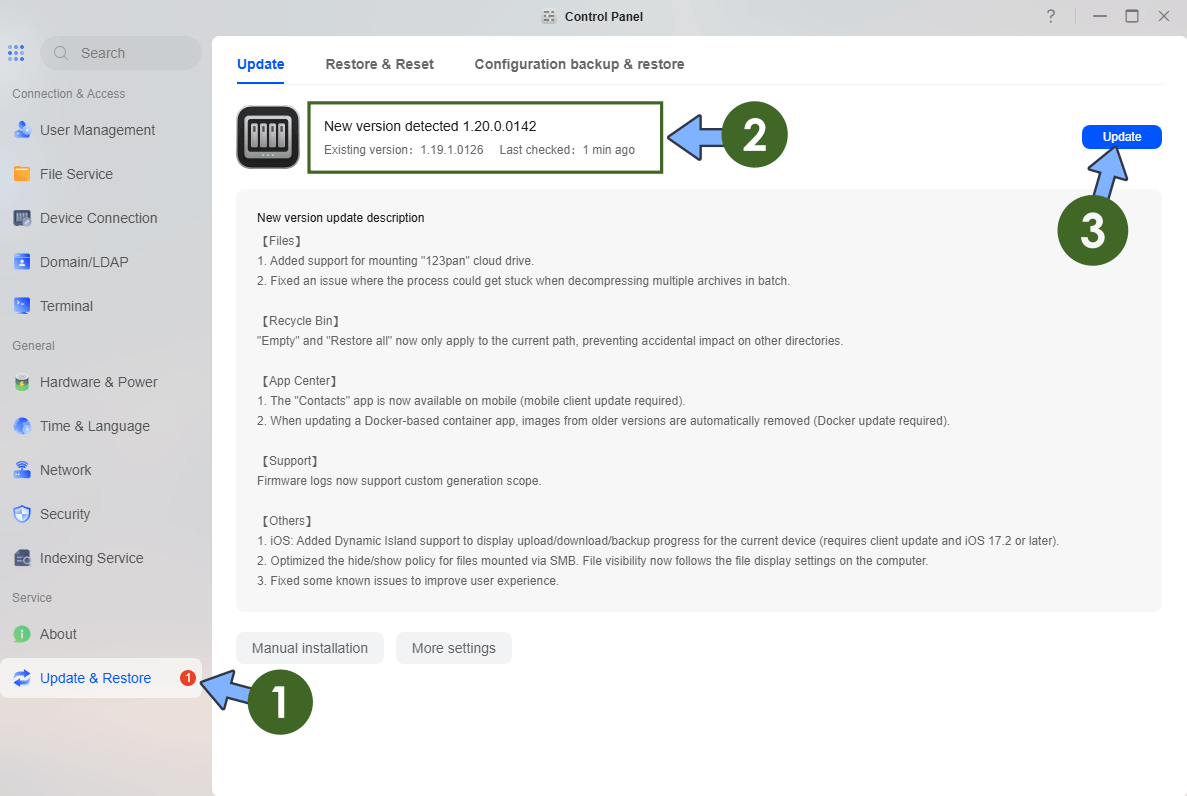
Log in to your UGREEN NAS via the web interface. Open the Control Panel. On the left sidebar, under Service, click Update & Restore. The system will automatically check for available updates. When version 1.20.0.0142 is detected, click Update.
STEP 2
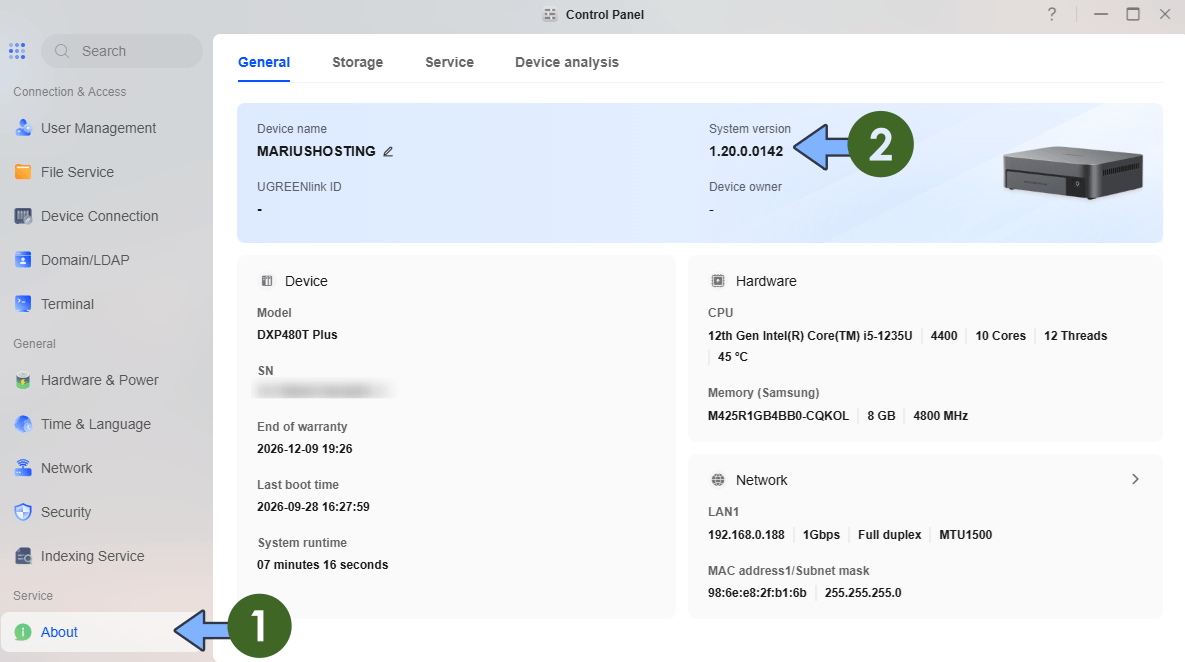
The NAS will download the package, apply the update, and restart automatically. Typically, the update will last 1 or 5 minutes depending on your UGREEN NAS model and network speed. After reboot, log in again and verify the new version under Control Panel About or Update & Restore.
STEP 3
You can also download the latest Docker engine that is now at version 1.20.0.0074. You can check the changelog below.
- Containers created from private registry images now support automatically pulling the latest image and upgrading during updates.
- Local images now support importing tar.gz images packages.
- Fixed some known issues to improve user experience.
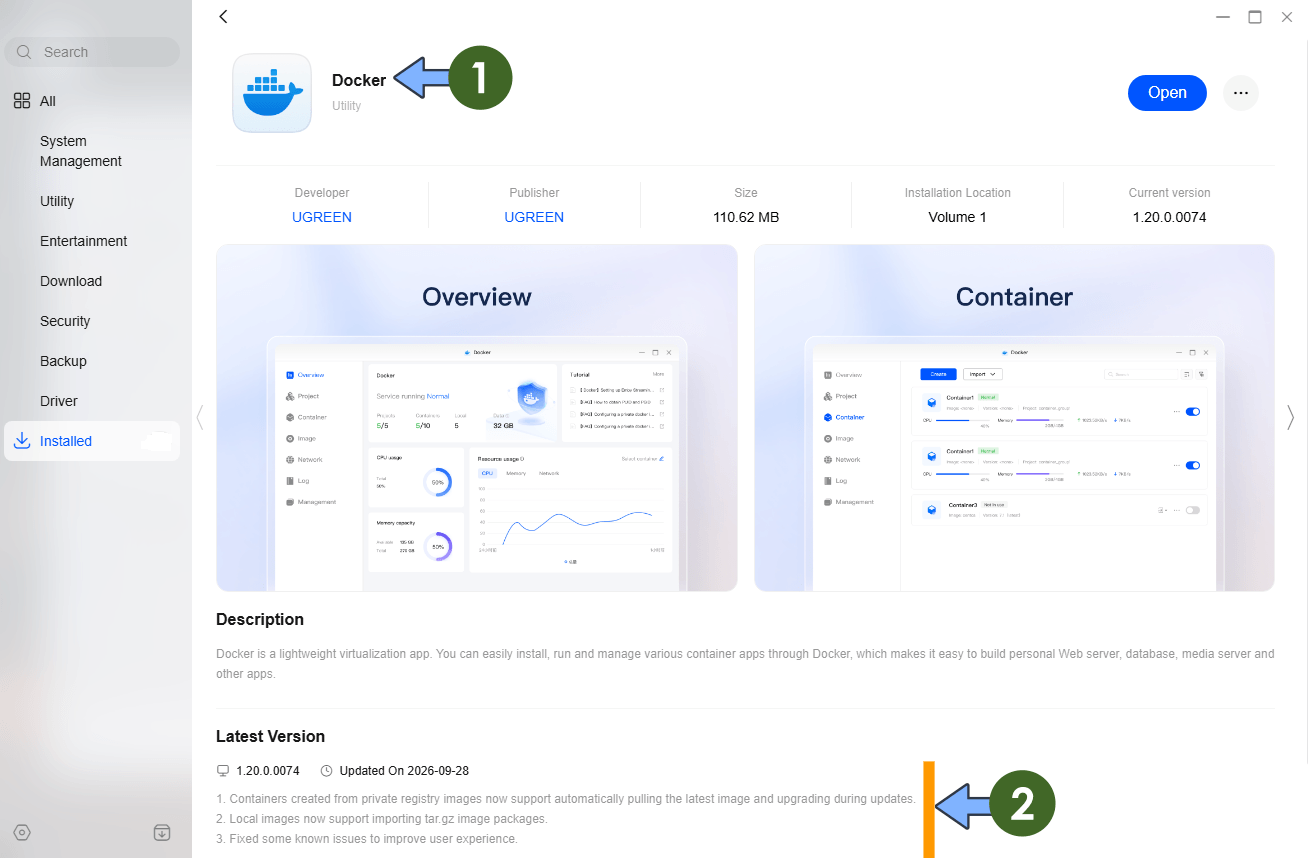
Note: The latest UGOS Pro update lets the Docker interface import compressed tar.gz image packages directly into local images. This is a practical improvement because most people already save Docker images as gzip-compressed archives to shrink file size and speed up transfers. You can now move a ready-made image from another machine, USB drive, or offline source straight into the UGREEN NAS through the GUI without first decompressing it or dropping to the command line. The result is faster offline or air-gapped deployments, easier migration between systems, and less temporary storage waste on large images. This update comes with this small refinement that makes everyday Docker work on the NAS noticeably smoother.
Note: You can also manually download the latest UGOS Firmware directly from the Official UGREEN NAS page.
Note: For the IDX series, this update is still not available right now. UGREEN typically releases firmware for the iDX models (such as the iDX6011 and iDX6011 Pro) a short time later under a slightly different version number, following the same pattern seen with previous updates.
This post was updated on Monday / September 28th, 2026 at 5:46 PM