
SRM 1.3.2 is the current operating system of the Synology RT6600ax, WRX560, RT2600ac and MR2200ac routers. Version 1.3.2-9366 Update 3 is the third official update released for version 1.3.2, and was released on September 22, 2026. Unfortunately, the new SRM 1.3.2-9366 Update 3 version maintains the outdated PHP 5.5.25 version, an issue that I reported on June 26, 2022, almost 4 years ago. Synology, so far, has done absolutely nothing to solve the outdated PHP issue. Download the new 1.3.2-9366 Update 3 for your router model from the links below, then manually install it.
- Improved parameter validation for SMB-related services.
- Fixed resource management issues affecting the Wi-Fi service.
- Improved QuickConnect relay security and stability.
- Fixed an issue with how system update information was displayed.
- Improved Guest Network security and stability.
- Fixed network service responsiveness issues.
- Improved mesh stability to reduce Wi-Fi client disconnections.
- Fixed multiple security vulnerabilities.
STEP 1
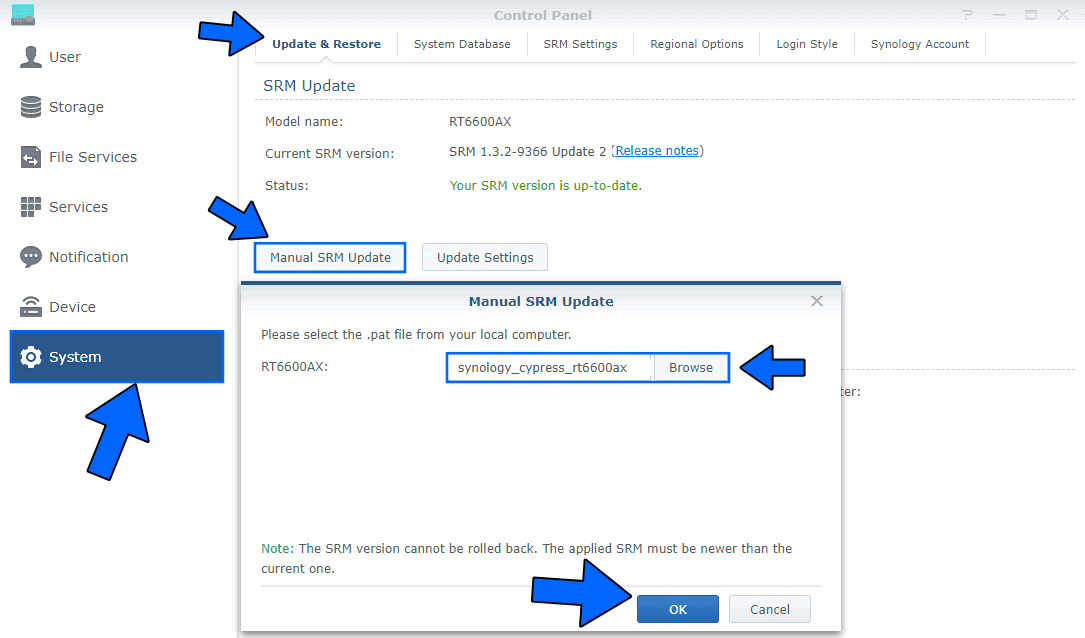
Log in to your Synology router then go to Control Panel / System / Manual SRM Update. Select and upload the file you have previously downloaded at the beginning of this article. Follow the instructions in the image below.
STEP 2
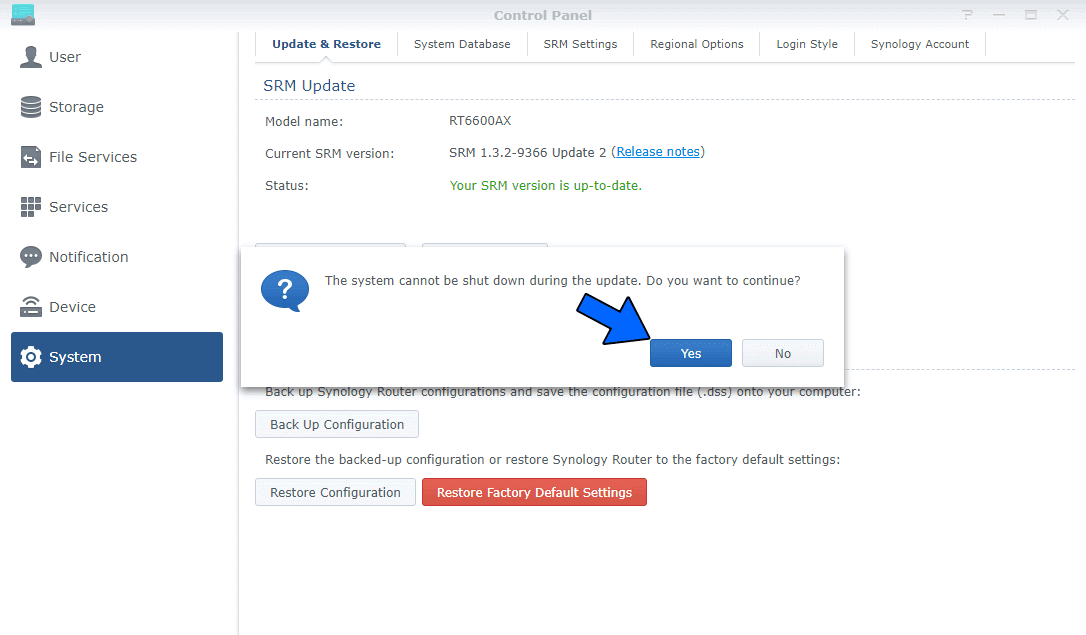
After you click OK at STEP 1, a new pop up window will appear with the following message: The system cannot be shut down during the update. Do you want to continue? Click Yes. Wait approximatively 2 minutes for the update to be completed. Follow the instructions in the image below.
STEP 3
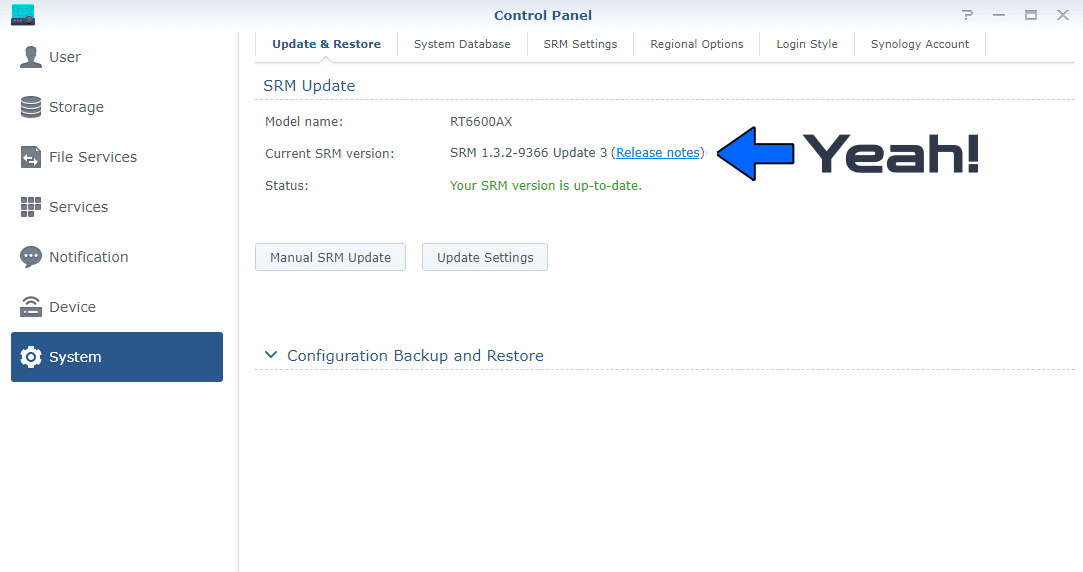
If everything went well, you should see the new SRM Version 1.3.2-9366 Update 3 correctly installed.
This post was updated on Wednesday / September 23rd, 2026 at 5:39 AM