
SRM 1.3.2 is the current operating system of the Synology RT6600ax, WRX560, RT2600ac and MR2200ac routers. Version 1.3.2-9366 Update 2 is the second official update released for version 1.3.2, and was released on June 15, 2026. Unfortunately, the new SRM 1.3.2-9366 Update 2 version maintains the outdated PHP 5.5.25 version, an issue that I reported on June 26, 2022, almost 4 years ago. Synology, so far, has done absolutely nothing to solve the outdated PHP issue. SRM 1.3.2-9366 Update 2 fixed a security vulnerability. Download the new 1.3.2-9366 Update 2 for your router model from the links below, then manually install it.
🚀Download RT2600ac SRM Version 1.3.2-9366 Update 2
🚀Download MR2200ac SRM Version 1.3.2-9366 Update 2
STEP 1
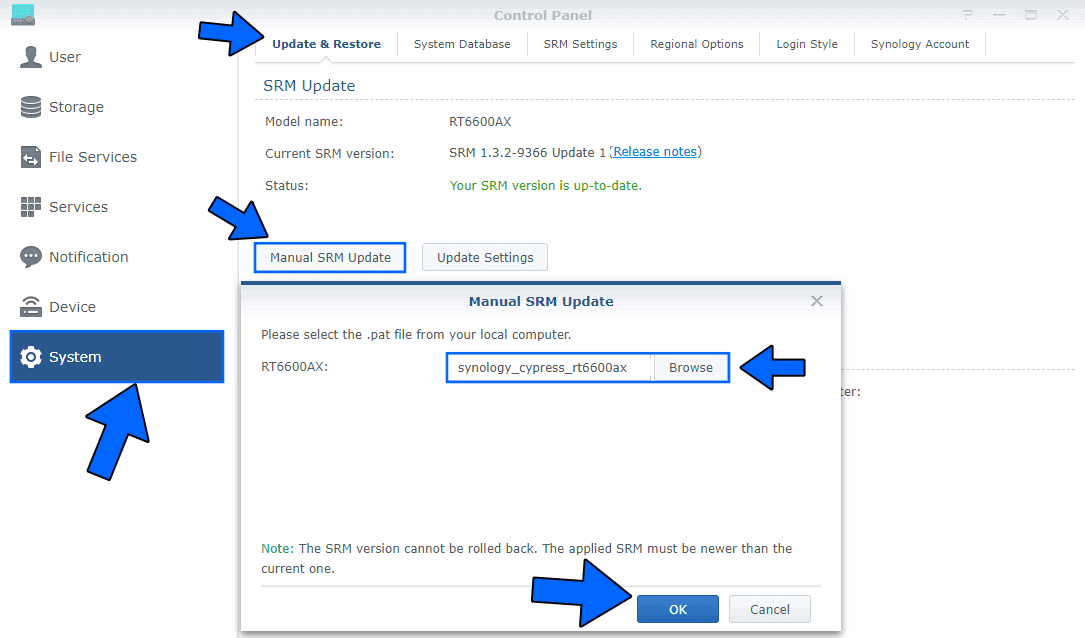
Log in to your Synology router, then go to Control Panel / System / Manual SRM Update. Select and upload the file you have previously downloaded at the beginning of this article. Follow the instructions in the image below.
STEP 2
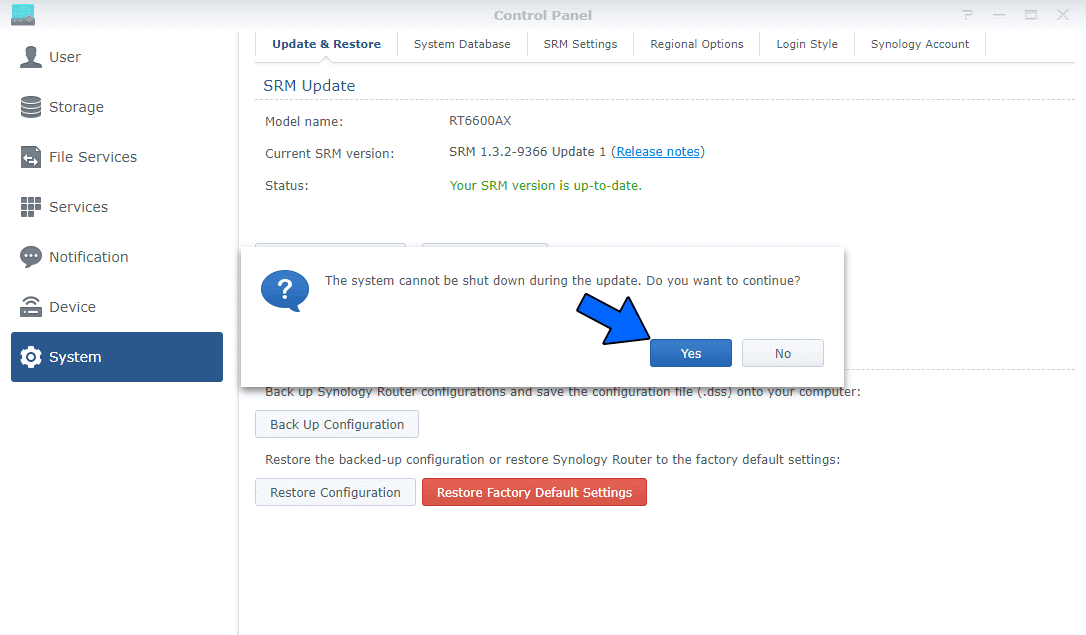
After you click OK at STEP 1, a new pop up window will appear with the following message: The system cannot be shut down during the update. Do you want to continue? Click Yes. Wait approximatively 2 minutes for the update to be completed. Follow the instructions in the image below.
STEP 3
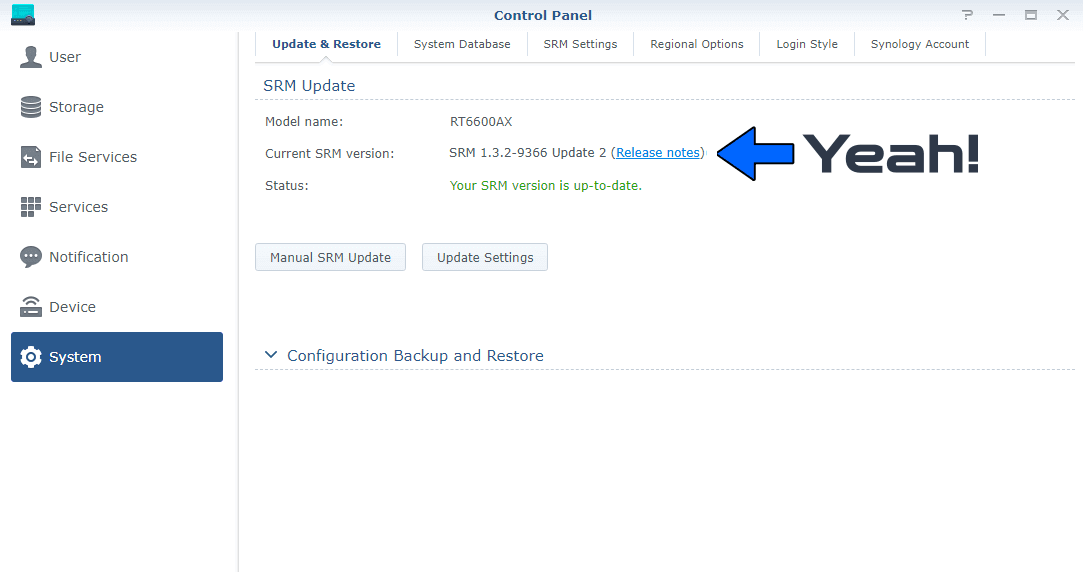
If everything went well, you should see the new SRM Version 1.3.2-9366 Update 2 correctly installed.
This post was updated on Wednesday / October 14th, 2026 at 10:40 PM