
OmniTools is a self-hosted web app offering a variety of online tools to simplify everyday tasks. Whether you are coding, manipulating images or crunching numbers, OmniTools has you covered. In this step by step guide I will show you how to install OmniTools on your Asustor NAS using Docker and Dockhand.
STEP 1
Please Support My work by Making a Donation.
STEP 2
Install Dockhand using my step by step guide. If you already have Dockhand installed on your Asustor NAS, skip this STEP. ⚠️Attention: Make sure you have installed the latest Dockhand version.
STEP 3
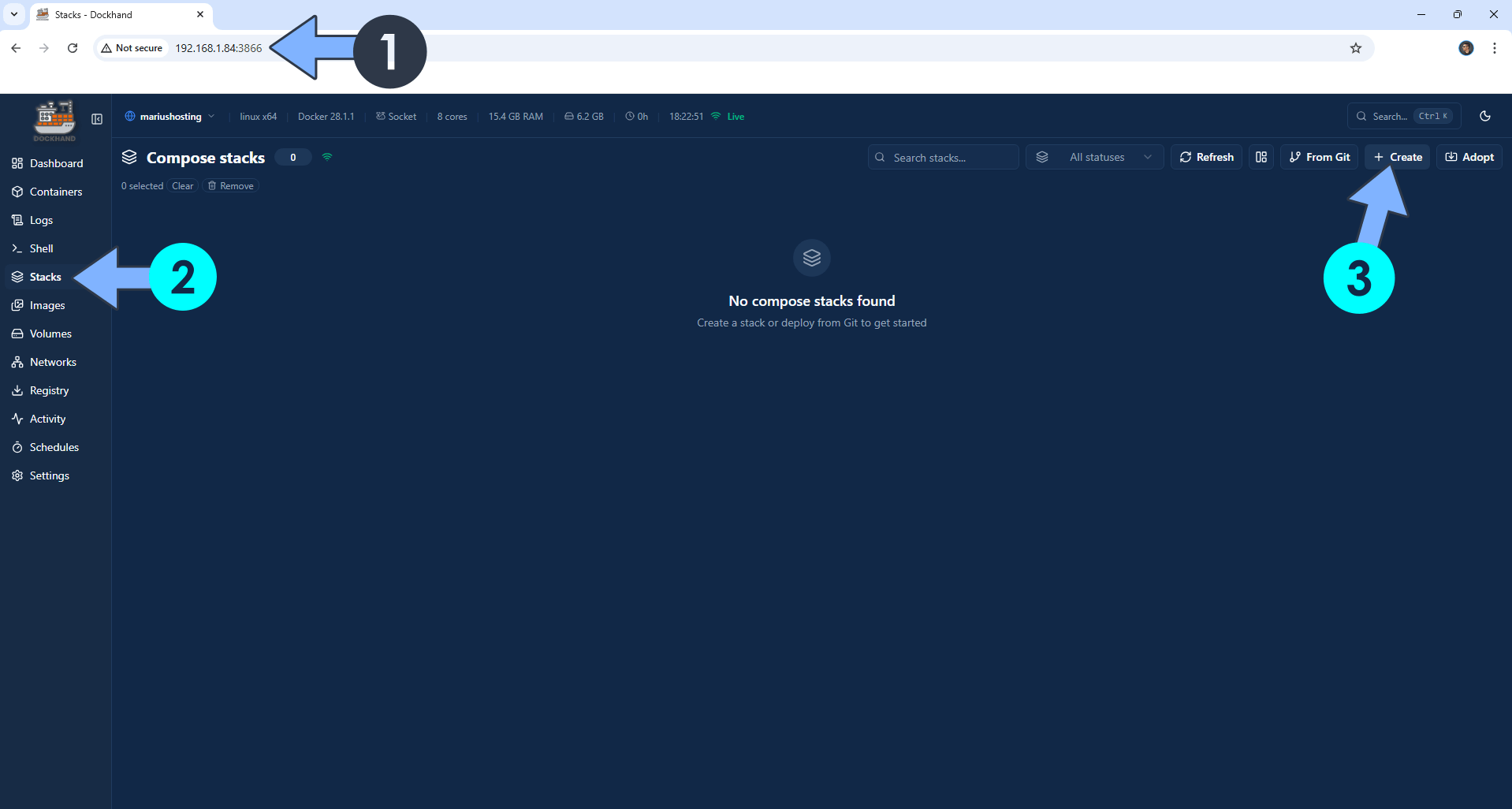
Open your browser and type in http://asustor-ip-address:3866 to connect to your Dockhand container. On the left sidebar, click Stacks then + Create. Follow the instructions in the image below.
STEP 4
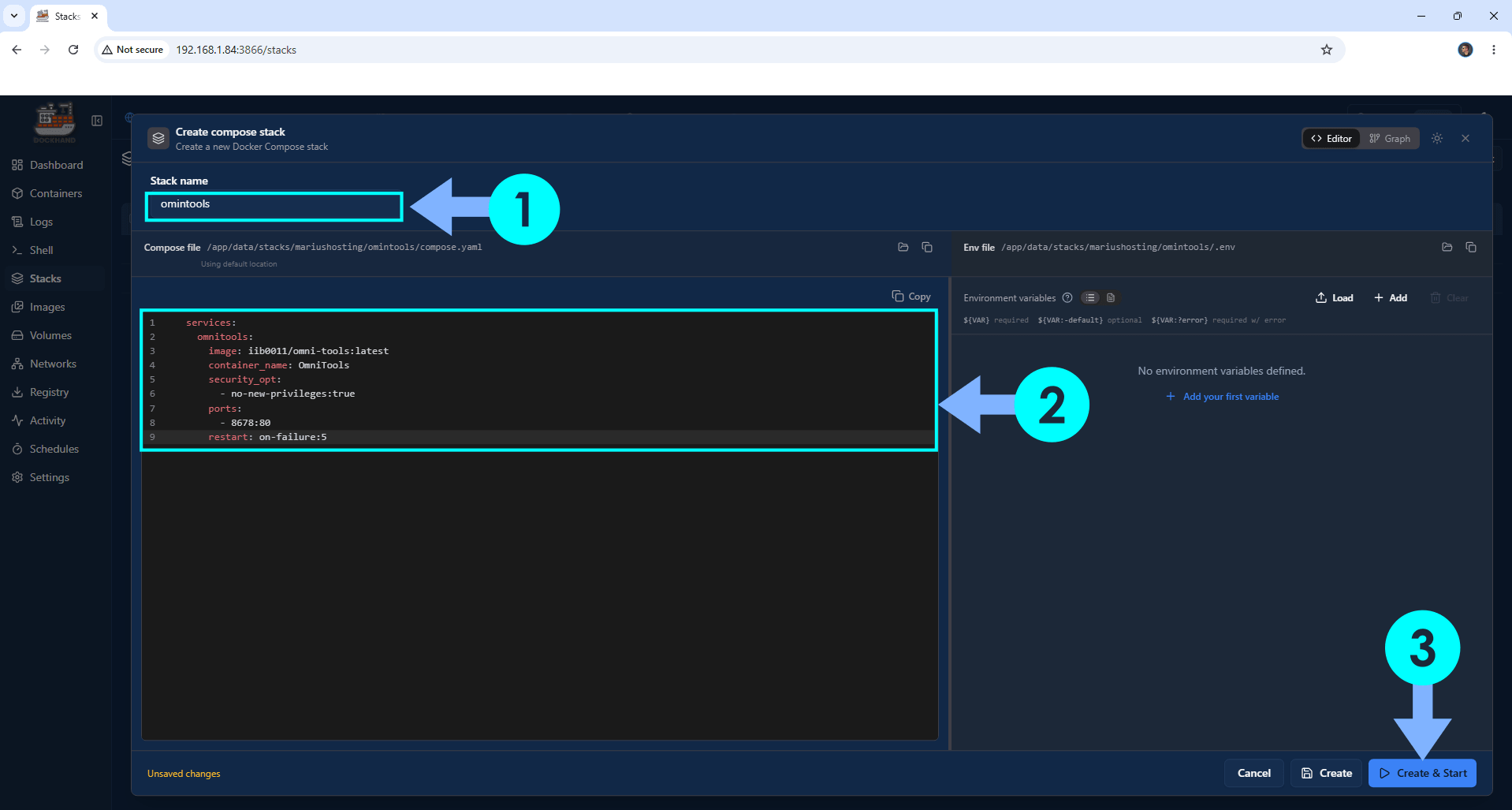
In the Stack name field, type in omnitools. ⚠️Warning: Type in the name in lowercase letters. The installation process can take up to a few seconds/minutes. It will depend on your Internet speed connection. Follow the instructions in the image below.
services:
  omnitools:
    image: iib0011/omni-tools:latest
    container_name: OmniTools
    security_opt:
      - no-new-privileges:true
    ports:
      - 8678:80
    restart: on-failure:5
STEP 5
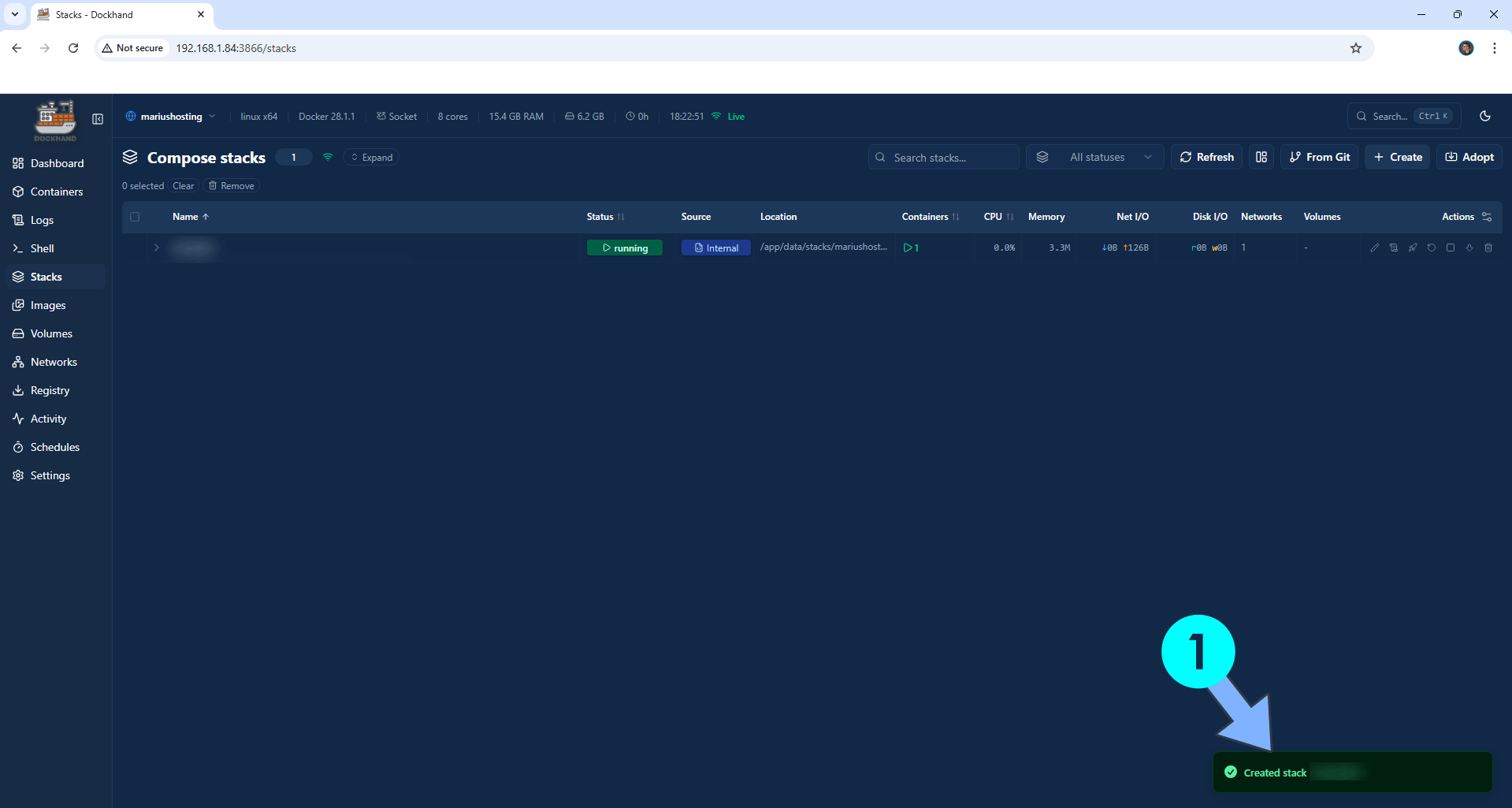
If everything goes right, you will see the following message at the bottom right of your screen: “Created stack “omnitools”“.
STEP 6
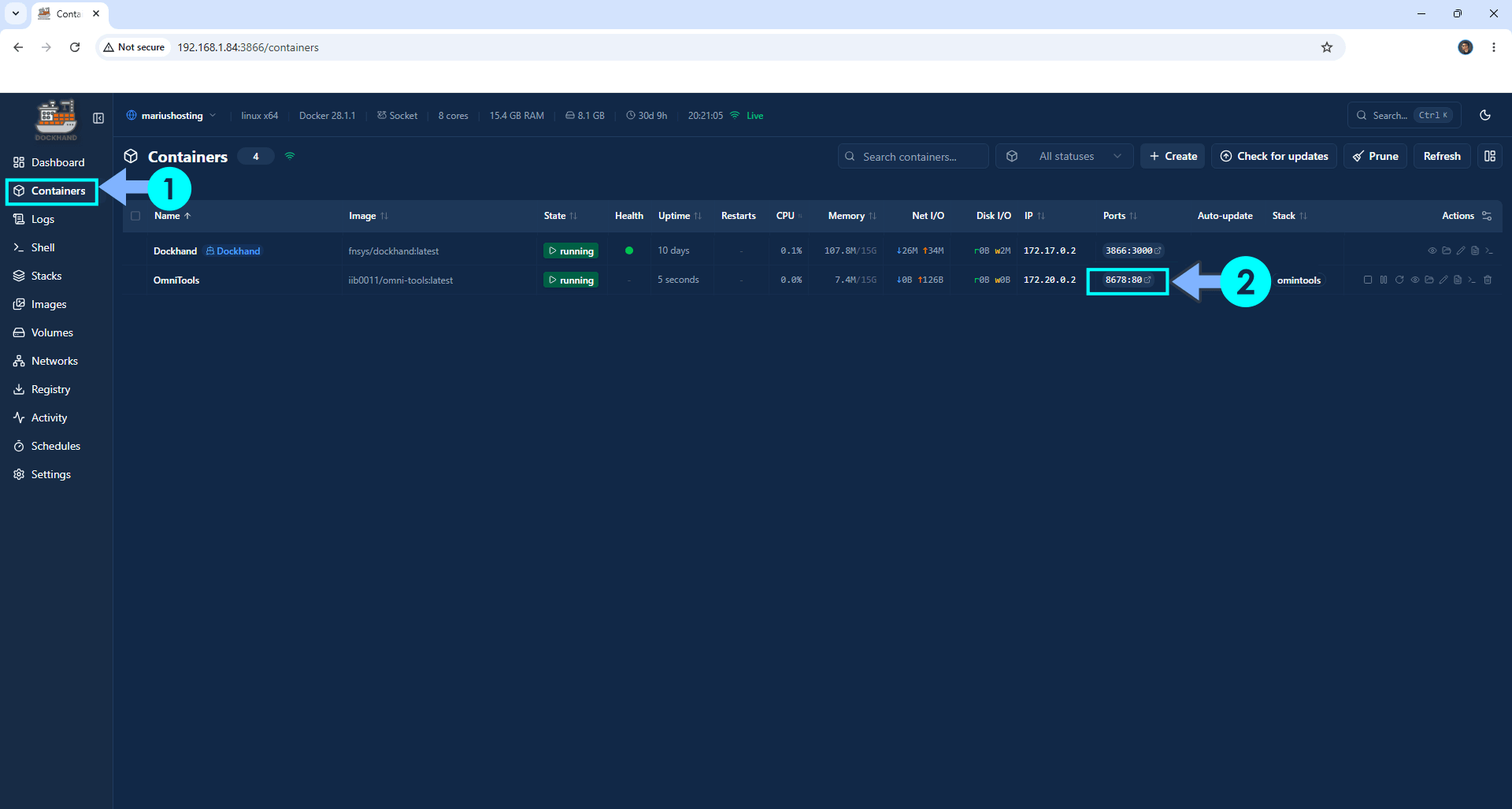
On the left sidebar, click Containers. Identify your OmniTools container then click on ports 8678:80. Follow the instructions in the image below.
STEP 7
Please Support My work by Making a Donation. Almost 99,9% of the people that install something using my guides forget to support my work, or just ignore STEP 1. I’ve been very honest about this aspect of my work since the beginning: I don’t run any ADS, I don’t require subscriptions, paid or otherwise, I don’t collect IPs, emails, and I don’t have any referral links from Amazon or other merchants. I also don’t have any POP-UPs or COOKIES. I have repeatedly been told over the years how much I have contributed to the community. It’s something I love doing and have been honest about my passion since the beginning. But I also Need The Community to Support me Back to be able to continue doing this work.
STEP 8
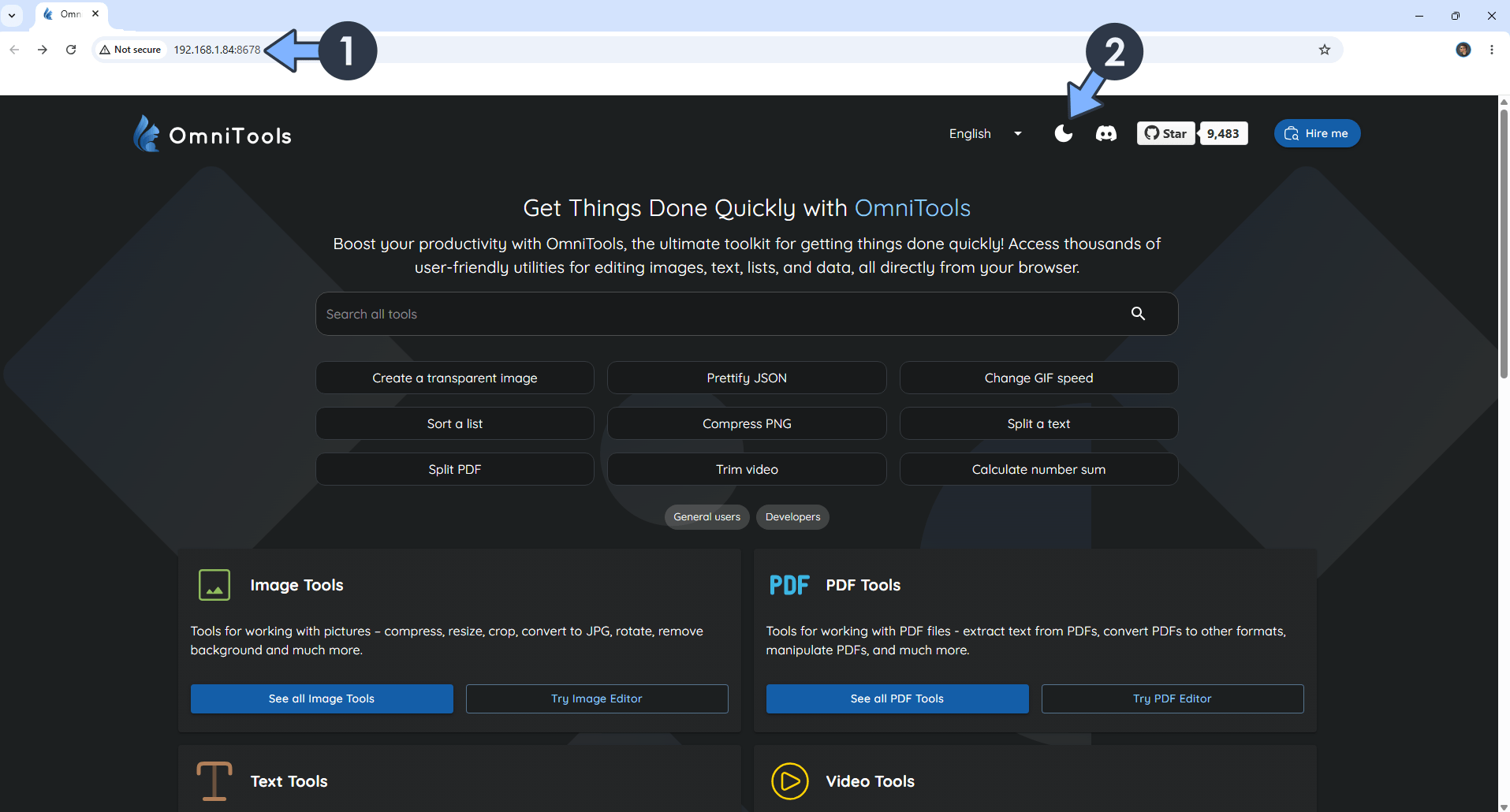
Click on your favorite Tool. Switch the theme to Dark. Follow the instructions in the image below.
Enjoy OmniTools on your Asustor NAS!
This post was updated on Sunday / May 10th, 2026 at 11:51 PM